.png?width=180&height=32&name=NW%20Logo%20(2).png)
Tags: Version 11.5
This topic provides information on the Federal Information Processing Standards (FIPS) compliant mode for RSA NetWitness Platform. The FIPS publications are guidelines that set best practices for software and hardware security products for the protection of valuable and sensitive information.
When the FIPS compliant mode is used, products that support one or more FIPS standards can be set into a mode where the product uses FIPS approved algorithms and methods only.
NetWitness Platform supports both FIPS approved and non-FIPS approved functions. In FIPS mode, the product is incapable of using any non-FIPS approved methods.
NetWitness Platform Components working in FIPS mode
The table below lists the NetWitness Platform components that work in FIPS mode. The method you use to activate or deactivate FIPS depends on the type of security library used by your NetWitness Platform services. Your NetWitness Platform services use the security libraries, as mentioned in the following table.
- Services: Event Stream Analysis (ESA), Malware Analysis, Reporting Engine, NetWitness Platform Host, Respond Service, Context Hub and Endpoint
- Security Library: BSAFE
- Services: Broker, Concentrator, Decoder, Log Decoder, Warehouse Connector, Archiver, and Workbench
- Security Library: BSAFE
FIPS 140-2 Certified Cryptographic Modules are enabled for all services that perform cryptographic operations. For the following services, although the FIPS Cryptographic Module is leveraged, the use of FIPS cipher suites is not being enforced:
- NTP: UPD Port 123
- TCP: SSH Port 22
- TCP: Salt API Loopback Port 8000
- CollectD
- Log Collector
- Log Decoder
Common Criteria Compliance
This topic provides information on Common Criteria Compliance for RSA NetWitness Platform.To support this requirement, you must ensure that only a secure communication is configured for the core services. To achieve this you must disable the unencrypted ports for the NetWitness core services.
Disabling Unencrypted Ports For NetWitness Core Services
To disable an unencrypted port for a NetWitness core service:
- Log in to NetWitness Platform UI.
- Go to
 (Admin) > Services.
The Services page is displayed.
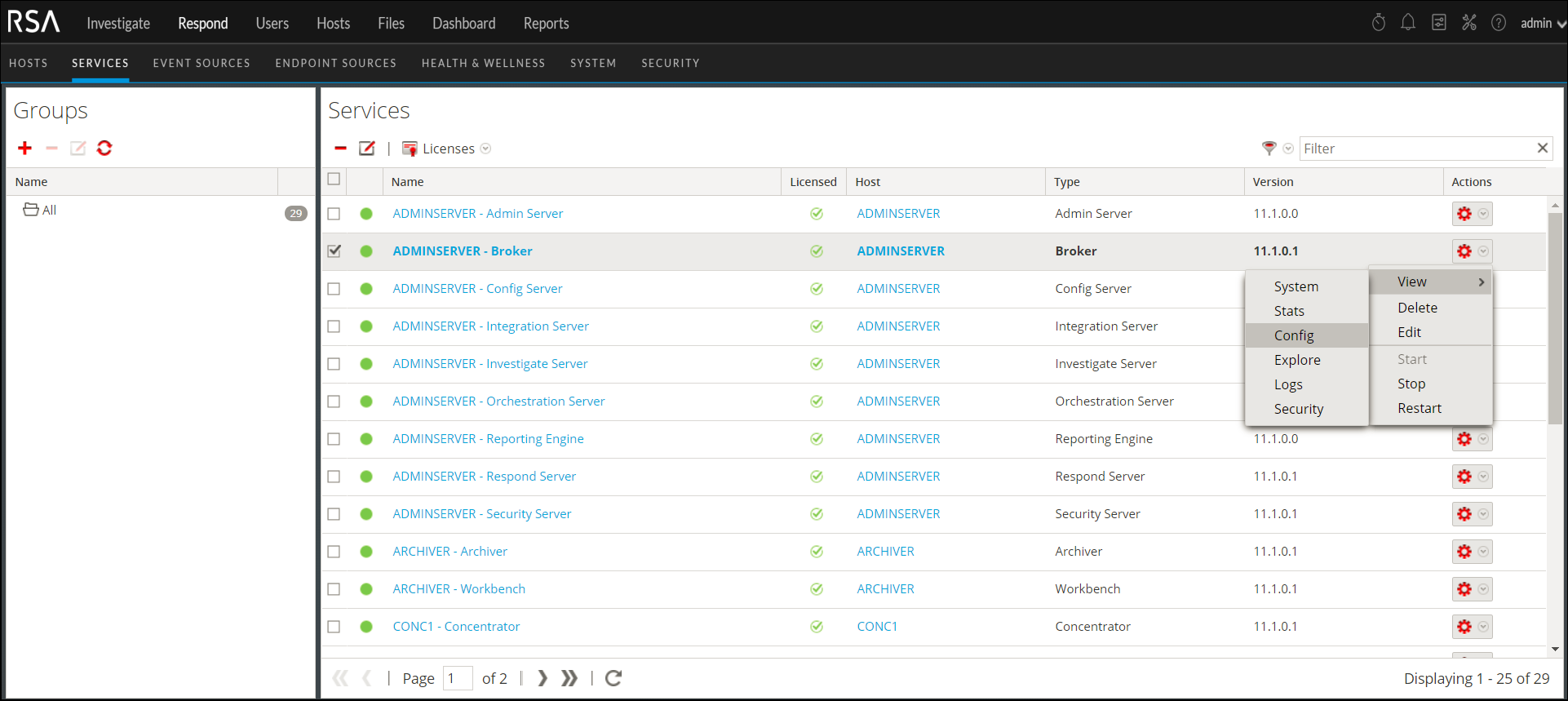
Select a core service to configure. - Click
 and select View > Config
.
- Select the General tab.
- In the Port field under the System Configuration section, replace the existing value with 0.
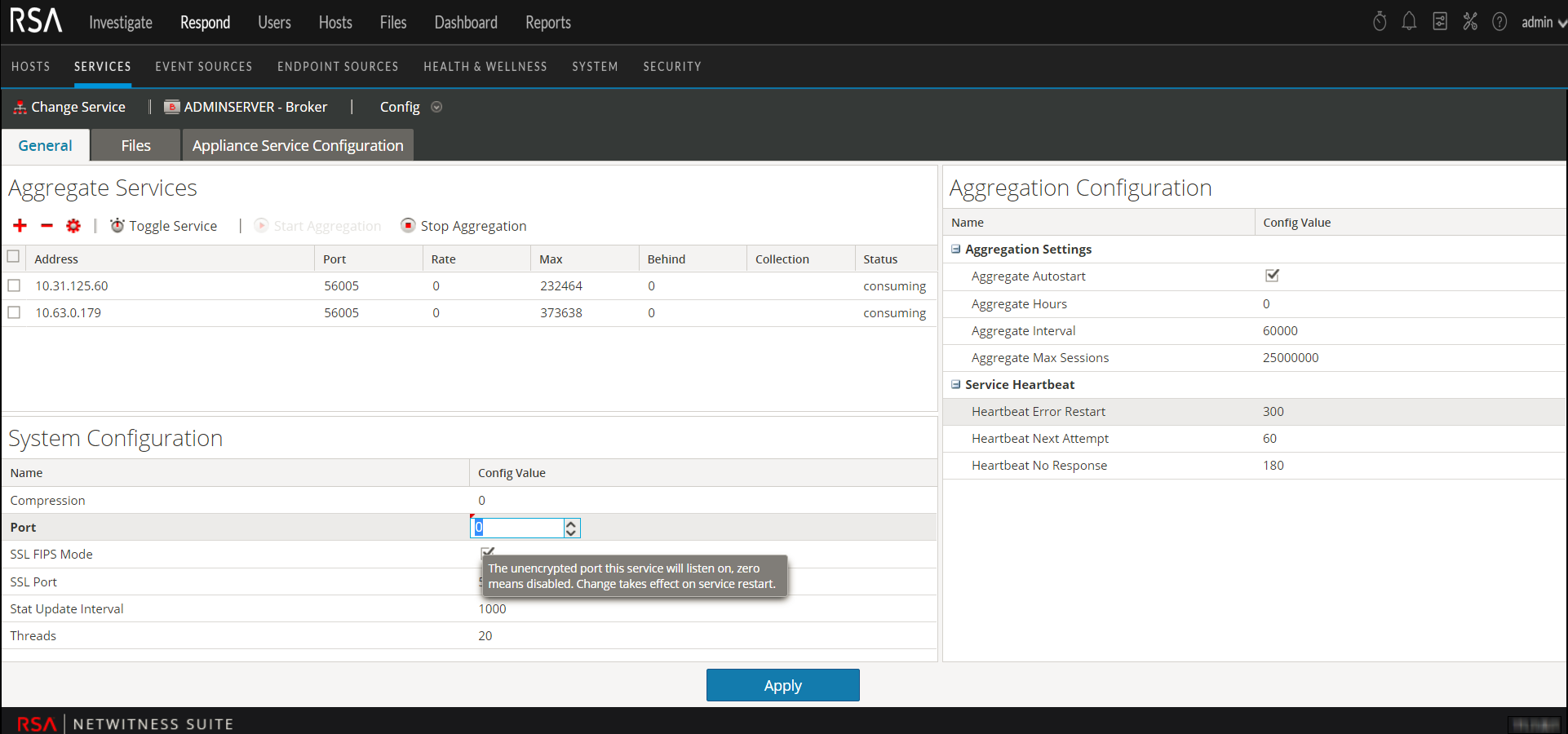
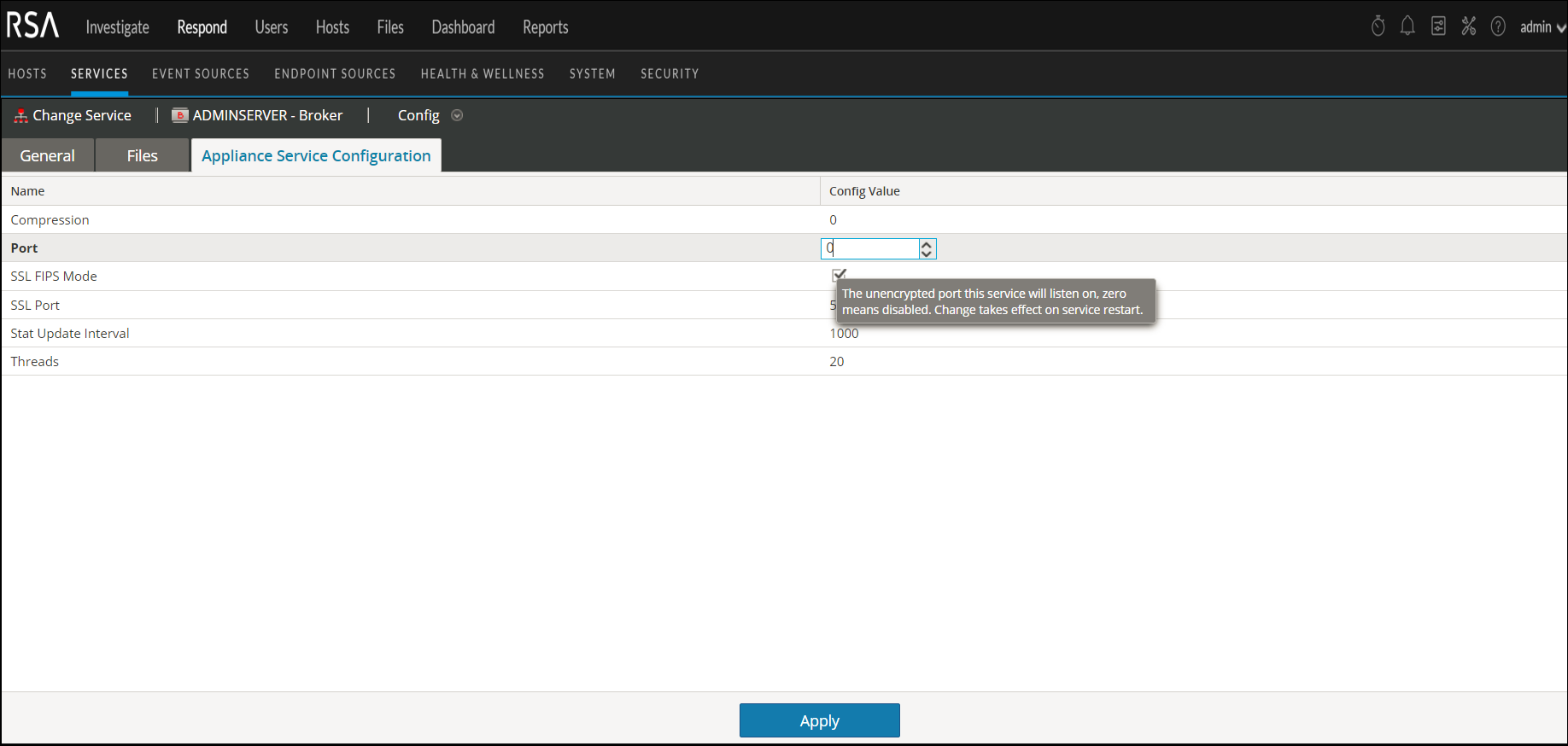
- Now click the Appliance Service Configuration tab.
- In the Port field, replace the existing value with 0
.
- Click Apply and restart the service, if prompted.
Note: After you apply the changes only the SSL port is configured for the service and no unencrypted interfaces are available to interact with the service.