.png?width=180&height=32&name=NW%20Logo%20(2).png)
Services Config View Advanced Tab (11.2 and Earlier)Services Config View Advanced Tab (11.2 and Earlier)
Note: The information in this topic applies ONLY to NetWitness version 11.2 and earlier.
For version 11.3 and later, see Configure Advanced Settings for an ESA Correlation Service.
ESA Analytics is not supported in NetWitness Platform 11.5 and later versions.
The Services Config view > Advanced tab of an ESA service enables you to configure advanced settings. In the Advanced view, you can configure advanced settings to improve performance, to preserve events for rules with multiple events, to buffer events in memory, and to set the number of events to be stored on the ESA.
Workflow
This workflow shows the overall process for configuring ESA. It also shows where configuring advanced settings is located in the process.
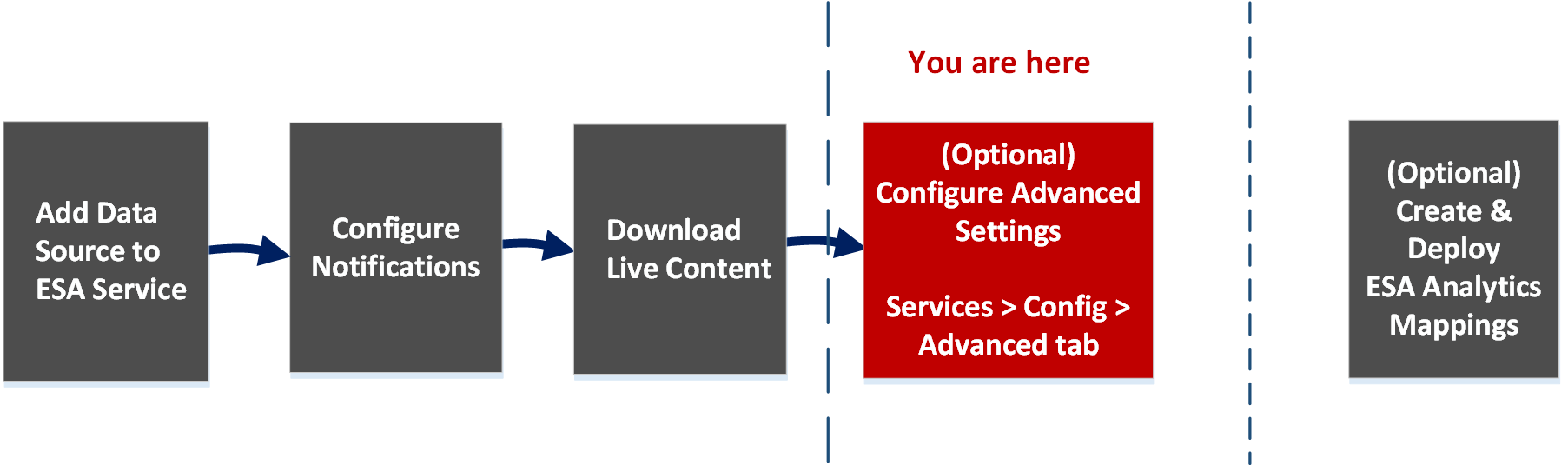
In NetWitness 11.2 and earlier, ESA has two services, the Event Stream Analysis service (ESA Correlation Rules) and the Event Stream Analytics Server service (ESA Analytics). The first four procedures shown pertain to configuring the Event Stream Analysis service:
- Add Data Source to ESA Service
- Configure Notifications
- Download Live Content
-
(Optional) Configure Advanced Settings*
The last procedure is separate from the others and pertains to creating mappings for the ESA Analytics services to start automatically detecting advanced threats:
- (Optional) Create and Deploy ESA Analytics Mappings
What do you want to do?
*You can complete these tasks here (that is in the Services Config view Advanced tab).
Go to the NetWitness All Versions Documents page and find NetWitness Platform guides to troubleshoot issues.
Related Topics
- See "Add or Update a Host" in the Host and Services Getting Started Guide
Quick Look
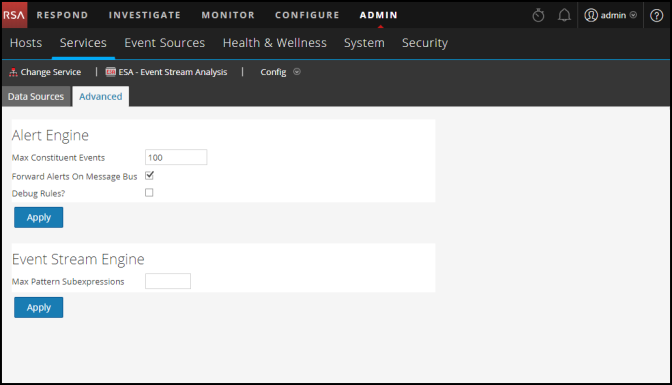
To access the Advanced tab, go to Admin > Services > (Select an ESA service) >  > View > Config.
The following figure shows the Services Config view Advanced tab for an ESA service.
Alert Engine SettingsAlert Engine Settings
In the Alert Engine section, you specify values to preserve events for rules that choose multiple events. The following figure shows the Alert Engine section.
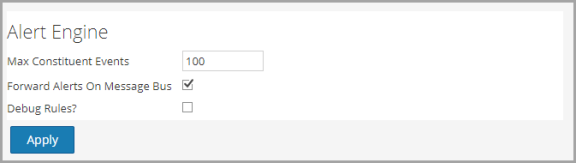
The following table lists the parameters in the Alert Engine section and their descriptions.
Event Stream Engine SettingsEvent Stream Engine Settings
In the Event Stream Engine section, you specify details to improve performance. The following figure shows the Event Stream Engine section.
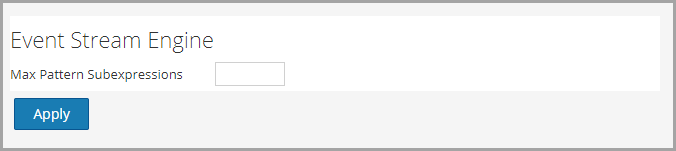
The following table lists the parameter in the Event Stream Engine section and its description.