.png?width=180&height=32&name=NW%20Logo%20(2).png)
Whois Lookup Service Configuration (11.1.x to 11.4.x)Whois Lookup Service Configuration (11.1.x to 11.4.x)
Note: The information in this topic applies ONLY to NetWitness® Platform versions 11.1.x to 11.4.x.
The Whois Lookup Service and ESA Analytics are not supported in NetWitness Platform 11.5 and later versions.
In the Whois Lookup Configuration panel (Admin > System > Whois), you configure a connection to the Whois Lookup service for your preconfigured ESA Analytics modules used in RSA Automated Threat Detection. The Whois Service enables you to get accurate data about domains that you connect to. In order to ensure effective scoring, it is important that you configure the Whois service settings.
You must have an RSA Live account to use this service.
If you configured a Live account in the Live Services panel (Admin > System > Live Services), the Whois Lookup Service is automatically configured for you. You just need to check the connection of the Whois Lookup service.
Note: If you do not have an RSA Live account, you can create one at the RSA Live Registration Portal: https://cms.netwitness.com/registration/ The Live Services Management Guide provides additional information.
What do you want to do?
Go to the NetWitness All Versions Documents page and find NetWitness Platform guides to troubleshoot issues.
Related Topics
- See "ESA Analytics Mappings" in the ESA Configuration Guide for NetWitness Platform 11.4.
Quick Look
To access the Whois Lookup Service Configuration, go to Admin > System and in the options panel, select Whois.
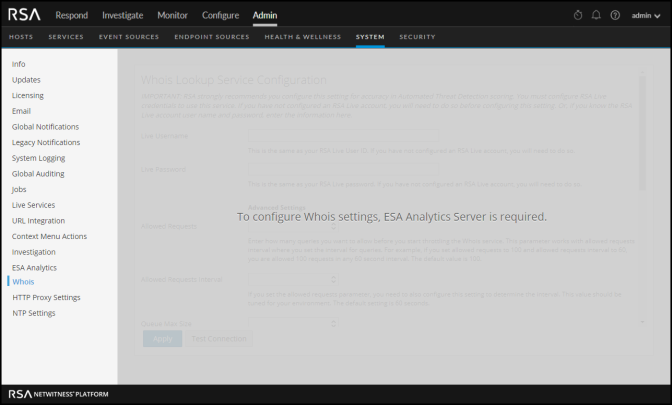
The ESA Analytics Server service must be available (shows a green circle) in the Admin > Services view. If you do not have an ESA Analytics Server service available, you will see the following panel.
If you have an ESA Analytics Server service available, you will see the following panel.
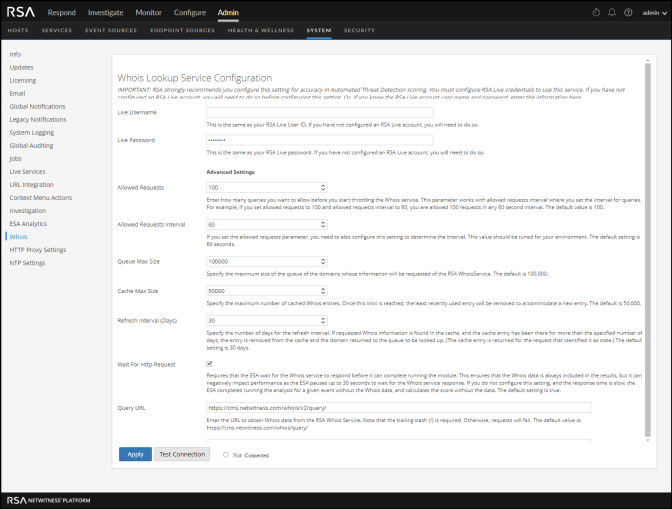
The following table describes the listed Whois Lookup Service configuration settings.