.png?width=180&height=32&name=NW%20Logo%20(2).png)
Settings Tab
In the Settings tab, you can configure password complexity for internal NetWitness users and set system-wide security parameters. You can also restrict access to incidents in the Respond view.
Password complexity requirements apply only to internal users and are not enforced for external users. External users rely on their own methods and systems to enforce password complexity.
Workflow
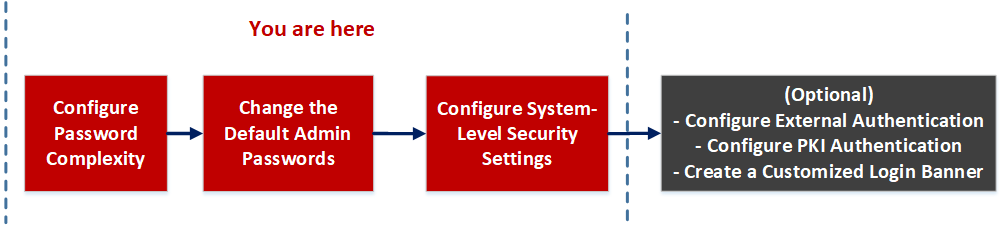
What do you want to do?
Related Topics
Quick Look
To access this view, go to  (Admin) > Security and click the Settings tab.
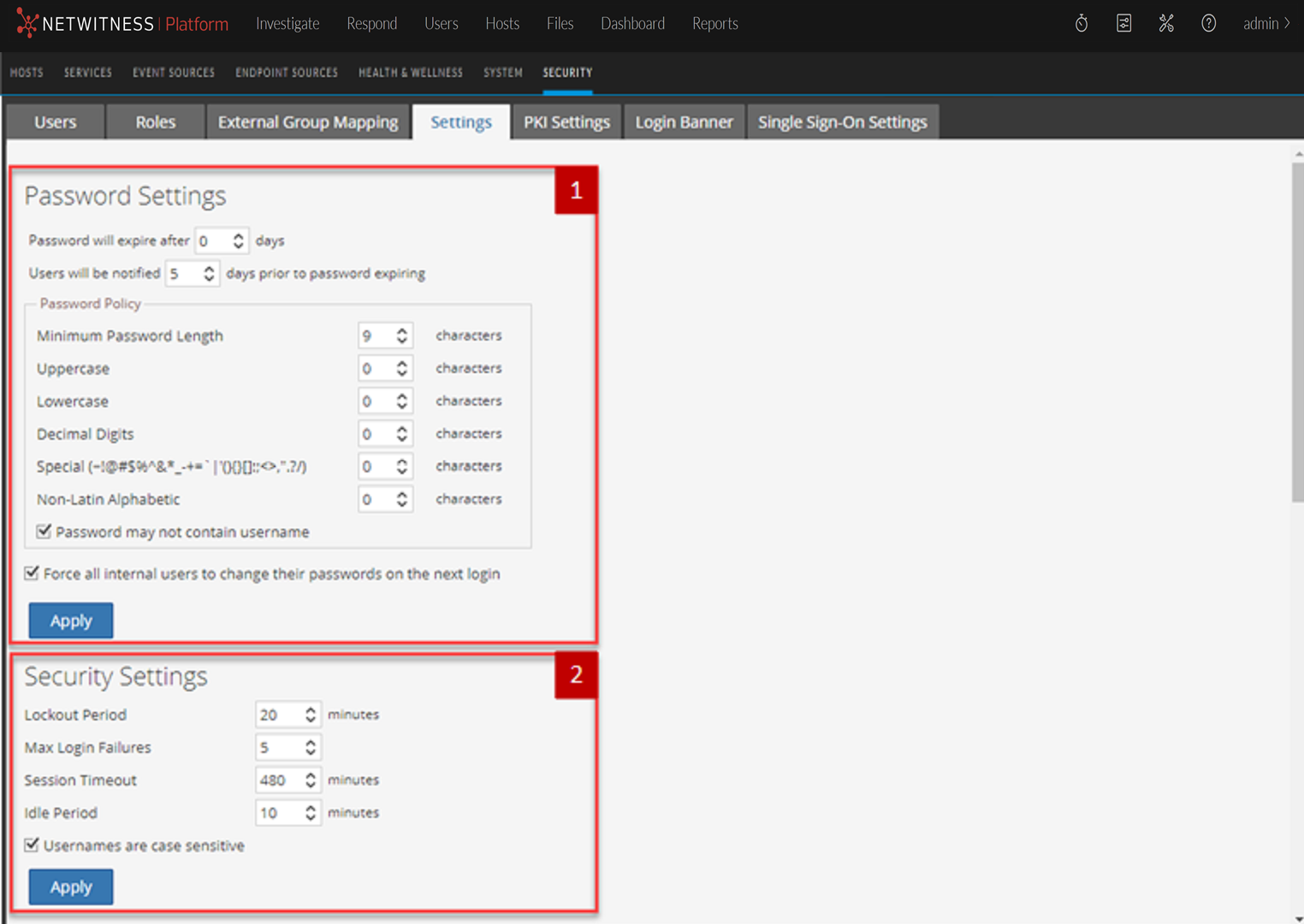
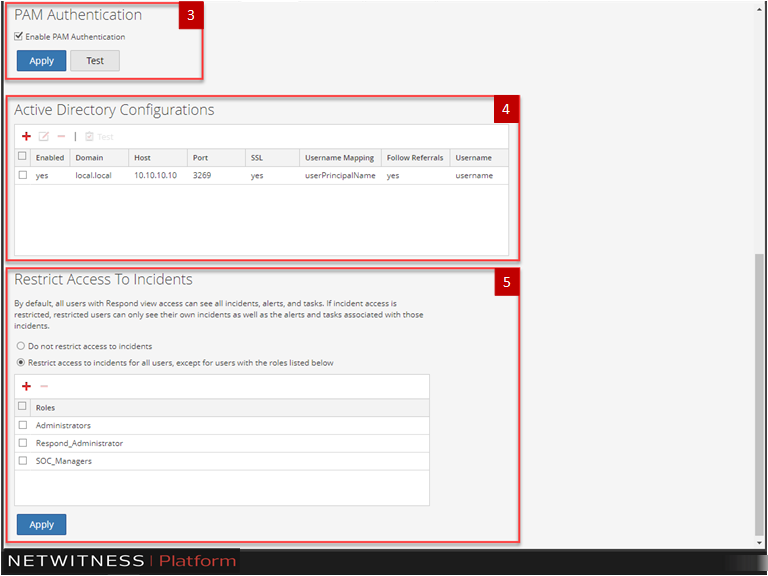
The Settings tab includes the following sections.
Password Settings
The Password Policy section enables you to configure password complexity requirements for internal NetWitness users when they set their passwords.
Security Settings
The Security Settings section enables you to configure global security settings for NetWitness users.
PAM Authentication
The PAM Authentication section enables you to configure NetWitness to use Active Directory or PAM to authenticate and test external user logins.
Active Directory Configurations
The Active Directory Configuration section enables you to configure NetWitness to use Active Directory to authenticate external user logins.
Restrict Access to Incidents
By default, analysts can view all of the incidents, alerts, and tasks in the Respond view. If you have sensitive or restricted information that should not be shared, you can restrict what analysts and other users can see in the Respond view.