.png?width=180&height=32&name=NW%20Logo%20(2).png)
Services Config View - General TabServices Config View - General Tab
This topic introduces the configuration settings in the Service Config view > General tab for Malware Analysis, which has parameters specific to the Malware Analysis service. In this tab, you can configure:
- The processing parameters for Core services that are capturing data.
- The repository for captured data.
- The static, community, and sandbox scoring categories used to analyze the data.
WorkflowWorkflow
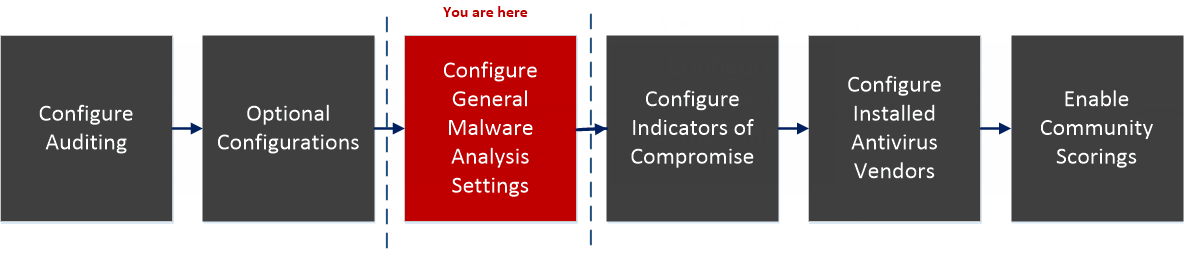
What do you want to do?What do you want to do?
*You can perform this task in the current view
Quick LookQuick Look
This is an example of the General tab.
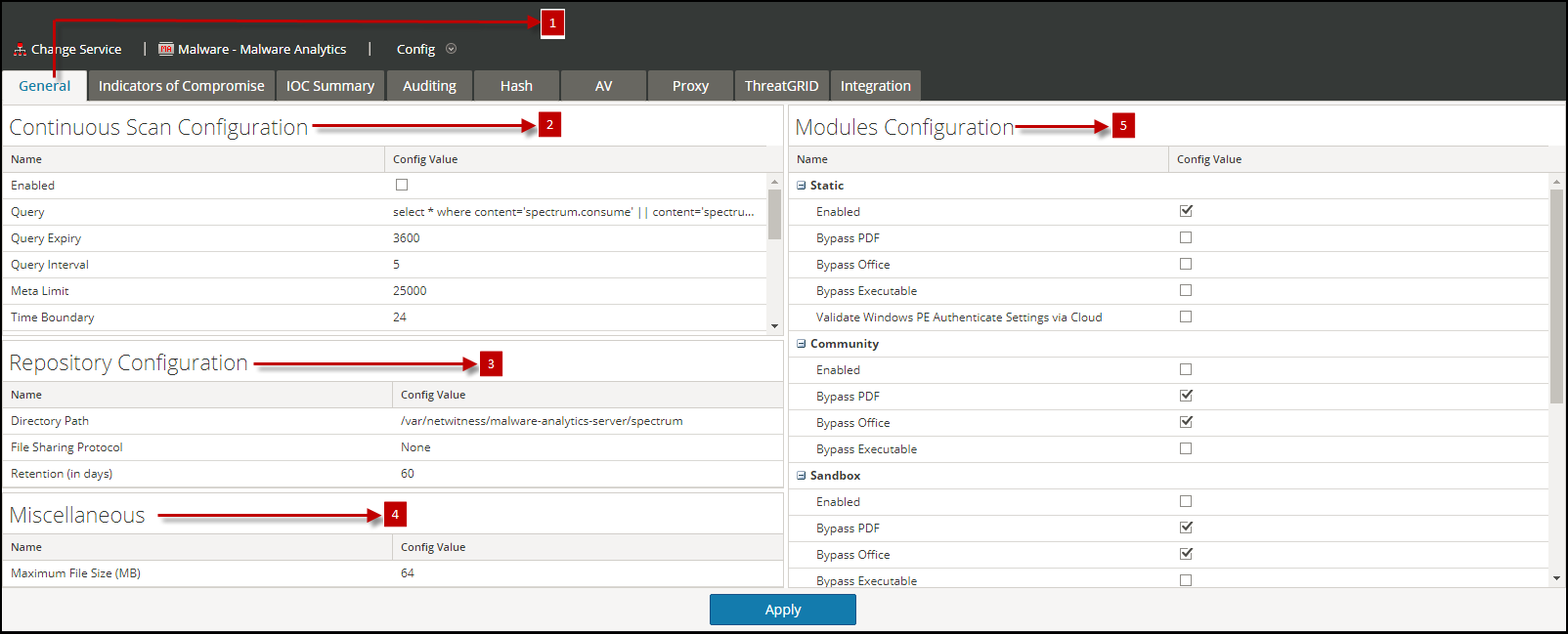
This tab has four sections: Continuous Scan Configuration, Repository Configuration, Miscellaneous, and Modules Configuration.
Continuous Scan Configuration SectionContinuous Scan Configuration Section
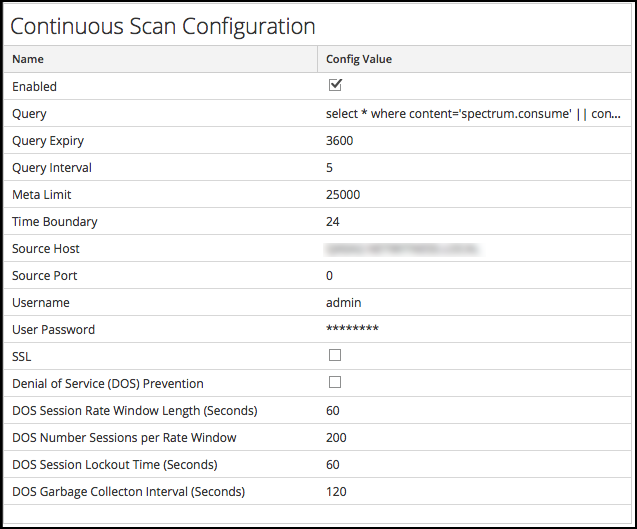
This table describes the features of the Continuous Scan Configuration section.
Repository Configuration SectionRepository Configuration Section
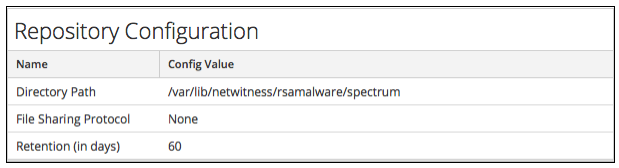
Malware Analysis stores all of the files that are analyzed for future use. These files can be downloaded through the user interface or accessed via one of the file sharing protocols.
This table describes the features of the Repository Configuration section.
Miscellaneous Configuration Section (10.3 SP2 and Later)Miscellaneous Configuration Section (10.3 SP2 and Later)
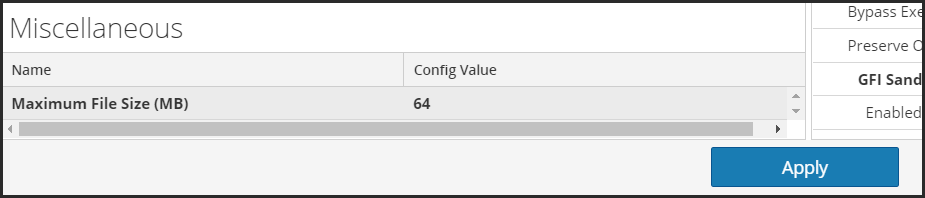
This table describes the features of the Miscellaneous Configuration section.
Modules Configuration SectionModules Configuration Section
The Modules Configuration section allows configuration of the static, community, and sandbox scoring categories.
Static Analysis ConfigurationStatic Analysis Configuration
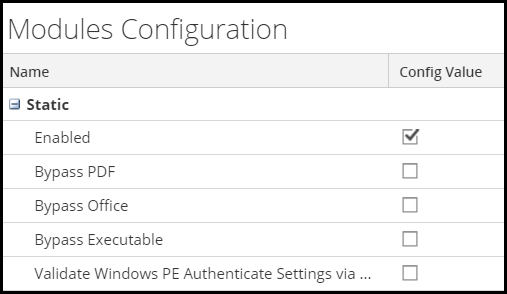
The static module is the only scoring category that is enabled by default. This table describes the parameters for configuring static analysis.
Community Analysis ConfigurationCommunity Analysis Configuration
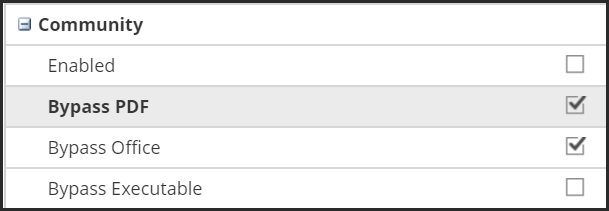
By default, the community module is disabled and the options are selected to prevent PDFs and MS Office documents from being processed. The intent is to default the settings to the most restrictive choices so that no sensitive documents leave the network unless the user chooses. This table describes the parameters for configuring Community analysis.