.png?width=180&height=32&name=NW%20Logo%20(2).png)
Build List ViewBuild List View
In the Build List view, you can enter or import values to create a list and save or reset the values. You can use lists when you are writing reporting rules to simplify the process of specifying values in the rule.
Workflow
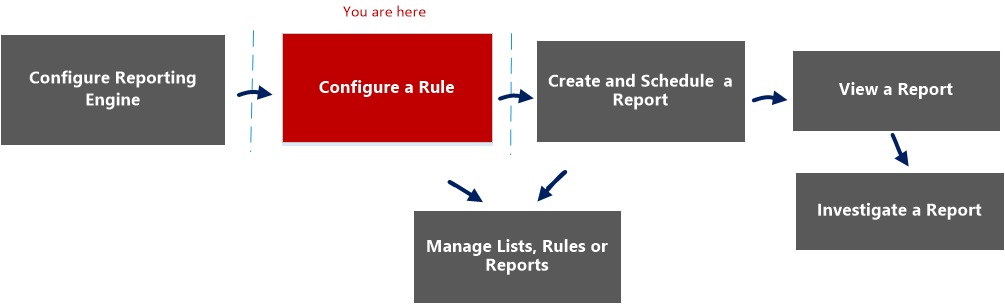
This workflow shows the procedure to define lists or list groups. You can set access control at the list or list group level so that only users with specific roles can access the lists.
You must ensure that Reporting Engine is configured on the NetWitness.
What do you want to do?
*You can complete these tasks here.
Related Topics
Quick View
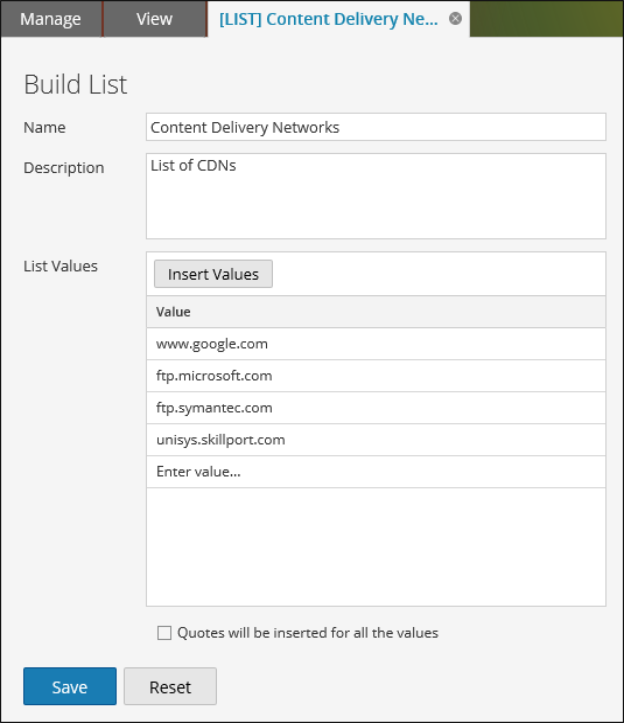
The following figure shows the Build List View.
To access this view
-
Go to Reports.
The Manage tab is displayed.
-
Click Lists.
The Lists view is displayed.
-
In the Lists toolbar, click
 .
.The Build List tab is displayed.
The following table describes the features in the Build List view.