.png?width=180&height=32&name=NW%20Logo%20(2).png)
Build a Statement DialogBuild a Statement Dialog
The Build a Statement dialog allows you to construct a condition statement when creating a new Rule Builder rule.
What do you want to do?What do you want to do?
Related TopicsRelated Topics
Quick LookQuick Look
To access the Build a Statement dialog:
-
Go to
 (Configure) > ESA Rules.
The Configure ESA Rules view is displayed with the Rules tab open.
-
In the Rule Library toolbar, select
 > Rule Builder.
A New Rule tab is displayed..
-
In the Conditions section, click
 .
.The Build a Statement dialog is displayed.
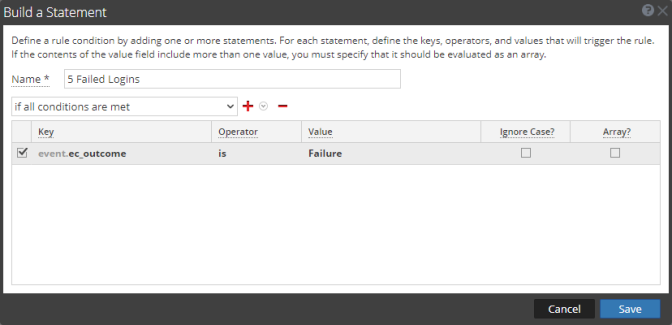
The following table describes the parameters in the Build a Statement dialog.
The following table shows the operators you can use in the Rule Builder: