.png?width=180&height=32&name=NW%20Logo%20(2).png)
Chart Permissions DialogChart Permissions Dialog
In the Chart Permissions dialog, you can manage access permissions for user roles at the chart and chart group level. Only a user with the 'Read & Write' permission can configure the chart in the Reporting module.
Workflow
What do you want to do?
*You can complete these tasks here.
Related Topics
Quick View
The Chart permissions dialog allows you to set chart permissions depending on the user role.
The following figure is an example with the important features labeled.
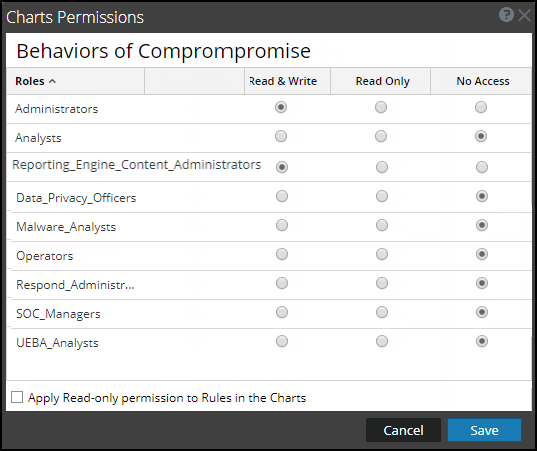
The following table lists the columns in the Charts Permission dialog.