.png?width=180&height=32&name=NW%20Logo%20(2).png)
Configure Azure Event Sources in NetWitness
This topic tells you how to configure the Azure collection protocol. Microsoft Azure is a cloud computing platform and infrastructure for building, deploying, and managing applications and services through a global network of Microsoft-managed data centers.
Configuration in NetWitness
For complete details about configuring Azure as an event source, see the Azure Event Source Configuration Guide, available on NetWitness Link.
To configure an Azure Event Source:
- Go to
 (Admin) > Services from the NetWitness menu.
 - Select a Log Collection service.
- Select
 > View > Config to display the Log Collection configuration parameter tabs.
 -
Click the Event Sources tab.
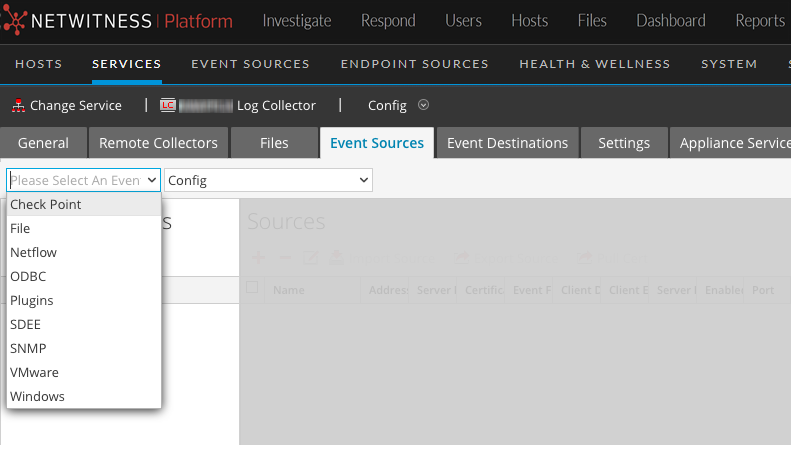
- In the Event Sources tab, select Plugins/Config from the drop-down menu.
-
In the Event Categories panel toolbar, click
 .
.The Available Event Source Types dialog is displayed.
-
Select azureaudit) and click OK.
The newly added event source type is displayed in the Event Categories panel.
-
Select the new type in the Event Categories panel and click
in the Sources toolbar.The Add Source dialog is displayed.
- Define parameter values. For details, see Azure Parameters below.
-
Click Test Connection.
The result of the test is displayed in the dialog box. If the test is unsuccessful, edit the device or service information and retry.
Log Collector takes approximately 60 seconds to return the test results. If it exceeds the time limit, the test times out and the NetWitness displays an error message.
-
If the test is successful, click OK.
The new event source is displayed in the Sources panel.
Azure ParametersAzure Parameters
This section describes the Azure event source configuration parameters.
Basic Parameters
Note: Required parameters are marked with an asterisk. All other parameters are optional.
Advanced Parameters
Click  next to Advanced to view and edit the advanced parameters, if necessary.