.png?width=180&height=32&name=NW%20Logo%20(2).png)
Configure File Event Sources in NetWitness
This topic tells you how to configure the File collection protocol:
Note: In NetWitness 11.4 and later, you can perform File Log collection for many event sources using Endpoint Agents, thus simplifying the collection process. For details, see the NetWitness Endpoint Configuration Guide. For a list of which event sources are supported, see the section "Currently Supported File Log Event Source Types."
Configure a File Event Source
To configure a File Event Source:
- Go to
 (Admin) > Services from the NetWitness menu.
 - Select a Log Collection service.
- Under Actions, select
 > View > Config to display the Log Collection configuration parameter tabs.
 -
Click the Event Sources tab.
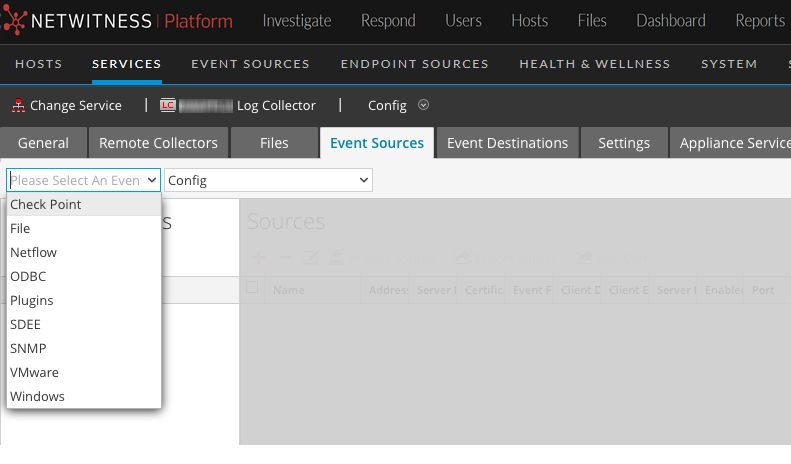
- In the Event Sources tab, select File/Config from the drop-down menu.
-
In the Event Categories panel toolbar, click
 .
.The Available Event Source Types dialog is displayed.
-
Select a file event source type and click OK.
The newly added event source type is displayed in the Event Categories panel.
-
Select the new type in the Event Categories panel and click
in the Sources toolbar.The Add Source dialog is displayed.
-
Add a File Directory name and modify any other parameters that require changes. For details, see File Collection Parameters below.
-
To get the public key and enter it into the dialog box, do the following:
- Select and copy the public key from the Event Source by running: cat ~/.ssh/id_rsa.pub
- Paste the public key in the Eventsource SSH Key field.
- Click OK.
You need to restart file collection for your changes to take effect.
Stop and Restart File Collection
After you add a new event source that uses file collection, you must stop and restart the NetWitness File Collection service. This is necessary to add the key to the new event source.
File Collection ParametersFile Collection Parameters
The following table provides descriptions of the File Collection source parameters.
The following table describes the Basic configuration parameter for File collection.
Note: Required parameters are marked with an asterisk. All other parameters are optional.
The following table describes the Advanced configuration parameter for File collection.