.png?width=180&height=32&name=NW%20Logo%20(2).png)
Configure a Destination to Receive Global Audit LogsConfigure a Destination to Receive Global Audit Logs
In Global Audit Logging, Syslog Notification Servers are the configurations that define the destinations to receive global audit logs. You need to configure a Syslog Notification Server to use Global Audit Logging. You can define a third-party syslog server or a Log Decoder as the destination to receive the audit logs.
Configure a Syslog Notification Server for a Third-Party Syslog ServerConfigure a Syslog Notification Server for a Third-Party Syslog Server
- Go to
 (Admin) > System.
 - In the options panel, select Global Notifications.
-
Click the Servers tab.
Note: You do not need to configure the Output tab for Global Audit Logging.
-
From the
 drop-down menu, select Syslog.
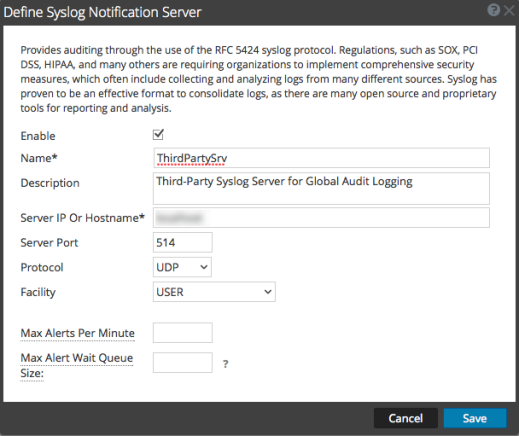
The Define Syslog Notification Server dialog is displayed.
-
Configure the Syslog notification server as described in the following table.
The Max Alerts Per Minute and Max Alert Wait Queue Size fields are not used for Global Audit Logging.
- Click Save.
Configure a Syslog Notification Server for a Log DecoderConfigure a Syslog Notification Server for a Log Decoder
- Go to (Admin) > System.
- In the options panel, select Global Notifications.
-
Click the Servers tab.
Note: You do not need to configure the Output tab for Global Audit Logging.
-
From the
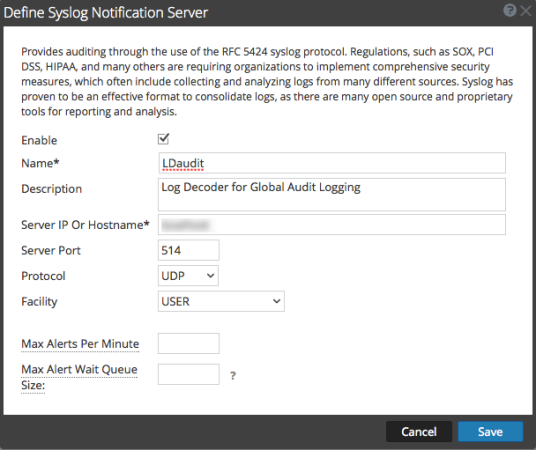
drop-down menu, select Syslog.The Define Syslog Notification Server dialog is displayed.
-
Configure the Syslog notification server as described in the following table.
The Max Alerts Per Minute and Max Alert Wait Queue Size fields are not used for Global Audit Logging.
- Click Save.
Next StepsNext Steps
Select a default Audit Logging template to use for Global Audit Logging. If necessary, you can define your own custom template. Define a Template for Global Audit Logging provides additional information.