.png?width=180&height=32&name=NW%20Logo%20(2).png)
Context Menu Actions Panel
In the Context Menu Actions panel, Administrators can view built-in context menu actions, and add, edit, or delete custom context menu actions that appear as options in a context menu.
Workflow

What do you want to do?
Quick Look
The following figure is an example of the Context Menu Actions panel.
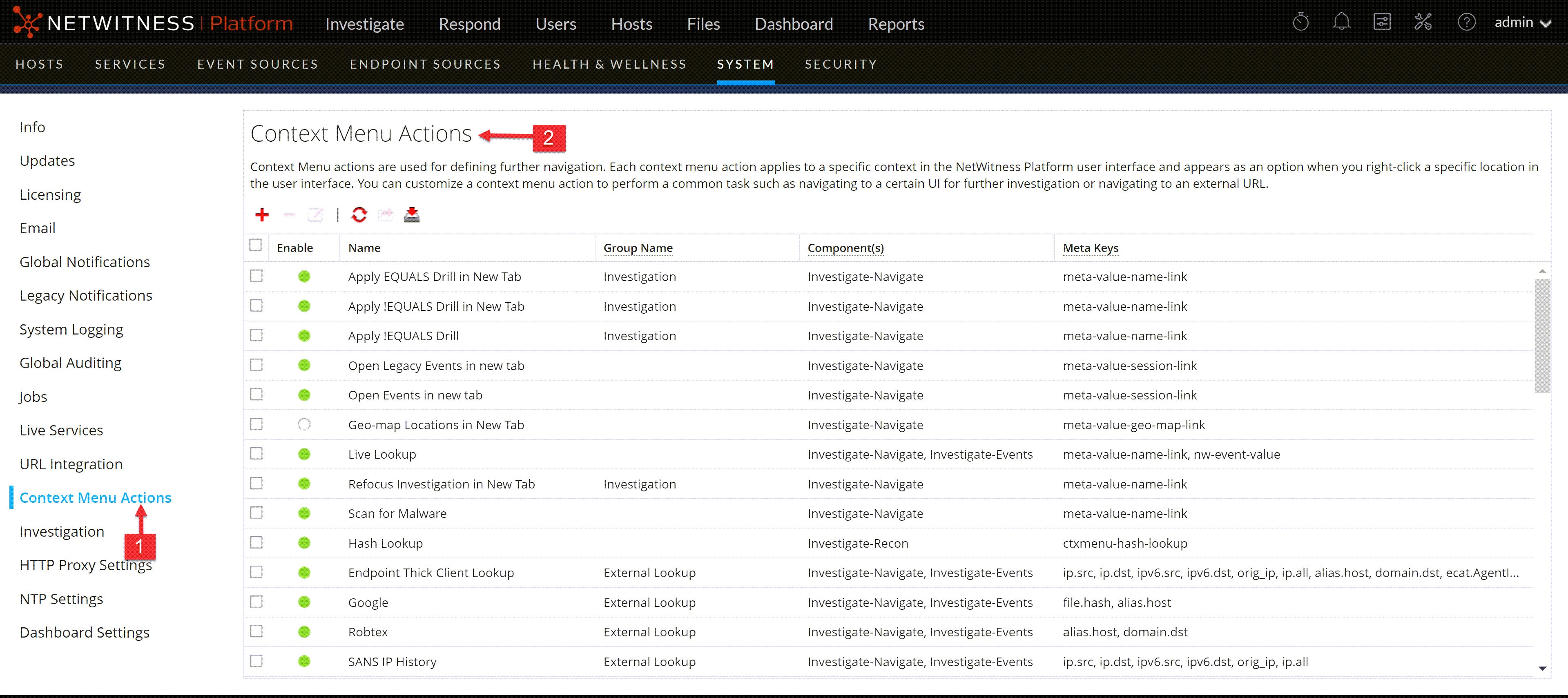
The Context Menu Actions panel has a list and a toolbar. The following table describes the toolbar options and grid features.
CSS Classes and Examples
CSS classes can be meta keys and non-meta keys.
Meta Key CSS Classes
One type of CSS class that you can add is meta keys. For meta keys that have a period, change the period to a dash when defining a CSS class. For example, the meta key alias.host becomes the CSS class alias-host. The meta key ip.src becomes the CSS class ip-src.
Non-Meta Key CSS Classes
Built-in non-meta key CSS Classes are also available. The classes in the following table define actions and the part of the user interface where the action is available.
Example
This is a commented example of a context menu action to validate the user agent from the Client Application (client) meta key. The comments are removed automatically once applied in the Administration System view. The new menu item is displayed after restarting the browser.
{
"displayName": "User Agent String Lookup”,
"cssClasses": [
“client”
],
"description": "",
"type": "UAP.common.contextmenu.actions.URLContextAction",
"version": "1",
"modules": [
"investigation"
],
"local": "false",
"groupName": "externalLookupGroup”,
"urlFormat": "http://www.useragentstring.com/?uas={0}&getText=all”,
"disabled": "",
"id": "UserAgentStringAction",
"moduleClasses": [
"UAP.investigation.navigate.view.NavigationPanel”, <-- Enabled in Navigate pane-->
“UAP.investigation.events.view.EventGrid” <-- Enabled in Event View pane -->
],
"openInNewTab": "true",
"order": "15"
}