.png?width=180&height=32&name=NW%20Logo%20(2).png)
Tags: Documentation
To access this dialog, while investigating a service in the Investigate > Events view, add a query on the query search bar >  > Create Future Alert from the toolbar.
IMPORTANT: The Create Alert option will be enabled for users only if the Decoder services are managed by Policy-based Centralized Content Management and the user has the investigate-server.alert.manage permission enabled.
Note: An administrator must enable investigate-server.alert.manage permission and source-server.centralpolicy.manage permission on the source server and rules.manage permission on the core devices to allow analysts to create the application rules.
For more information, see the "Role Permissions" topic in the System Security and User Management Guide.
What do you want to do?
Related Topics
- Use Query Profiles to Encapsulate Common Areas for Investigation
- Create a Future Alert from Events View
Quick Look - Create Future Alert Dialog
This is an example of the Create Future Alert Dialog.
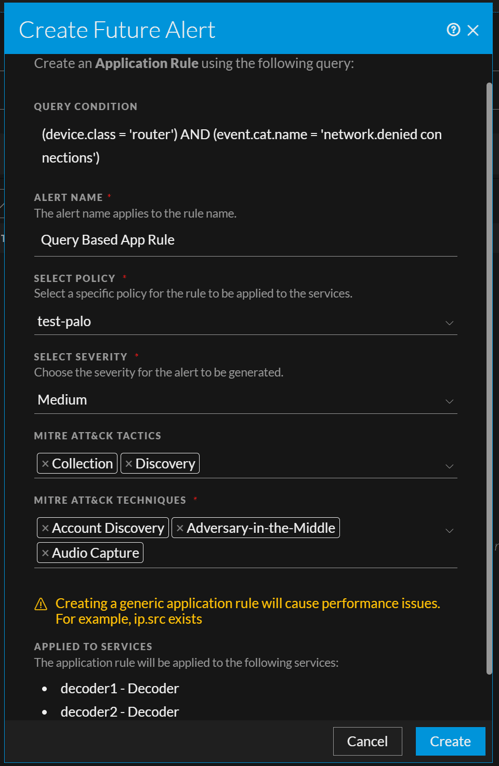
The following table describes the fields in the Create Future Alert view.