.png?width=180&height=32&name=NW%20Logo%20(2).png)
Define Notification Server Dialogs
This topic describes the Define Notification Server dialogs used to configure the settings of the various types of notification servers. You configure notification servers in the  (Admin) > System > Global Notifications > Servers tab.
Notifications are used by a variety of components in NetWitness, such as Event Stream Analysis (ESA), Respond, and Global Audit Logging. Notification settings are called Notification Servers. In the Servers tab of the Administration System view Notifications panel, you can create multiple Notification Server configurations.
You can configure the following types of notification server settings in NetWitness:
- SNMP
- Syslog
- Script
For Global Audit Logging, you can only use Syslog Notification Servers.
Procedures related to notification servers are described in Configure Notification Servers.
To access the Define Notification Server dialogs
- Go to (Admin) > System.
- In the left navigation panel, select Global Notifications.
- In the Notifications Servers panel, click
 and then select a type of notification server (Email, SNMP, Syslog, or Script)
The Define Notification Server dialog is displayed for your selection.
There are four notification server dialogs, which allow you to configure notification servers.
Email notification servers enable you to configure email server settings to send alert notifications.
The following figure shows the Define Email Notification Server dialog.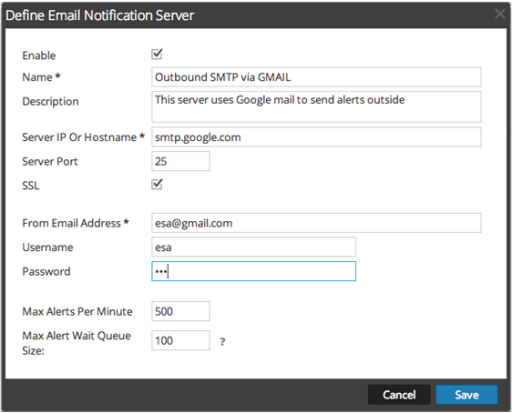
The following table lists the various parameters that you need to define for the email notification servers.
SNMP
SNMP notification servers enable you to configure SNMP trap host settings as a notification server to send alert notifications.
The following figure shows the Define SNMP Notification Server dialog.
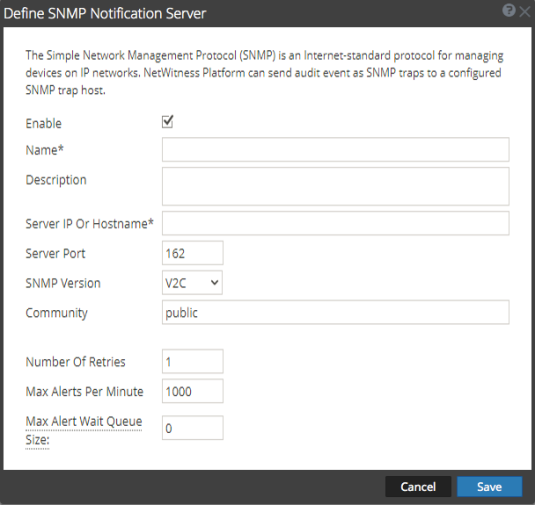
The following table lists the various parameters that you need to define for the SNMP notification servers.
Syslog
Syslog notification servers allow you to configure Syslog settings as a notification server to send notifications. When enabled, Syslog provides auditing through the use of the RFC 5424 Syslog protocol. Syslog has proven to be an effective format to consolidate logs, as there are many open source and proprietary tools for reporting and analysis.
You cannot disable notification servers associated with global audit logging configurations.
The following figure shows the Define Syslog Notification Server dialog.
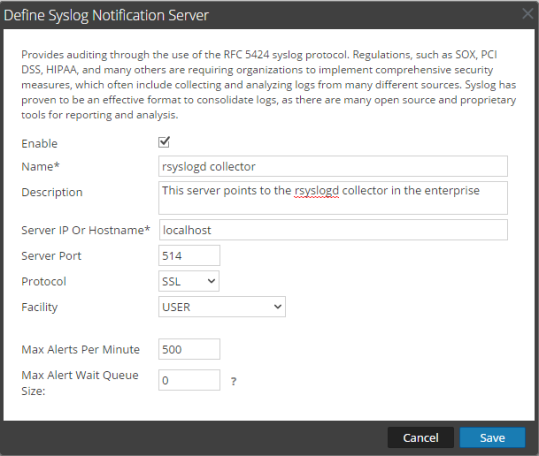
The following table lists the various parameters that you need to define for the Syslog notification servers.
Script
Script notification servers enable you to configure Script as a Notification Server.
The following figure shows the Define Script Notification Server dialog.
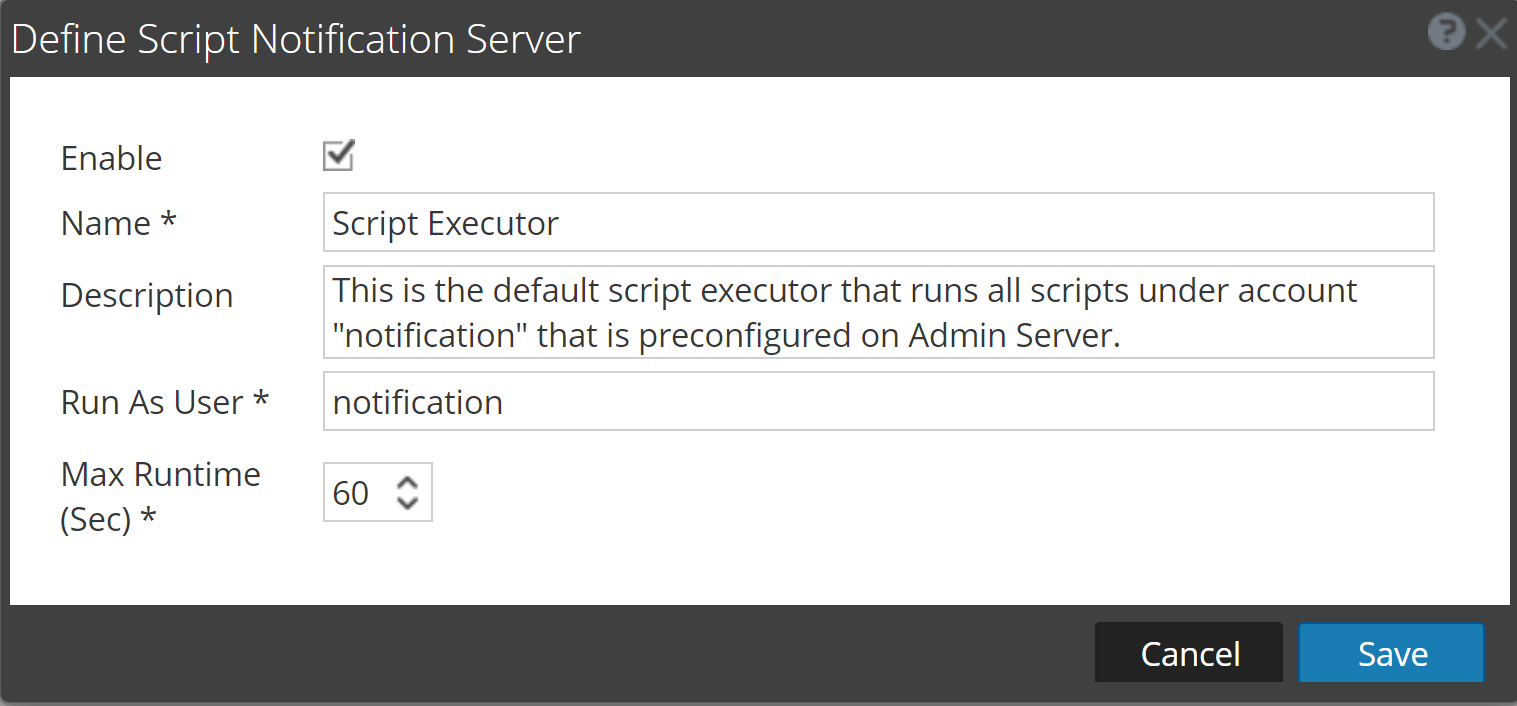
The following table lists the various parameters that you need to define for the Script notification servers.