.png?width=180&height=32&name=NW%20Logo%20(2).png)
Tags: Documentation
This topic describes how to view an ESA Correlation service’s deployment statistics (stats). This procedure is useful when determining a rule's effectiveness or troubleshooting an ESA rule deployment.
Caution: When you modify and re-deploy an ESA rule deployment, all the stats are removed from that deployment. The generated alerts are not removed from NetWitness.
To view a Deployment Stats
-
Go to
 (CONFIGURE) > Policies > Content.
-
Under Settings, click Event Stream Analysis > ESA Deployments.
The available deployments are displayed.
-
Select a deployment you want to see the stats.
-
Click on the Deployment Stats tab.
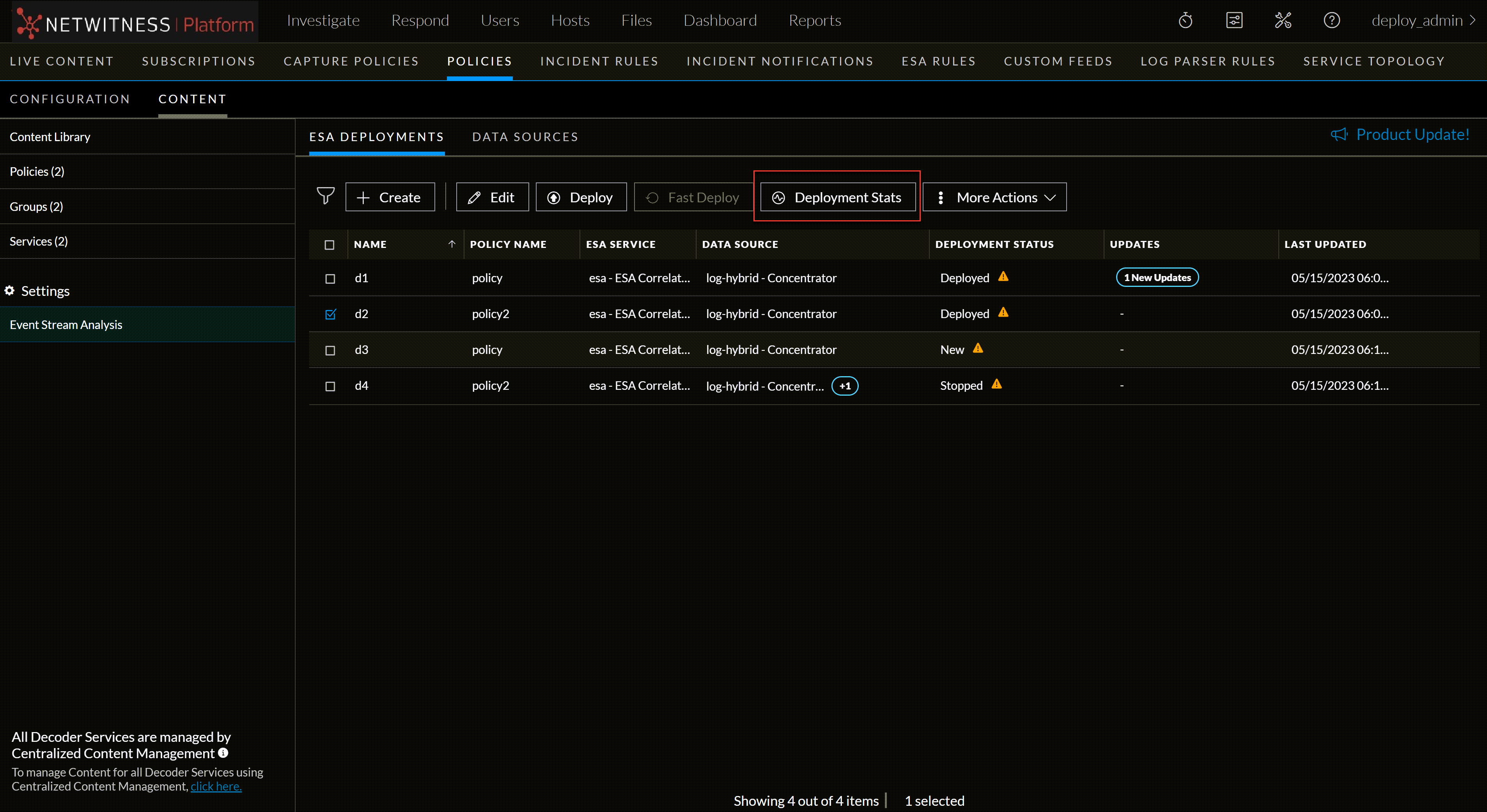
The deployment stats for the selected service are displayed.
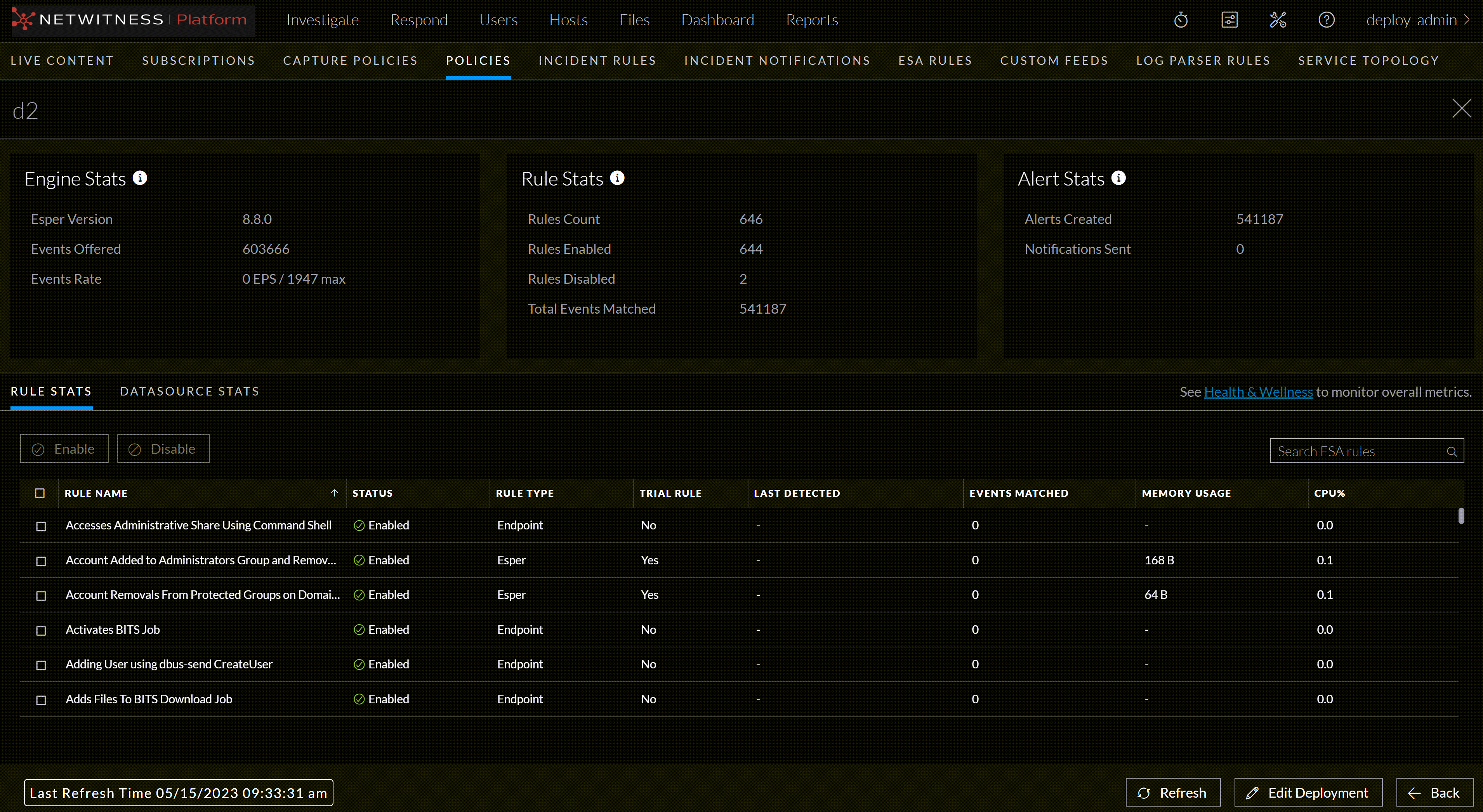
Review the following sections of selected Deployment Stats. For a complete description of each statistic in each section, see the Deployment Stats Information.
- Engine Stats
- Rule Stats
- Alert Stats
The following figure shows the Deployment Stats panel.

-
Review the list of details about the rules deployed on the ESA.
- If the rule is enabled or disabled
- Rule name
- Rule type
- Rule trial mode
- Last detected
- Events matched
- Rule memory usage
-
Deployment CPU percentage used by the rule.
For a complete description of each column in each section, see Deployment Stats Information.
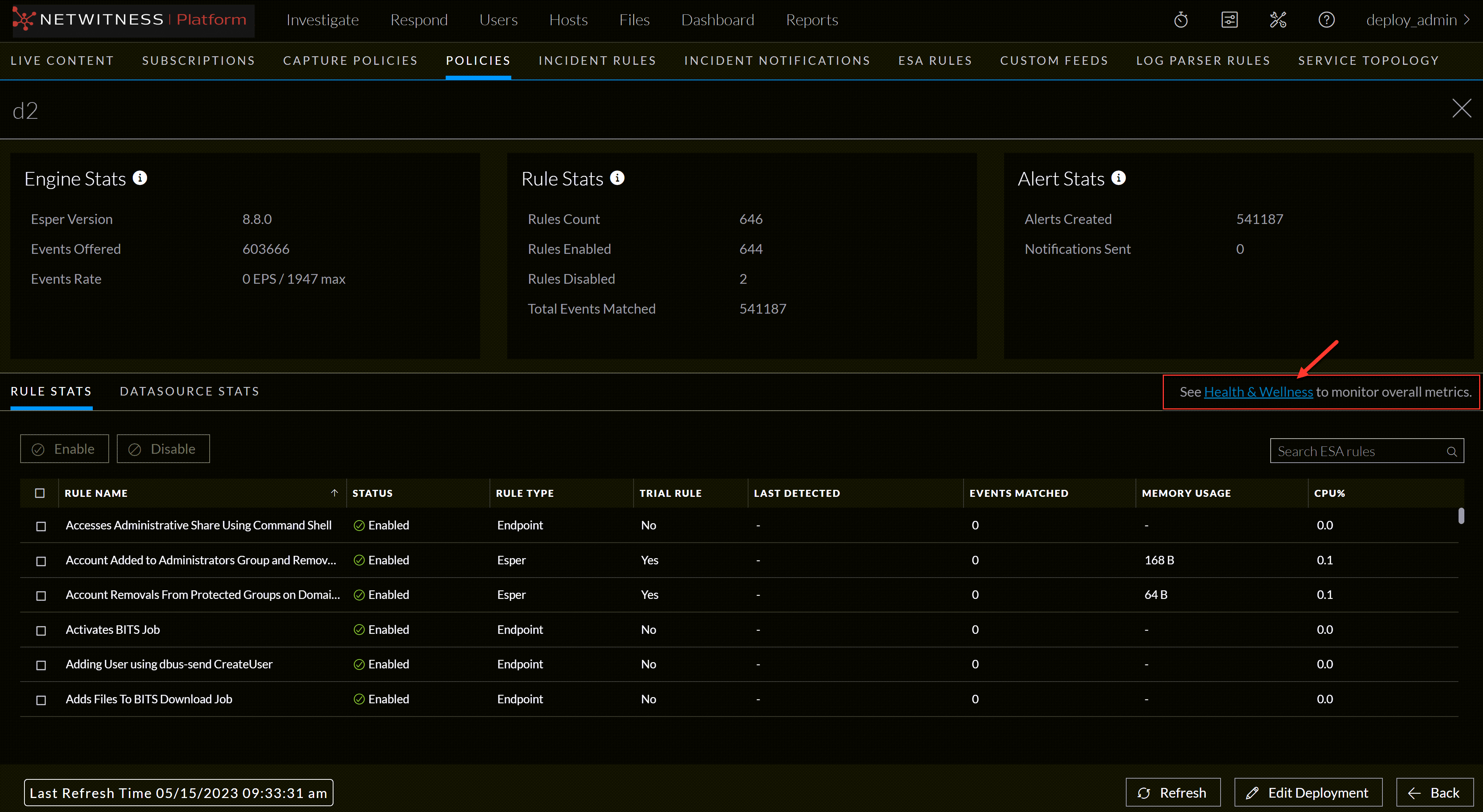
Check Health and Wellness
To monitor your ESA Correlation service's overall memory usage and health, click Health & Wellness.
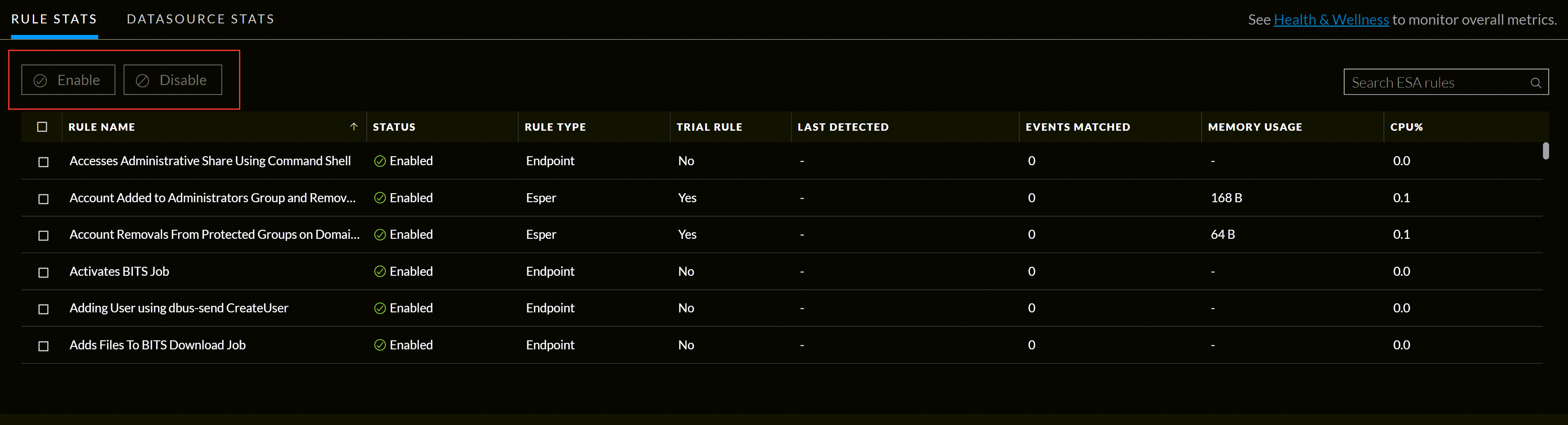
To Enable or Disable Rules
-
Select a rule from the Rule Stats panel grid.
-
Click Enable to enable the rule or click Disable to disable the rule.
To Refresh the Statistics
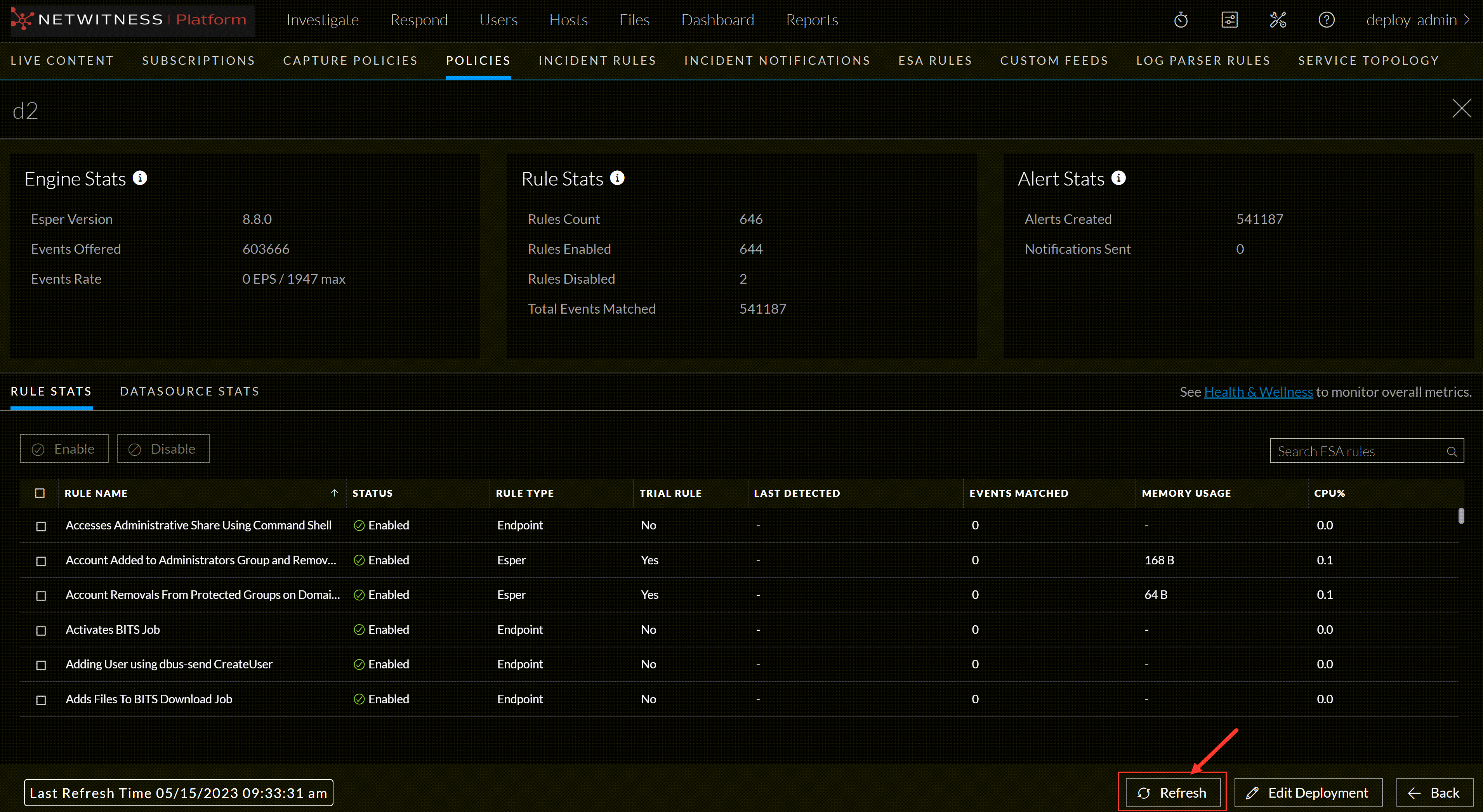
The Services tab does not update statistics automatically unless you enable or disable a rule.
-
Click the Refresh tab in the bottom right corner to refresh the information.
The Services tab is refreshed to show the changes which take effect immediately.
-
View the updated information.
Edit the Deployment
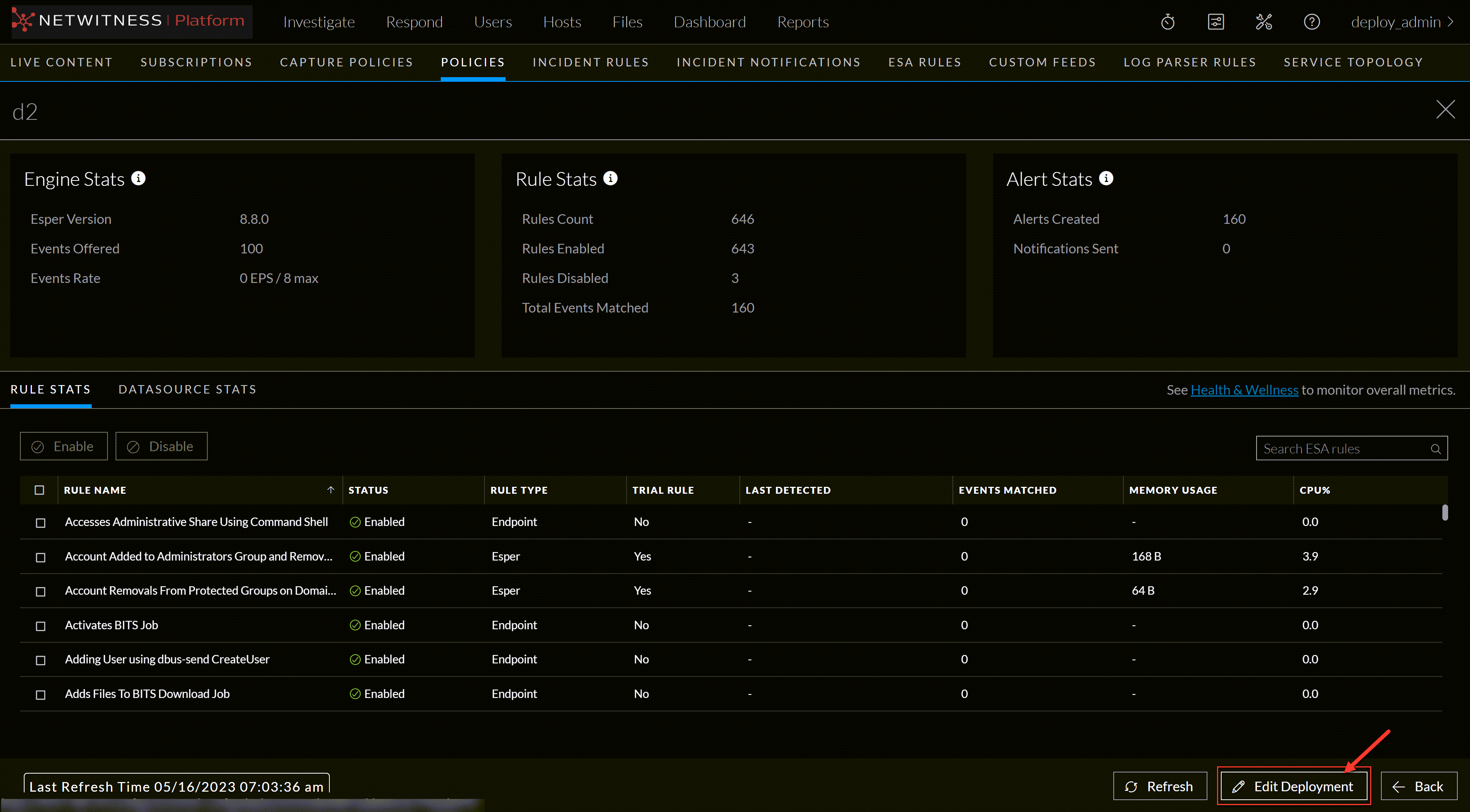
To edit the deployment, Click the Edit Deployment tab in the bottom right corner of the page.
Last Refresh Time
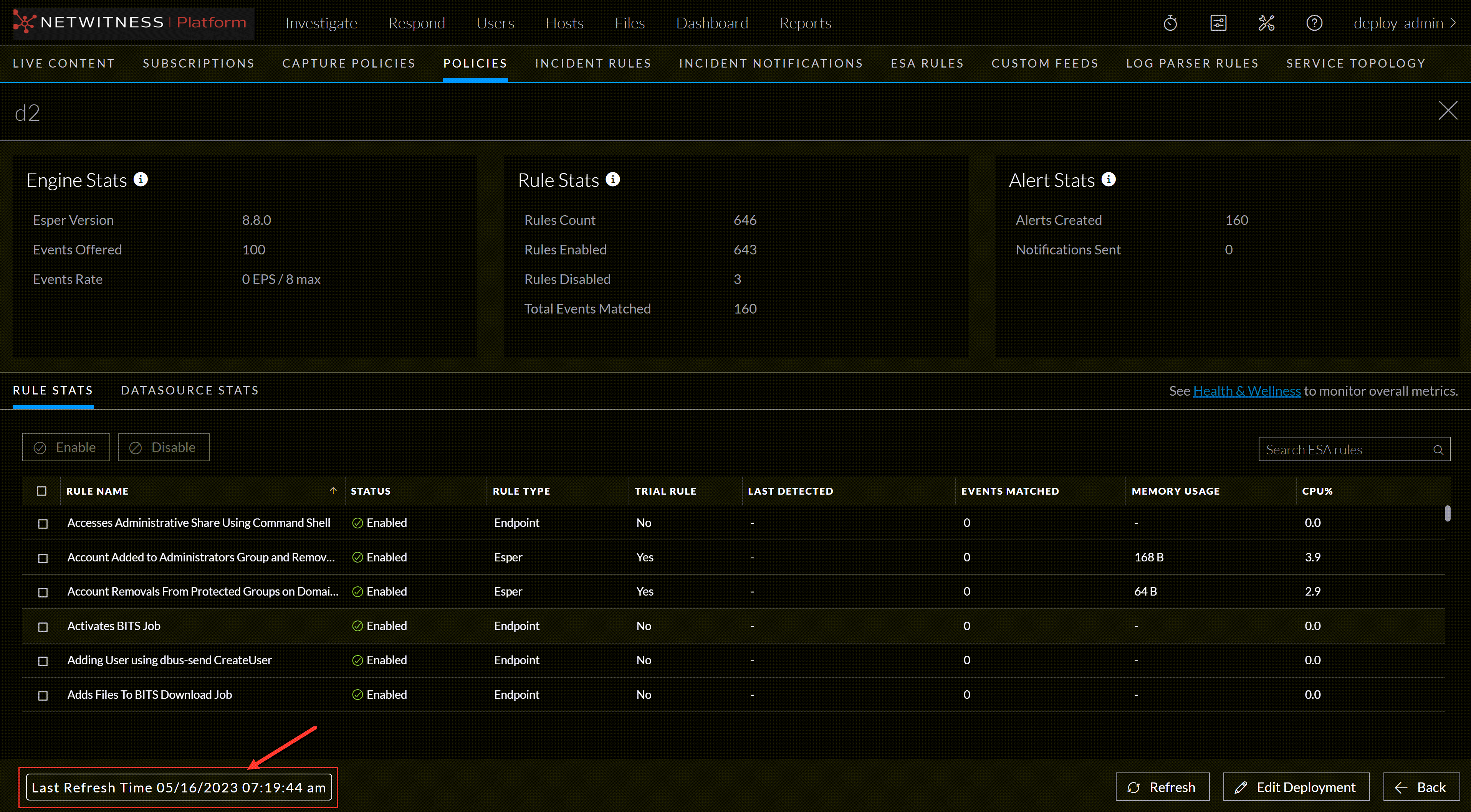
This information indicates the last time when the deployment stats page was refreshed.
The Rule Stats panel details:
The Rules Stats provides details on the rules that are deployed on the ESA service. The following figure shows the Rule Stats panel.
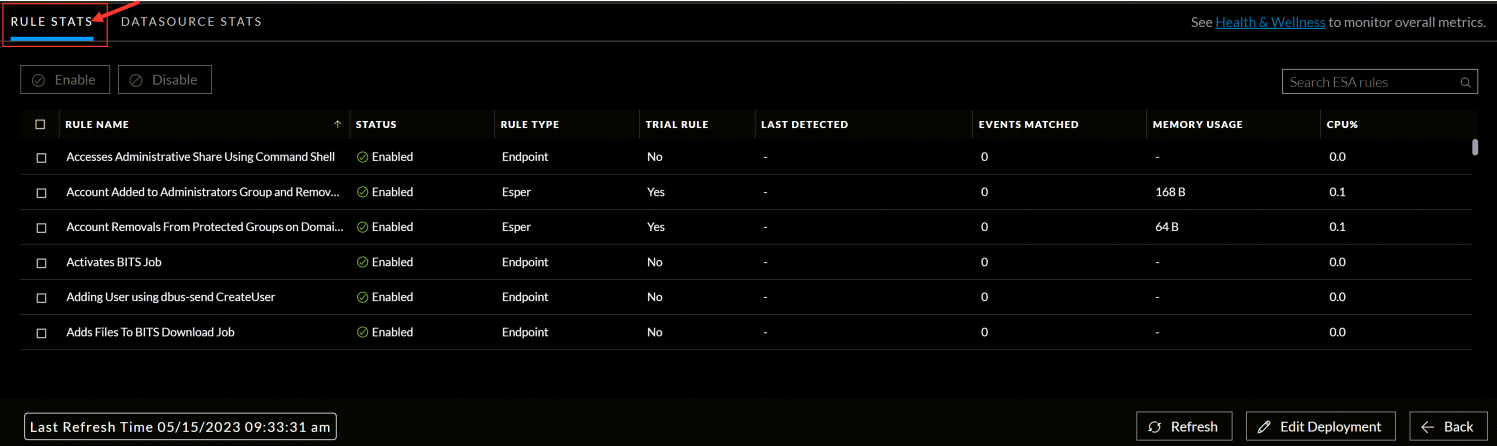
The table below lists the various parameters in the Rules Stats view and their description.
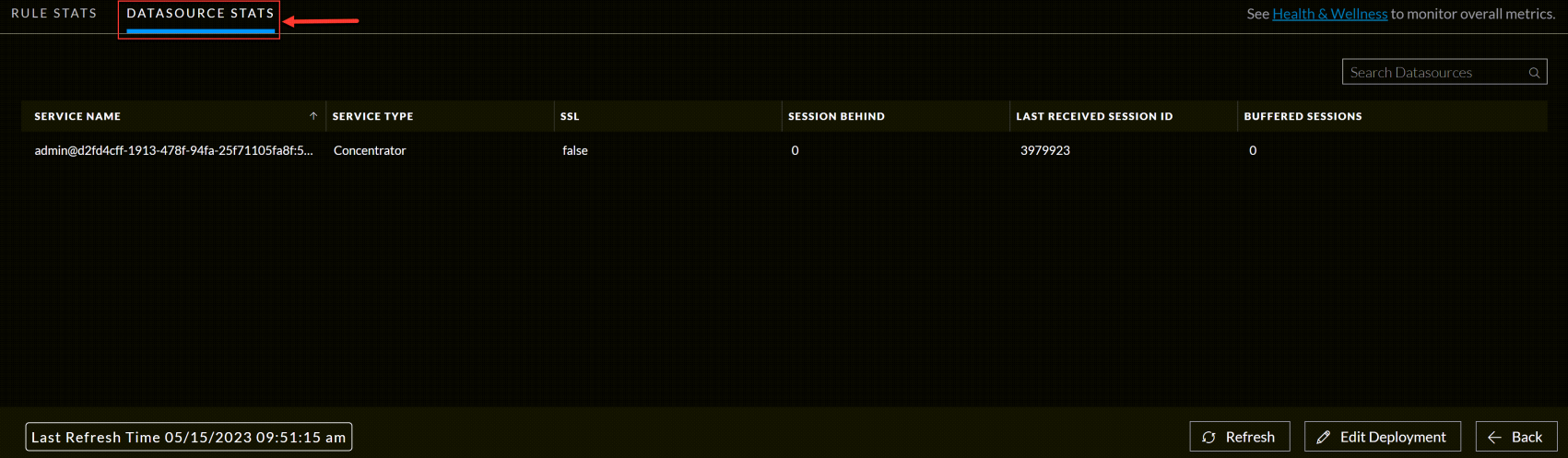
The Data Source Stats panel details: