.png?width=180&height=32&name=NW%20Logo%20(2).png)
Events View - Packet Tab
The Packet tab is in the Event Details panel. Here you can safely view and interactively analyze the packets and payload of an event.
Workflow
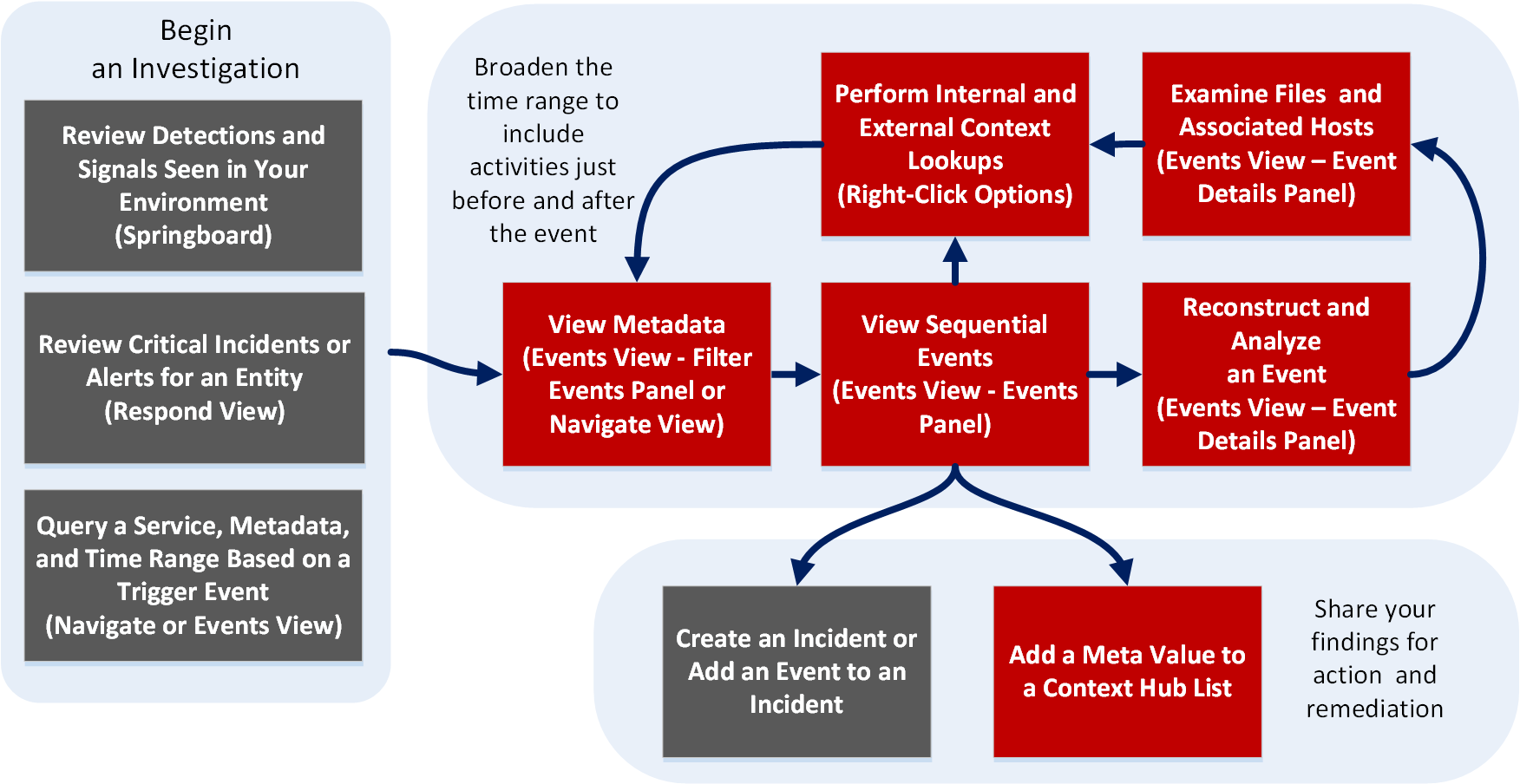
What do you want to do?
*You can perform this task in the current view.
Related Topics
- How NetWitness Investigate Works
- Events View - Packet Tab
- Events View - Text Tab
- Events View - File Tab
- Events View - Email Tab
- Events View - Host Tab
Quick Look
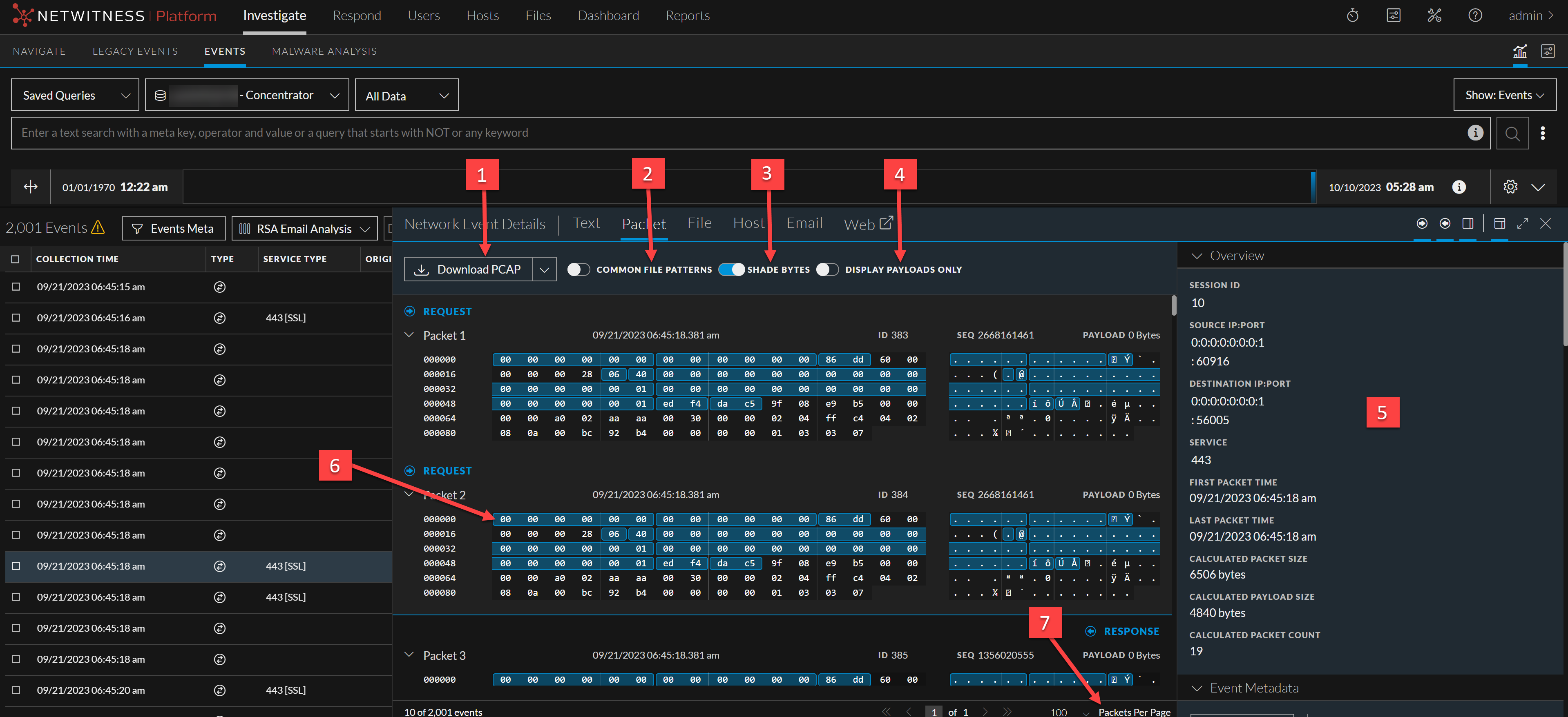
Only network events can be analyzed in the Packet panel. The Packet panel lists each packet in the event. The list of packets is scrollable. When you scroll, the packet or text identification information as well as the Request and Response labels remain visible rather than scrolling out of view.
In Version 11.1 and later, you can use pagination controls to go backward and forward through the pages, go to a specific page, and select the number of packets to display per page (50, 100, 300, or 500).
Each packet is displayed with shading and highlighting to help identify common file patterns: significant header and payload bytes, hexadecimal and ascii bytes, and common file signatures. In addition, you can adjust the request/response display, and display or hide the packet summary.
Below is an example of the Packet panel (formerly known as Packet Analysis) with labels to identify features. For details and examples of each feature, see Analyze Events in the Events View.