.png?width=180&height=32&name=NW%20Logo%20(2).png)
Hosts View - Downloads TabHosts View - Downloads Tab
Note: The information in this topic applies to NetWitness Version 11.4 and later.
The Downloads tab provides information about all downloads (MFT, files, system dump, and process dump) performed on the host. To access this tab, select a host from the Hosts view and click the Downloads tab.
Workflow
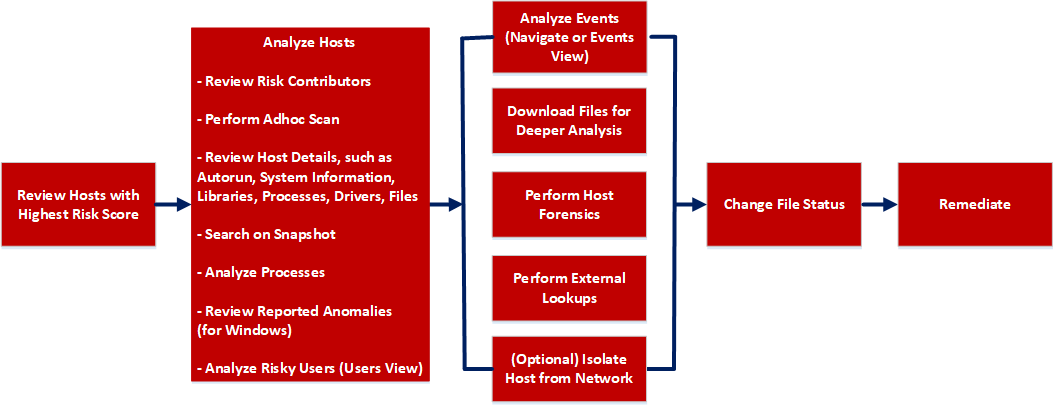
What do you want to do?
*You can perform this task in the current view.
Related Topics
- Focusing on Endpoint Analysis
- Investigating Hosts
- Performing Host Forensics
- Isolating Hosts from Network
Quick Look
Below is an example of the Downloads tab:
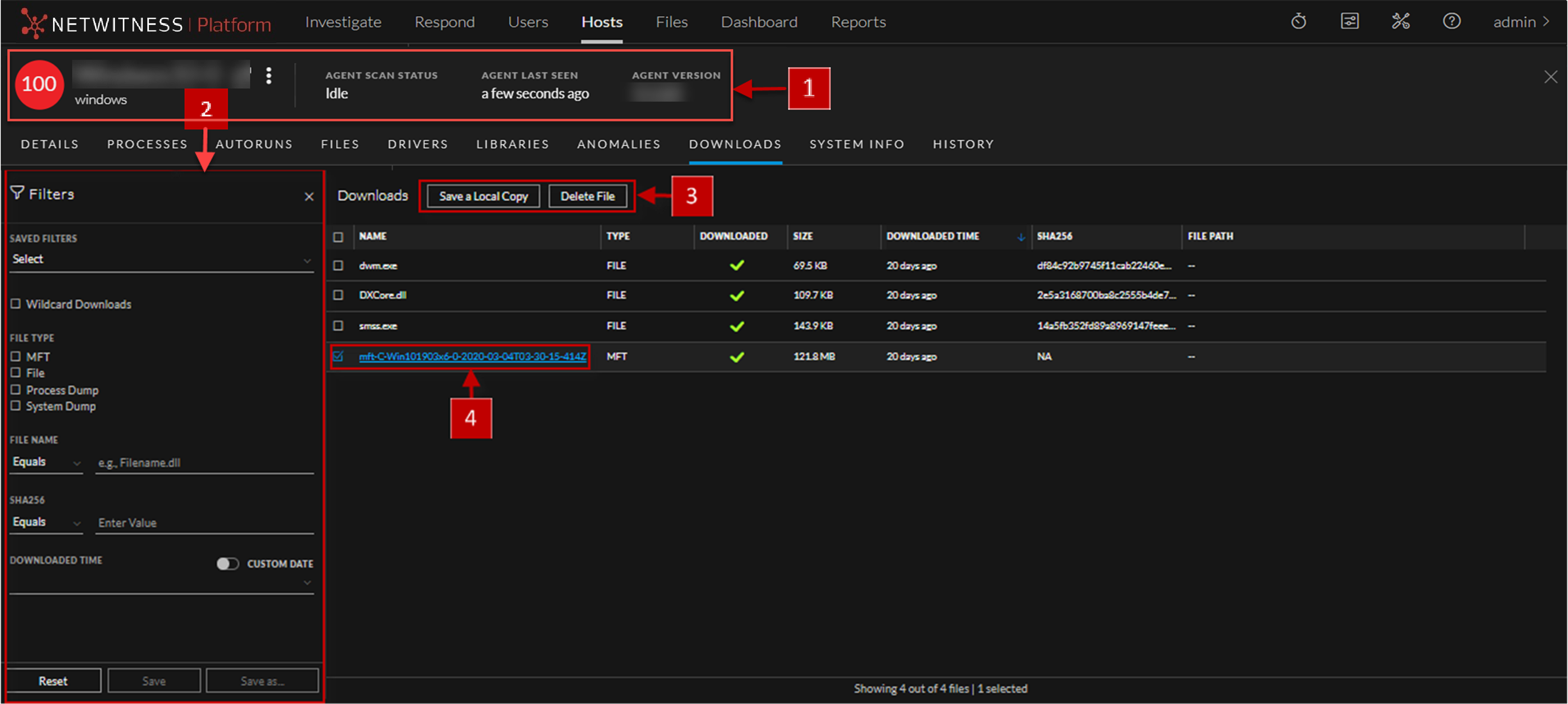
The table displays the following information:
MFT ViewerMFT Viewer
You can analyze the downloaded MFT using the MFT Viewer. For more information, see Analyze Downloaded MFT.
Below is an example of the MFT Viewer:
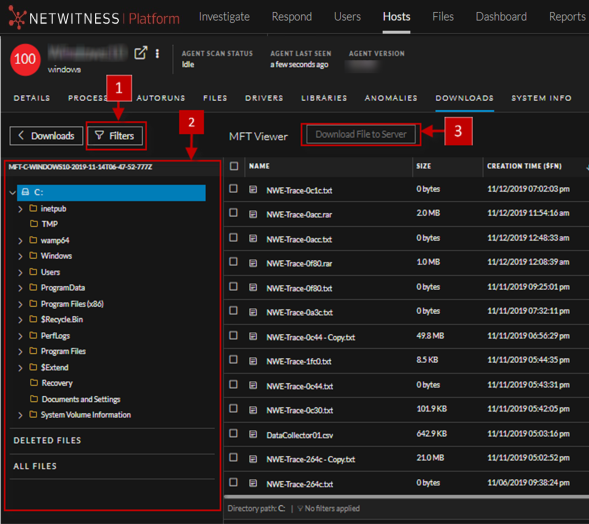
The table displays the following information: