.png?width=180&height=32&name=NW%20Logo%20(2).png)
Hosts View - Files TabHosts View - Files Tab
Note: The information in this topic applies to NetWitness Version 11.1 and later.
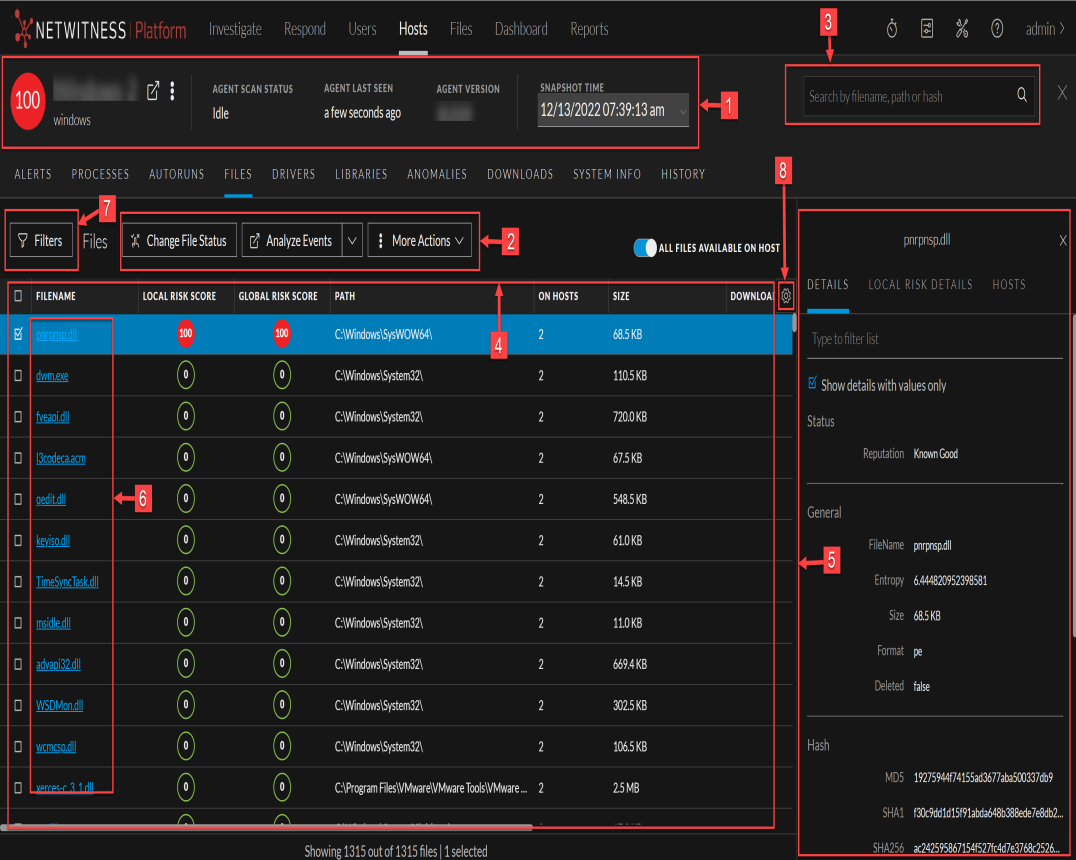
The Files tab displays all files on the host including the files deleted within last 30 days. To access this tab, select a host from the Hosts view and click the Files tab. By default, it displays 100 files. To display more files, click Load More at the bottom of the page.
Workflow
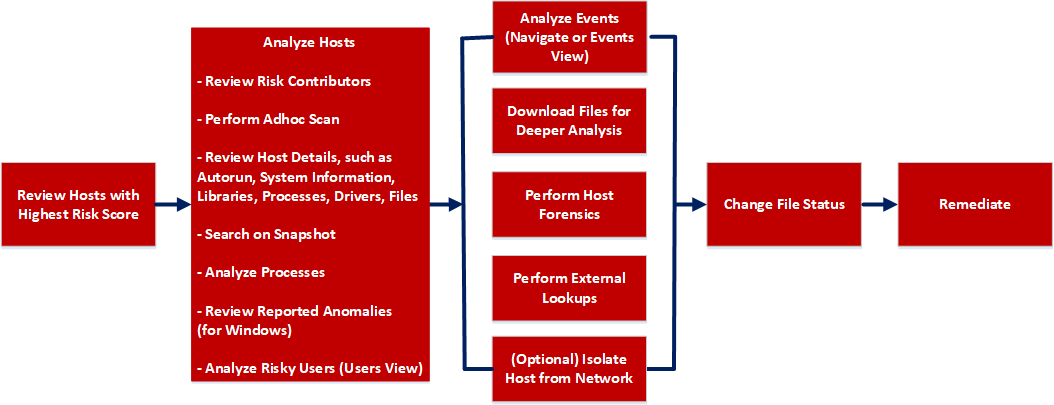
What do you want to do?
*You can perform this task in the current view.
Related Topics
- Focusing on Endpoint Analysis
- Investigating Hosts
- Analyzing Downloaded Files
- Changing File Status or Remediate
- Analyzing Events
- Performing Host Forensics
- Isolating Hosts from Network
Quick Look
Below is an example of the Files tab: