.png?width=180&height=32&name=NW%20Logo%20(2).png)
List ViewList View
In the List view you can see available lists and groups in a grid.
Workflow
This workflow shows the procedure to define lists or list groups. You can set access control at the list or list group level so that only users with specific roles can access the lists. You can use lists to define rules for generating reports, charts and alerts.
You must ensure that Reporting Engine is configured on NetWitness.
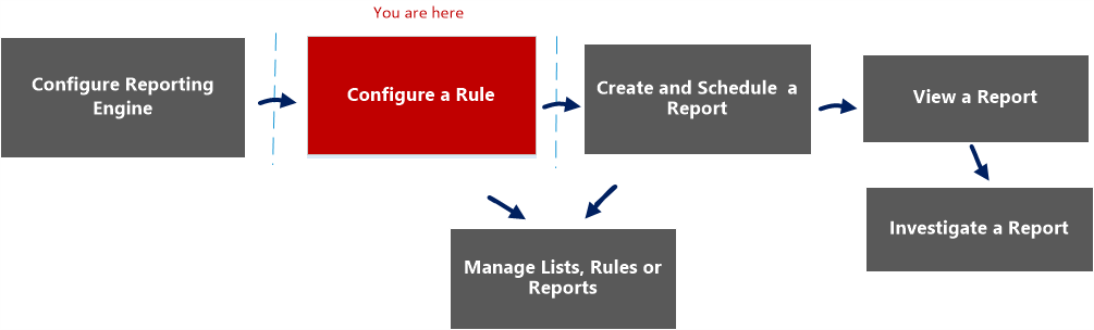
What do you want to do?
*You can complete these tasks here.
Related Topics
Quick View
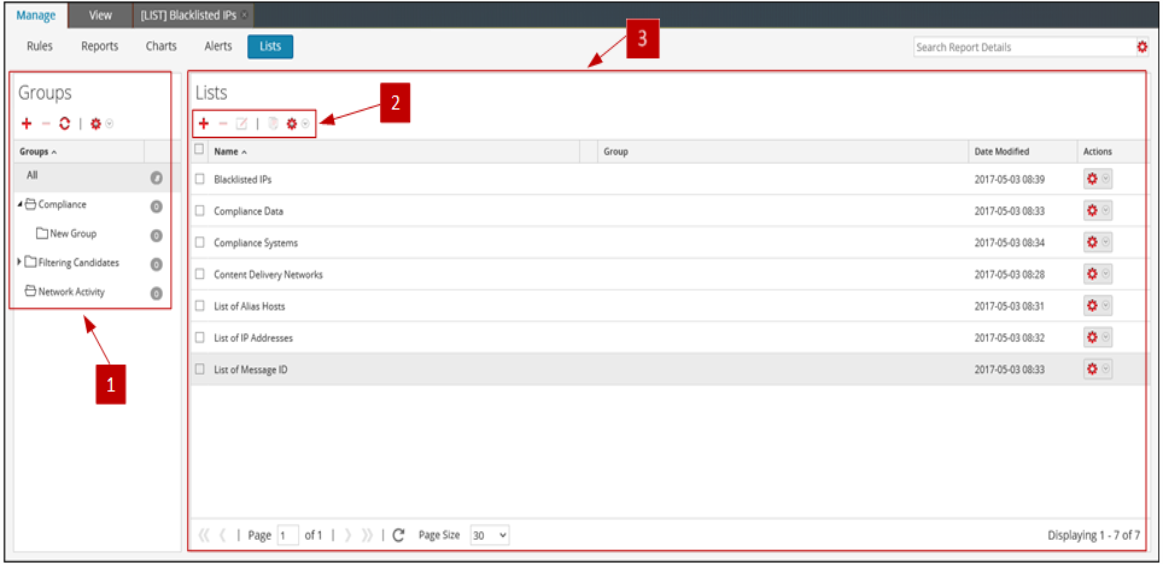
The following figure shows the List view.
To access this view
-
Go to Reports.
The Manage tab is displayed.
-
Click Lists.
The Lists view is displayed.
The List view includes the following panels:
Lists Groups Panel
The Lists Groups panel provides a list of groups used to organize lists and has a toolbar that allows you to create and manage the groups.
You can perform the following actions using the Lists Groups panel.
- Refresh lists in a group.
- Move lists between different groups. You can move a list from one group to another by dragging and dropping the list in the required group.
- Create list groups.
- Delete list groups.
- Import list groups.
- Export list groups.
- Set access control for list groups.
Lists Toolbar
Lists Panel
The Lists panel displays all the lists defined in a tabular format.