.png?width=180&height=32&name=NW%20Logo%20(2).png)
Live Search Content View
The Live Search Content view provides the ability to search the configured Live CMS for content. Once matching content are found, you can view the details, and download the content.
This is an example of the Search Content view.
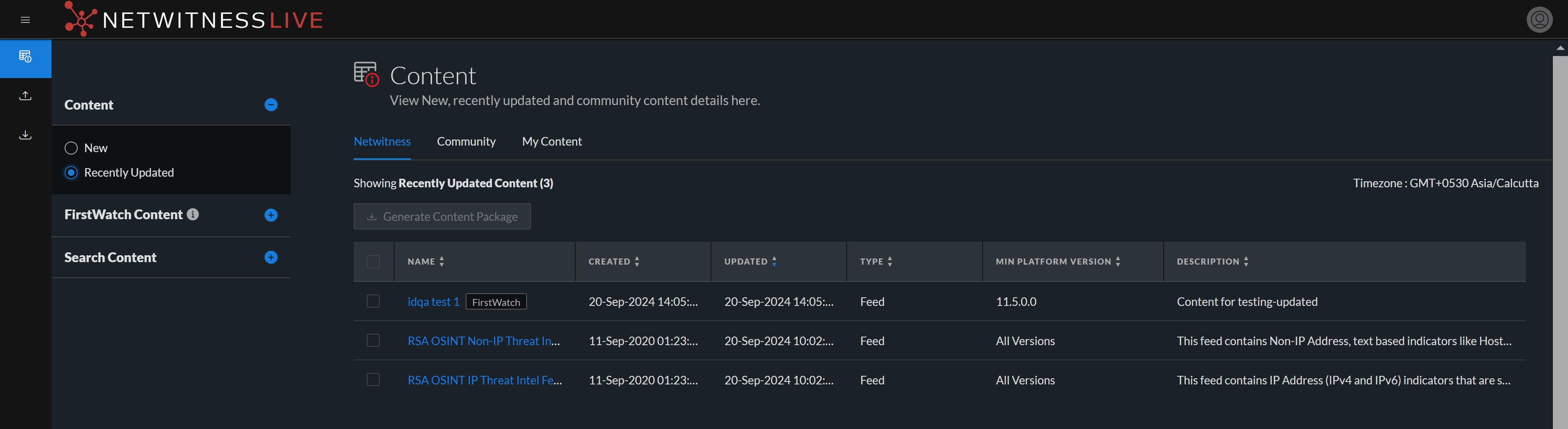
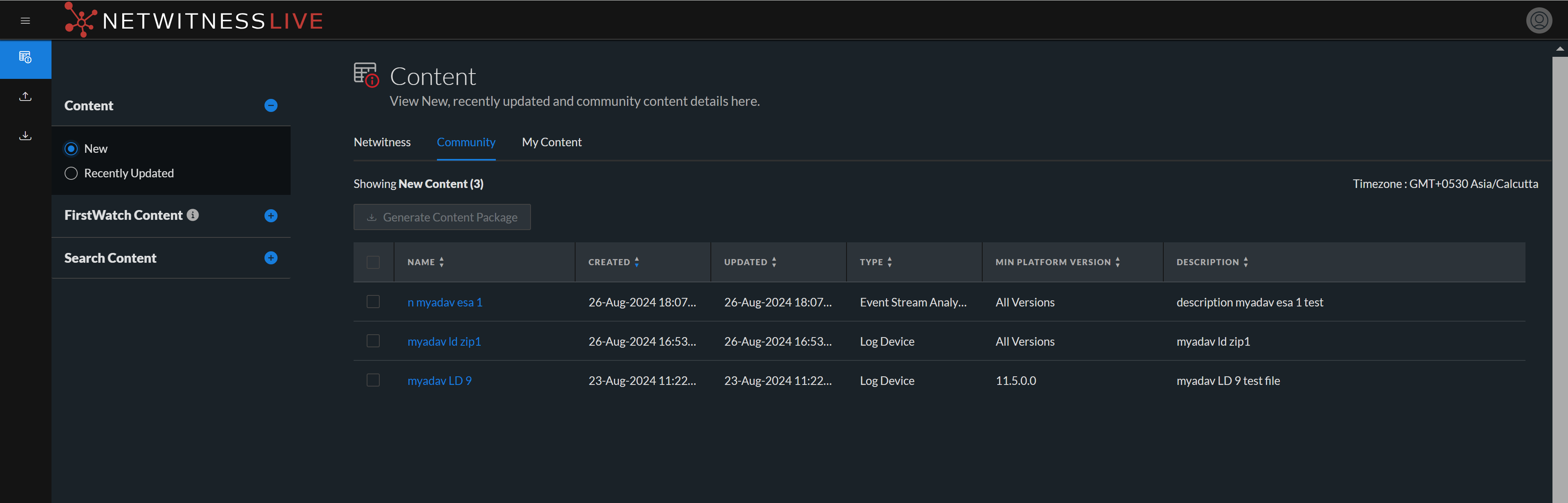
The Live Search Content view has a panel for selecting the source and specifying search content. The matching content are displayed on the right panel.
The following table provides descriptions of the Live Search Content panel features.
FirstWatch Content Panel
This is an example of the FirstWatch Content panel.
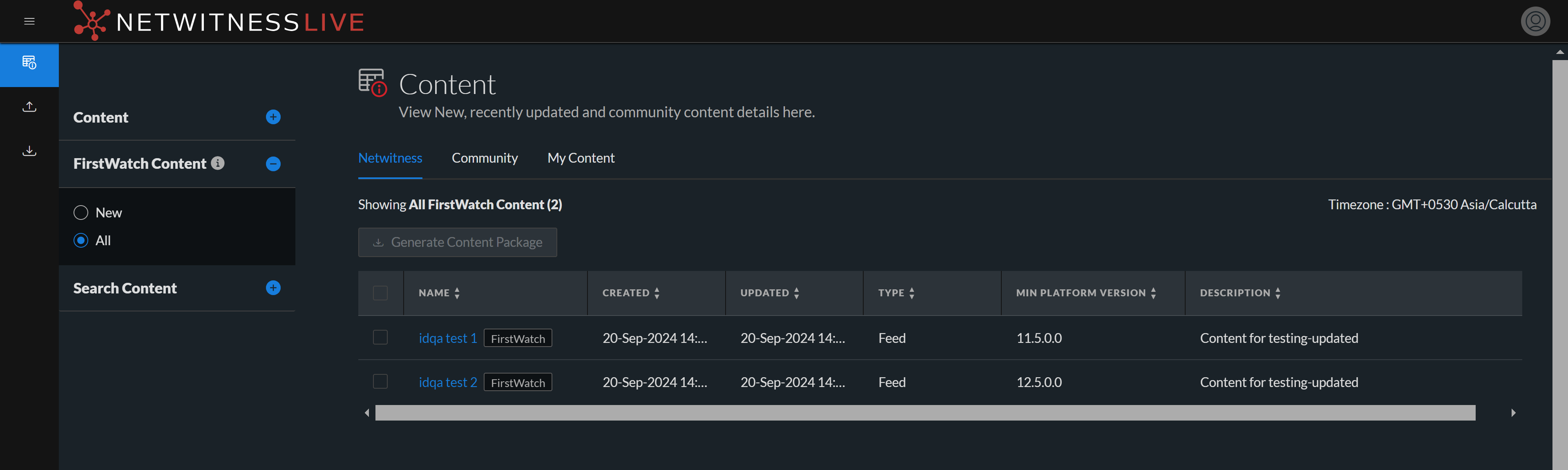
The following table provides descriptions of the FirstWatch Content panel features.
Search Content Panel
This is an example of the Search Content panel.
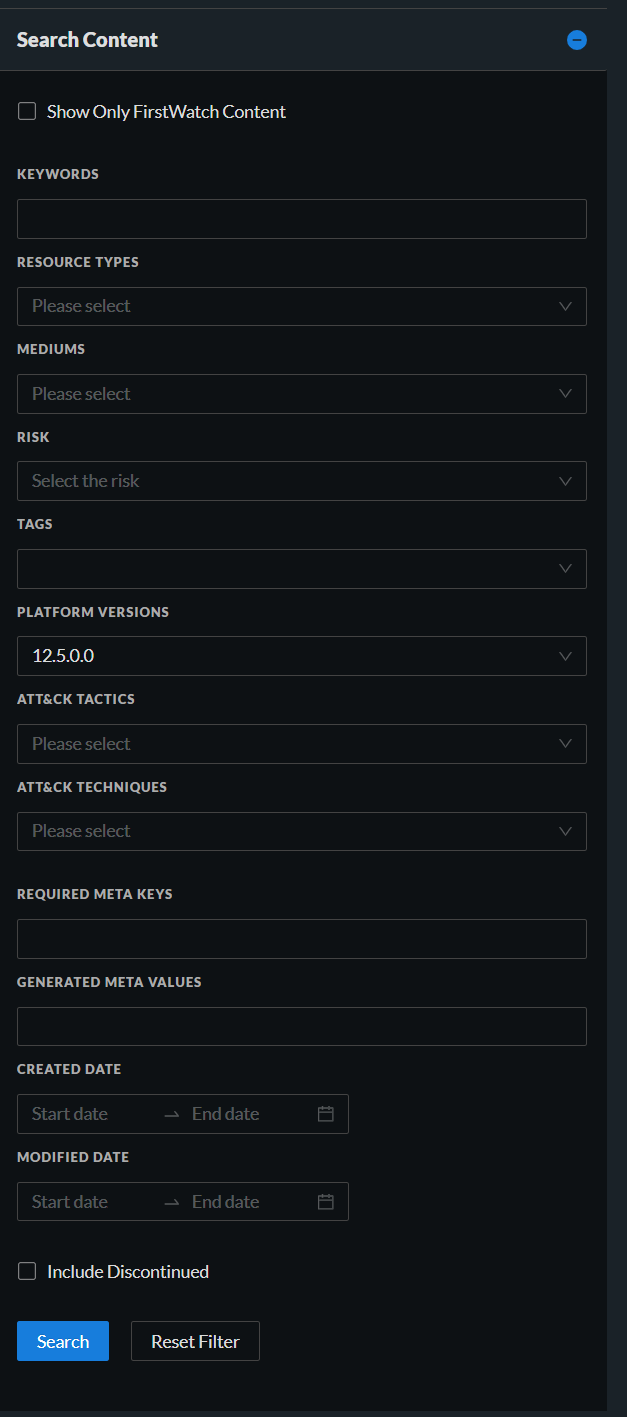
The following table provides descriptions of the Search Content panel features.
Search Results Panel
The Search Results panel displays search results based on the selections made in the Search Content panel.
This is an example of the Search Results panel.
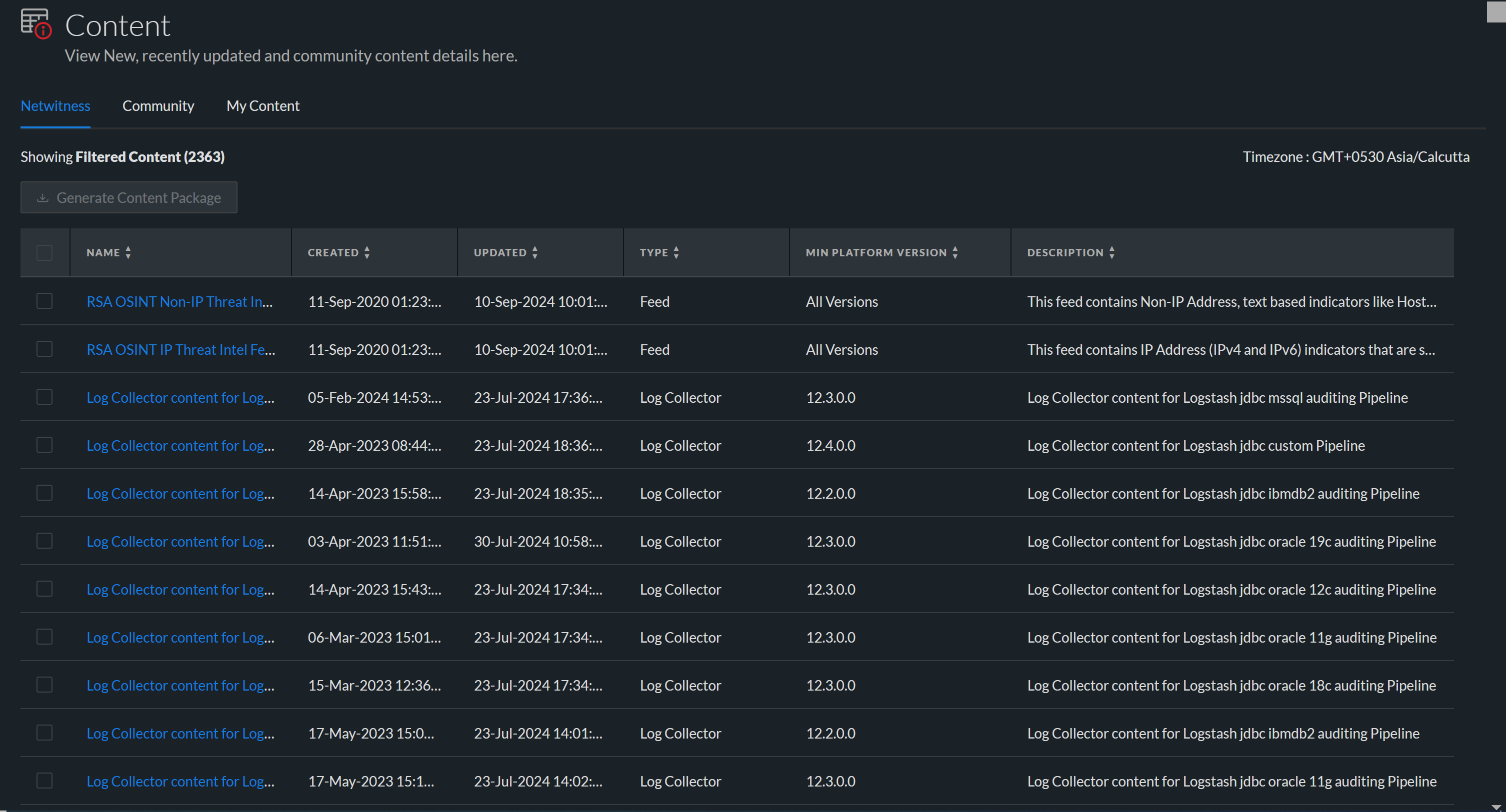
The following table describes the elements in the search results panel.
Content Details Panel
In the Search Results panel, you can select any content titles to view the details in the pop-up window and download the content.
Note: NetWitness provides no assurance related to the quality and accuracy of the content provided by the third parties and open source communities.
This is an example of the Content Details panel.
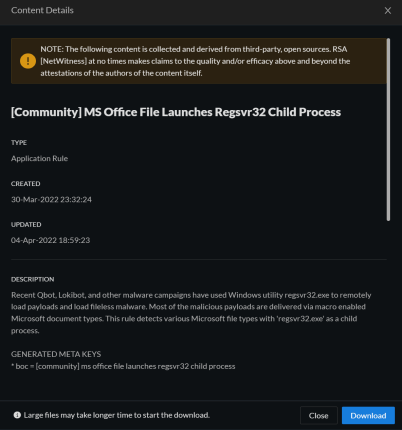
The following table describes the elements in the Content Details section.
My Content Panel
Following task you can perform on the My Content panel.
- Upload Content
- Delete Content
- Download Content
This is an example of the My Content panel.
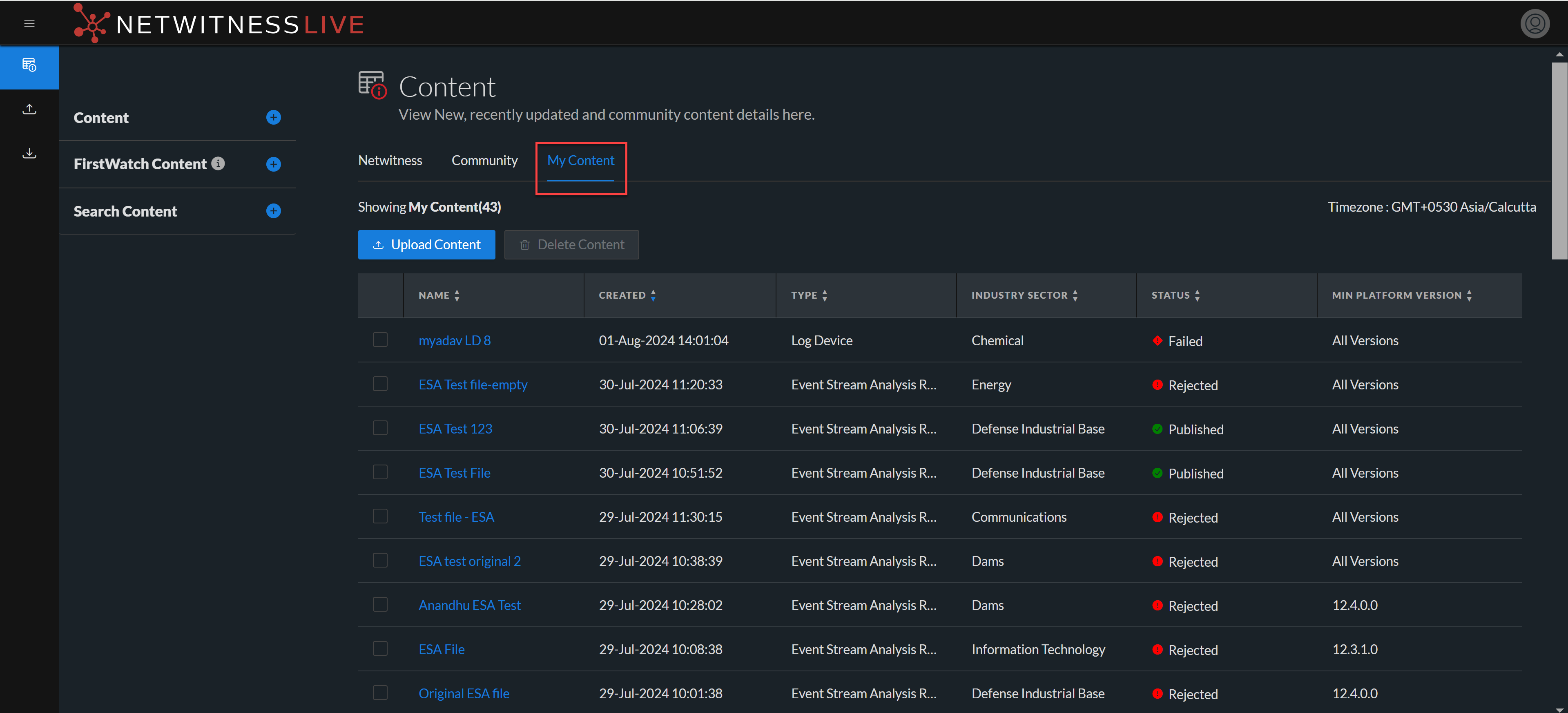
The following table describes the elements in the My Content section.