.png?width=180&height=32&name=NW%20Logo%20(2).png)
Manage Default Meta Keys DialogManage Default Meta Keys Dialog
In the Manage Default Meta Keys dialog, analysts can specify the meta keys to be displayed in the Navigate view > Values panel (see Manage and Apply Default Meta Keys in an Investigation. This can help you find the desired data more quickly and prevents the loading of meta keys that are not of interest. To access this dialog, in the Navigate View toolbar, select Meta > Manage Default Meta Keys.
Related TopicsRelated Topics
Quick LookQuick Look
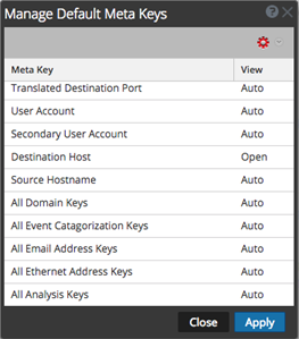
The following figure illustrates the Manage Default Meta Keys dialog, which has a list of meta keys, toolbar, Close button, and Apply button. In the list, you can view, sort, and manage default meta keys. If you click and drag meta keys, you can rearrange their order. The following table describes columns in the list.
The following table describes the toolbar options and buttons.