.png?width=180&height=32&name=NW%20Logo%20(2).png)
New Rule Tab (11.0 and earlier)New Rule Tab (11.0 and earlier)
The New Rules tab enables you to create custom aggregation rules for automating the incident creation process. This topic describes the information required when creating a new rule.
Note: This topic applies to NetWitness version 11.0 and earlier.
What do you want to do?What do you want to do?
Related TopicsRelated Topics
Quick LookQuick Look
To access the New Rule tab view:
-
Go to Configure > Incident Rules > Aggregation Rules tab.
-
Click
 .
.The New Rule tab is displayed.
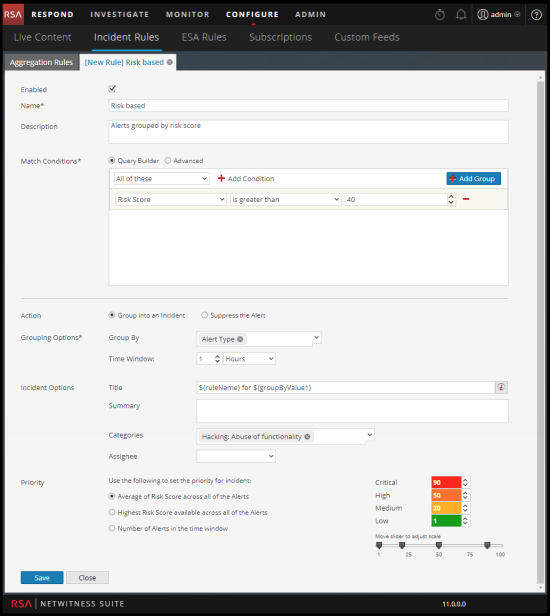
The following table describes the options available when creating customized aggregation rules.