.png?width=180&height=32&name=NW%20Logo%20(2).png)
Reporting Engine General TabReporting Engine General Tab
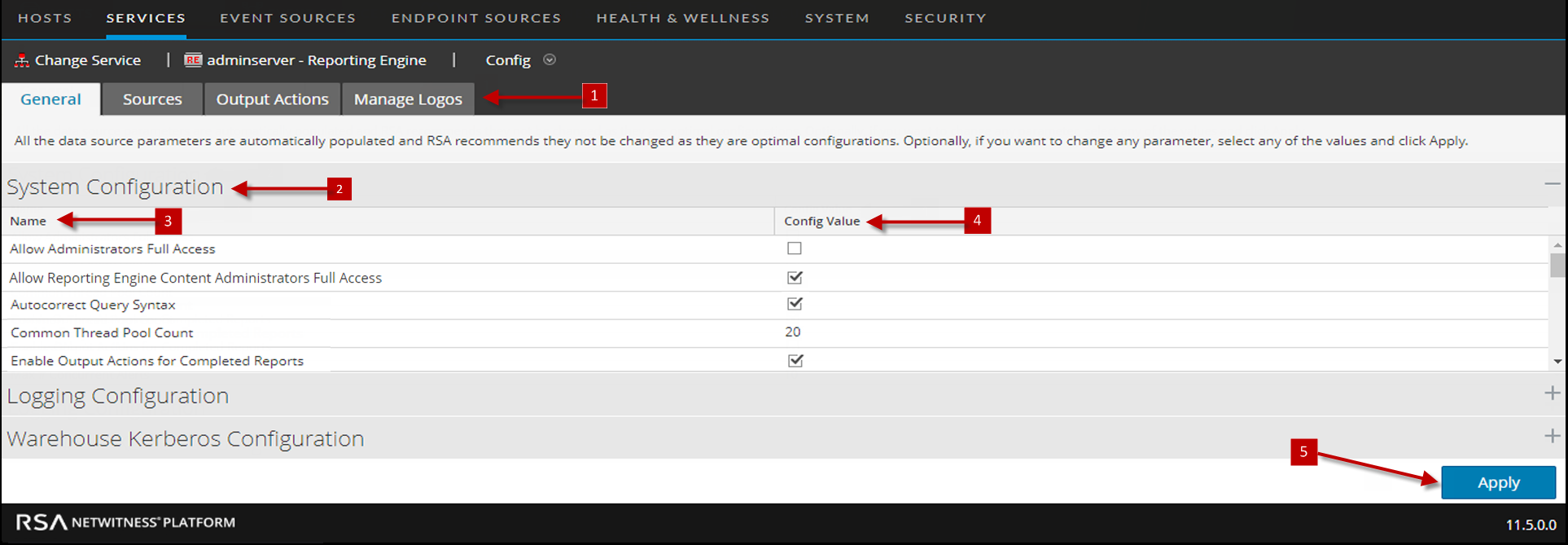
The General tab for the Reporting Engine service controls several settings that can tune the performance of a service and specify the user credentials for the service. Navigate to Services > View > Config > Reporting Engine > General. These settings are used for the Reporting Engine service exclusively.
The required permission to access this view is Manage Services.
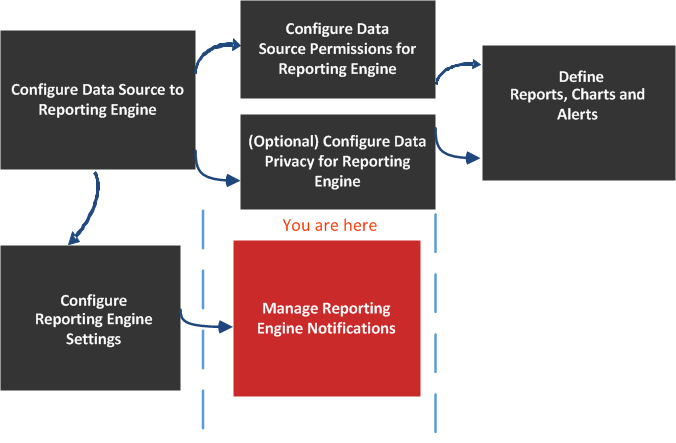
What do you want to do?
*You can complete these tasks here.
Related Topics
Quick Look
Here is example of the General tab where service configurations are displayed.
System ConfigurationSystem Configuration
The System Configuration panel parameters for the Reporting Engine manage service configuration for a Reporting Engine service. When you add a Reporting Engine service, default values are in effect. The default values are designed to accommodate most environments and recommends that you do not edit these values because it may adversely affect performance.
The following figure displays the fields that can be configured in the System Configuration panel:
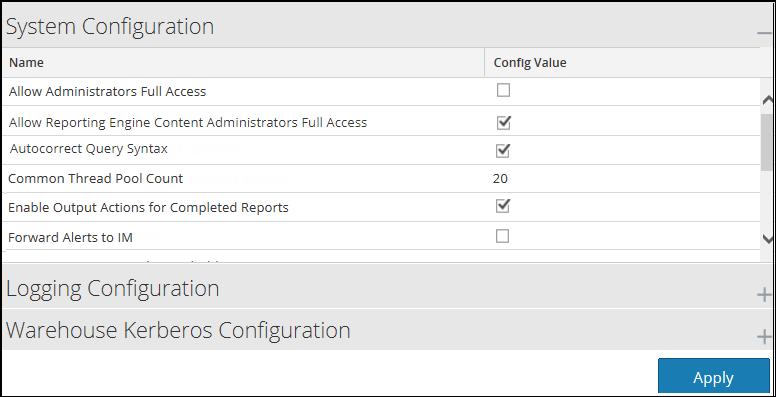
The following table describes the System Configuration panel features.
Logging ConfigurationLogging Configuration
The Logging Configuration panel parameters of the Reporting Engine manages the logging configuration for a Reporting Engine service. When you add a Reporting Engine service, default values are in effect. NetWitness designed the default values to accommodate most environments and recommends that you do not edit these values because it may adversely affect performance of the Reporting Engine.
The following figure displays the fields that can be configured in the Logging Configuration panel.
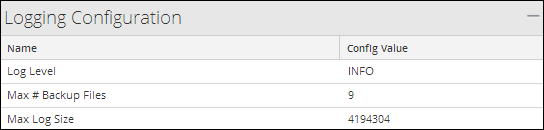
The following table describes the Logging Configuration panel features.
For more information on Reporting Engine logging, see Accessing Reporting Engine Log Files.
Warehouse Kerberos ConfigurationWarehouse Kerberos Configuration
The Warehouse Kerberos Configuration panel provides a way to specify the Kerberos Keytab file on this Reporting Engine.
The following figure displays the field that can be configured in the Warehouse Kerberos Configuration panel:

The following table describes the Kerberos Configuration panel features:
The default Kerberos configuration file is located at, /etc/kbr5.conf in the Reporting Engine. You can modify the configuration file to provide details for Kerberos realms and other parameters related to Kerberos.
Added the host name (or FQDN) and IP address of the Horton Works nodes and Warehouse Connector to the DNS server. If the DNS server is not configured, add the host name (or FQDN) and IP address of the Horton Works nodes and Warehouse Connector to the /etc/hosts file in the host on which the Warehouse Connector service is installed.