.png?width=180&height=32&name=NW%20Logo%20(2).png)
Rule Permissions DialogRule Permissions Dialog
The Reporting module provides access control at the rule level. Only a user who has the right set of permissions can perform tasks on the rule. When creating user roles, the administrator must ensure that the roles created for specific tasks have access to all the permissions higher in the hierarchy of roles.
Workflow
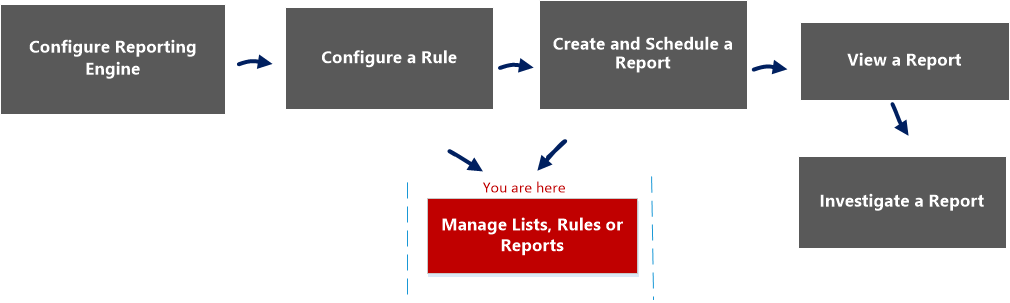
This workflow shows the procedure to manage rule or rule groups.
What do you want to do?
*You can complete these tasks here.
Related Topics
Quick View
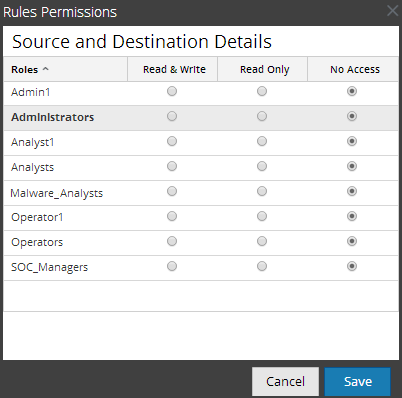
This figure shows the Rules Permissions dialog for a single rule.
This figure shows the Rules Permissions dialog when multiple rules are selected.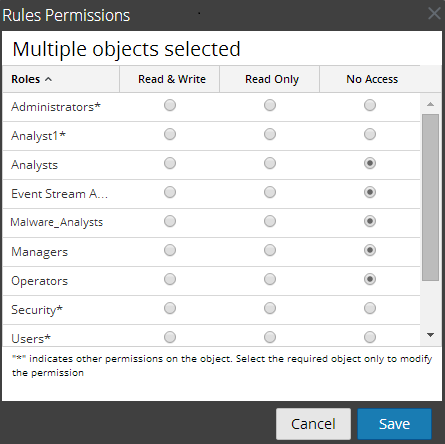
The dialog has a different appearance for rule groups versus rules. To access the dialog:
- Go to Reports.
The Manage tab is displayed. - In the Rules panel, select one or more rules or a rule group.
-
Click
 > Permissions in the toolbar.
The Rules Permissions dialog is displayed.