.png?width=180&height=32&name=NW%20Logo%20(2).png)
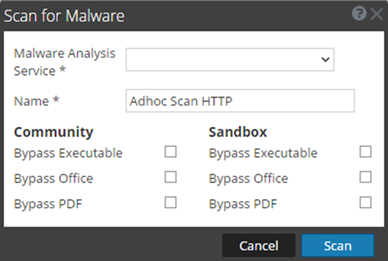
Scan For Malware DialogScan For Malware Dialog
In the Scan for Malware dialog, Malware Analysis analysts can upload files to investigate in Malware Analysis.
To access this dialog go to the Malware Analysis view. In the Select a Malware Analysis Service dialog, select a service in the left panel, then click  in the right panel.
WorkflowWorkflow
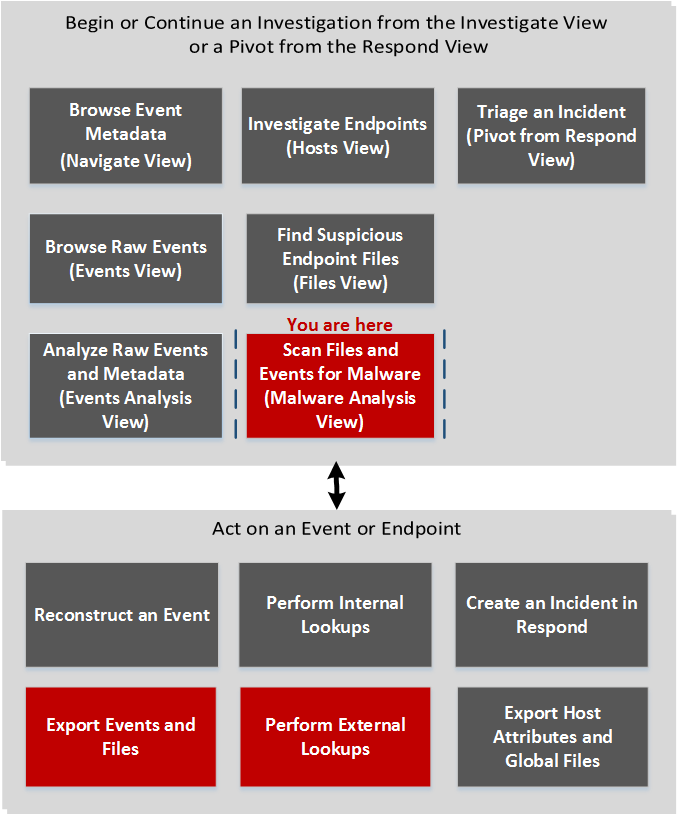
What do you want to do?What do you want to do?
*You can perform this task in the current view.
Related TopicsRelated Topics
- "How NetWitness Investigate Works" in the NetWitness Investigate User Guide
- Begin a Malware Analysis Investigation
- "Launch a Malware Analysis Scan from the Navigate View" in the NetWitness Investigate User Guide
Quick LookQuick Look
The figure below illustrates the Scan for Malware dialog, and The following table describes the features available in the dialog.