.png?width=180&height=32&name=NW%20Logo%20(2).png)
Tags: Documentation
The Schedule Report dialog enables you to create a schedule for the report. Reports can be scheduled hourly, daily, weekly, or monthly. In order to schedule a report at a specific time or on a daily, weekly, or monthly basis, you must configure the scheduling options on the Schedule report dialog. Additionally, administrators and analysts can configure charts for reports. Using this feature, administrators and analysts can create various types of charts based on Event Count, Session Size, Packet Count, and Meta Key.
To access this dialog, while investigating a service in the Investigate > Events view, add a query on the query search bar >  > Schedule Report from the toolbar.
What do you want to do?
Related Topics
Quick Look - Schedule Report Dialog
This is an example of the Schedule Report Dialog.
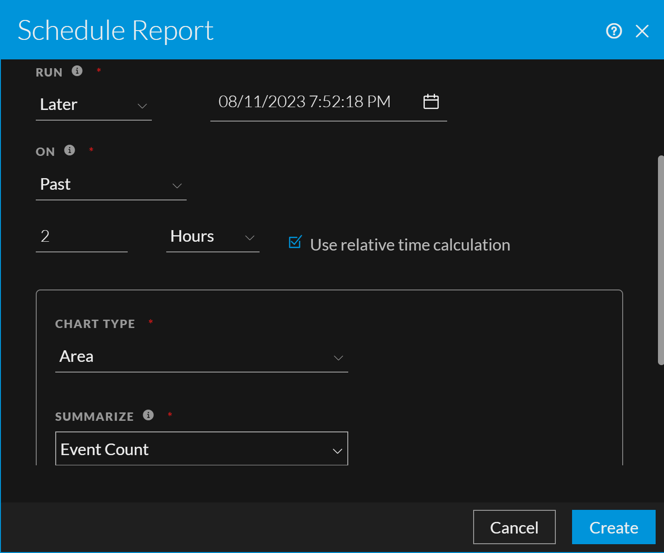
The following table describes the fields in the Schedule Report Dialog view.