.png?width=180&height=32&name=NW%20Logo%20(2).png)
Select a Malware Analysis Service DialogSelect a Malware Analysis Service Dialog
The Select a Malware Analysis Service dialog is accessible in the Malware Analysis view. In this dialog, Malware Analysis analysts can select a service to investigate, choose a scan on that service to investigate, upload a file to scan, and begin a continuous scan of the service.
WorkflowWorkflow
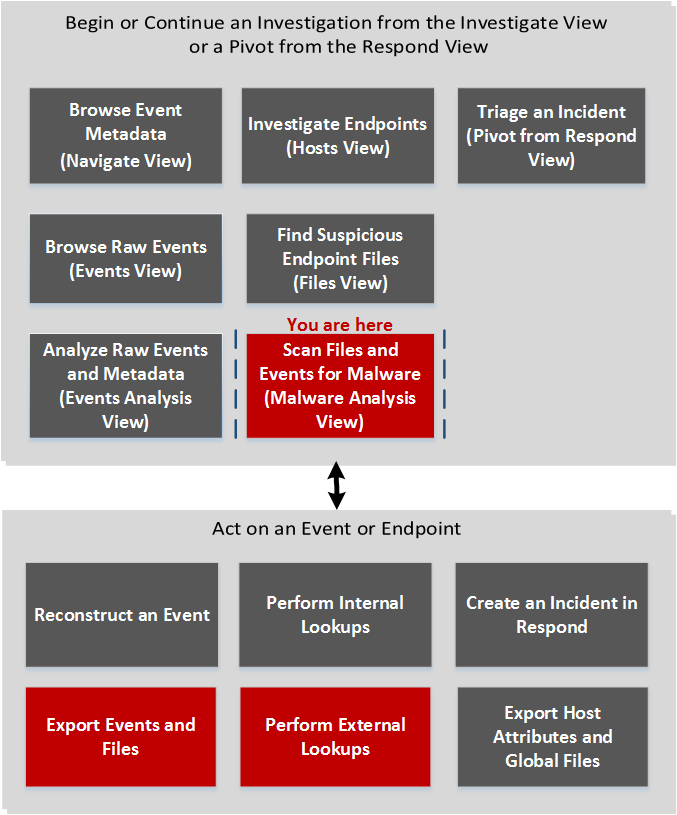
What do you want to do?What do you want to do?
*You can perform this task in the current view.
Related TopicsRelated Topics
- "How NetWitness Investigate Works" in the NetWitness Investigate User Guide
- Begin a Malware Analysis Investigation
- "Launch a Malware Analysis Scan from the Navigate View" in the NetWitness Investigate User Guide
Quick LookQuick Look
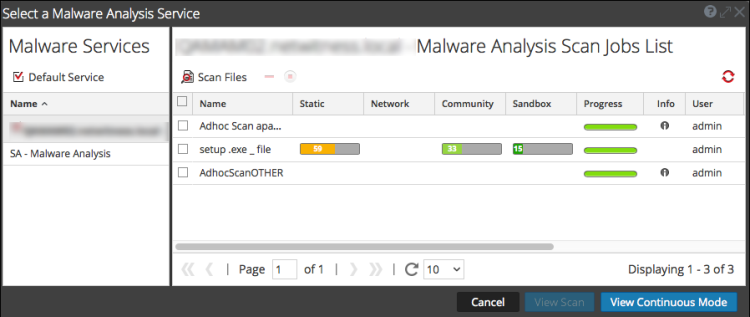
The Select a Malware Analysis Service dialog has a Malware Services panel on the left and a Scan Jobs List on the right. The Scan Jobs List panel has a toolbar, list, and buttons to view scans.
The Malware Services panel is a list of services available for malware analysis. In this panel, you can select the service to investigate and you set a default service using the Default Service icon. When you select a service, the available scan jobs for that service are listed in the Scan Jobs list.
These are the features in the Scan Jobs List toolbar.
These are the columns in the Scan Jobs list. This list is also available in the Malware Scan Jobs dashlet.
These are the available actions in the dialog.