.png?width=180&height=32&name=NW%20Logo%20(2).png)
Log Collection Service System View
A Log Collector is a service that runs on a Log Decoder host (referred to as a Local Collector) or sends events from a Remote Collector to a Local Collector, and is configured and managed in a similar way to a Log Decoder.
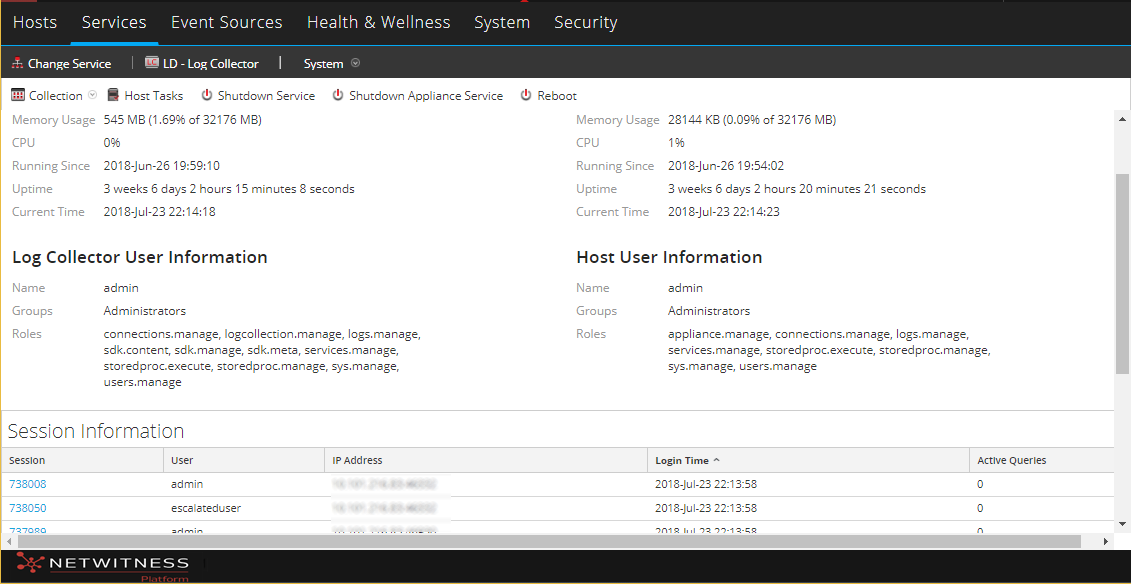
To access the Log Collection Service System view, go to  (Admin) > Services and select a Log Collector service, then select View > System.
Workflow
This workflow illustrates the basic tasks needed to start collecting events through Log Collection.

What do you want to do?
*You can perform this task here.
Related Topics
Quick Look
From the Log Collector Service Information Toolbar, you can manage event data using the Collection icon to start event data from a stopped protocol or stop collecting data from a started protocol. From the Host Tasks icon, you can select tasks that you want to run. You can also shutdown your service and reboot your service from the Service Information Toolbar.