.png?width=180&height=32&name=NW%20Logo%20(2).png)
Services Config View - Archiver
The Services Config view (  (Admin) > Services > select Archiver service and select
  >View > Config) provides a way to manage basic service configurations, configure aggregate services, configure log retention and storage, edit service configuration files, and configure the appliance service for an Archiver.
Workflow
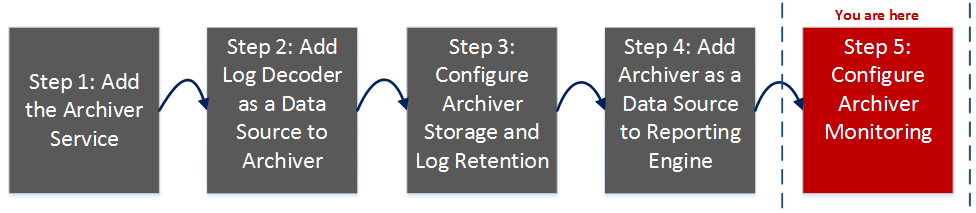
This workflow illustrates the end-to-end installation and configuration process for an Archiver.
What do you want to do?
*You can perform this task in the current view.
Related Topics
Configure Log Storage Collections
Quick Look
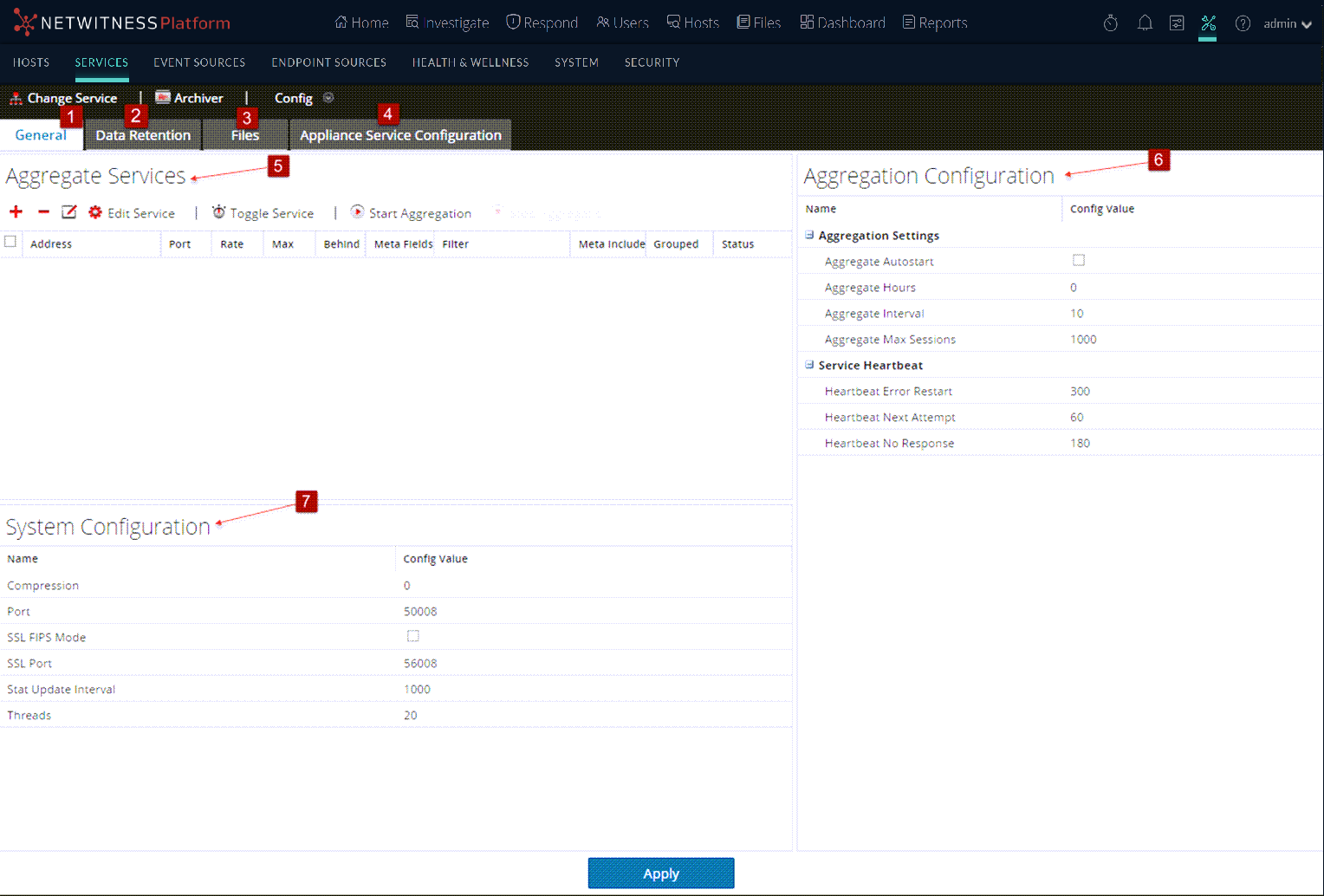
The Services Config view has four tabs and three panels.
General
The General tab contains the following sections:
- Aggregate Services
- System Configuration
- Aggregation Configuration
Aggregate ServicesAggregate Services
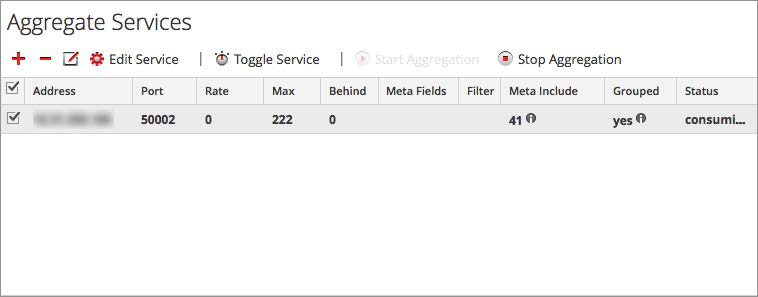
The Aggregate Services section provides a way to start and stop aggregation, as well as add, edit, delete, and toggle an aggregate service.
System Configuration
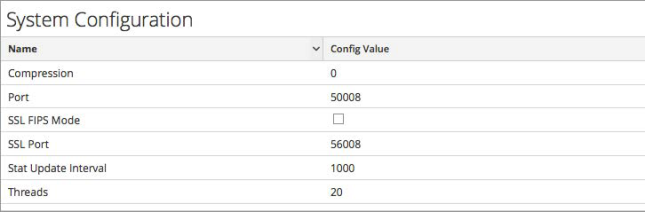
When you add an Archiver service, default values are in effect. NetWitness designed the default values to accommodate most environments and recommends that you do not edit these values because it may adversely affect performance. The following table describes the System Configuration parameters.
Aggregation Configuration
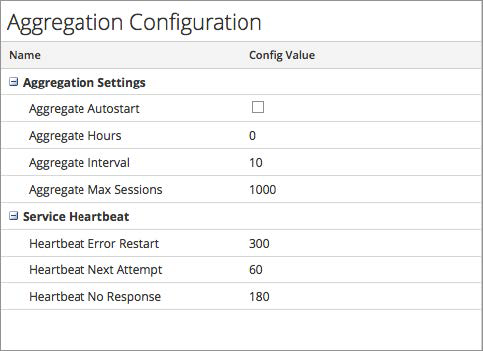
The Aggregation Configuration section contains the following sections:
- Aggregation Settings
- Service Heartbeat
Aggregation Settings
The Aggregations Settings section has the following parameters.
Service Heartbeat
The Service Heartbeat section has the following parameters.
Files
The Files tab in the Service Config view enables you to edit the service configuration files for the Archiver as text files. The files available to edit vary depending upon the type of service being configured.
The following files are common to all core services:
- Service index file
- NetWitness file
- Crash reporter file
- Scheduler file
- Feed definitions file
For more information on the Files tab, see "Files Tab" in the Host and Services Getting Started Guide.