.png?width=180&height=32&name=NW%20Logo%20(2).png)
Services Config View - Auditing Tab
This topic introduces the features and functions of the Auditing tab in the Services Config view for Malware Analysis. The Auditing tab in the Services Config view for Malware Analysis provides a way to configure the auditing feature. Malware Analysis has an automated auditing system capable of sending alerts (syslog, snmp, audit log file entries) as Malware Analysis exceeds configured score value thresholds for each scoring module (Network, Static, Community, Sandbox). Malware Analysis can automatically feed any external system capable of ingesting the supported audit formats. One alert is generated for each file in an analyzed session that meets or exceeds the configure threshold.
The audit log is a log file maintained on the Malware Analysis appliance for every significant event or action. Audit logs are rolled out and archived over time as they become large so an audit history is maintained. The size of these audit logs and their number are both configurable.
Some examples of events that are logged are:
- User login successes and failures
- Changes to system configuration settings
- Server restart
- Server version upgrade and install
- Suspicious events that exceed the Audit Thresholds
Malware Analysis can send audit events as an SNMP trap to a configured SNMP trap host, and consolidate logs in syslog format. Refer to the following task topic for detailed procedures: (Optional) Configure Auditing on Malware Analysis Host.
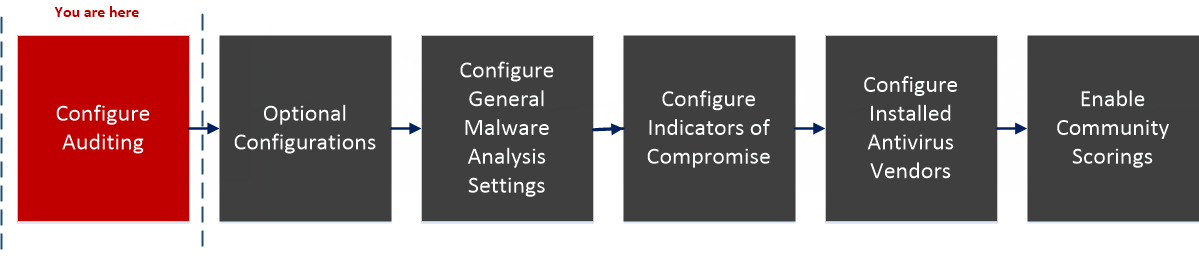
Workflow
What do you want to do?
*You can perform this task in the current view
Related Topics
Quick Look
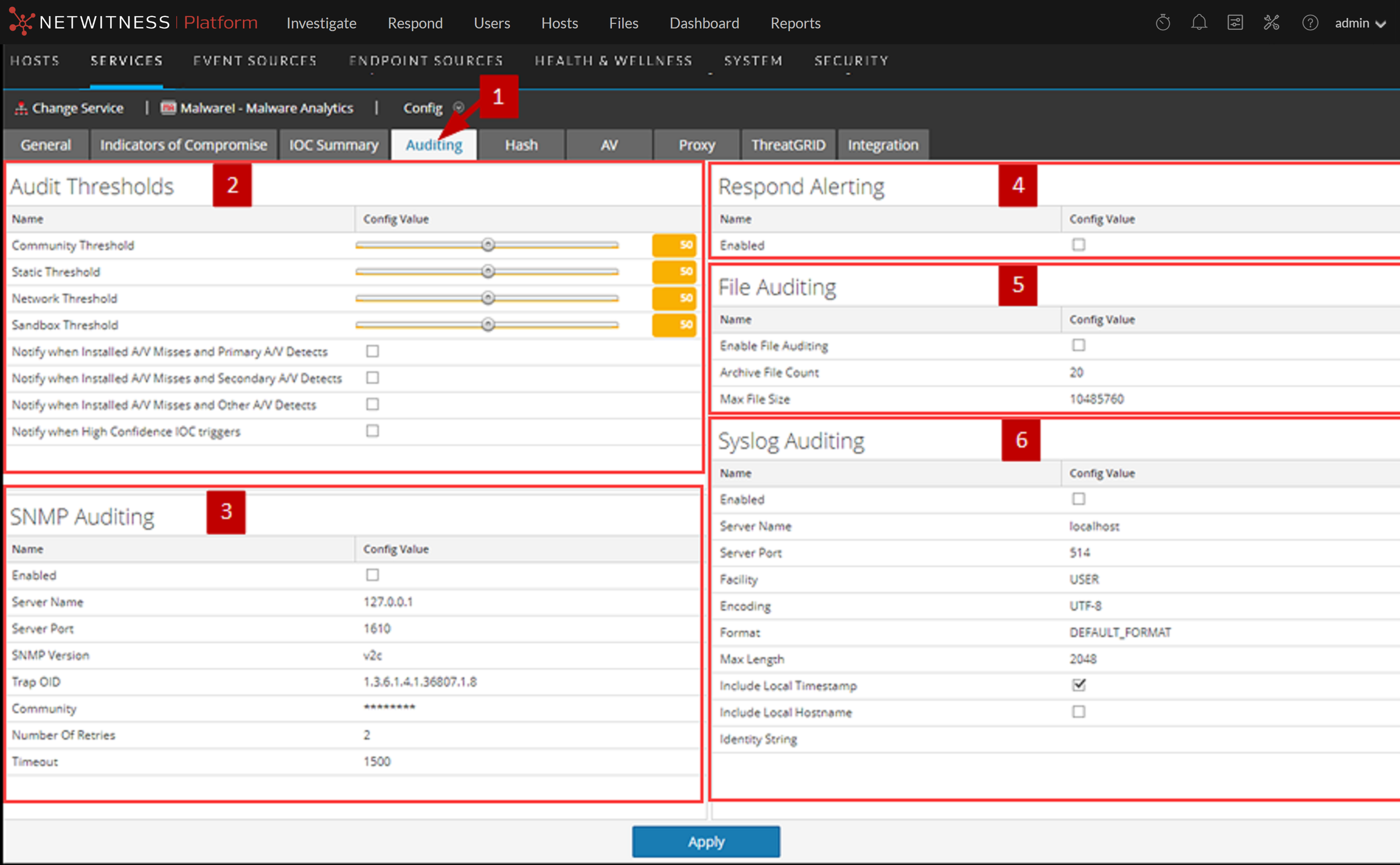
This is an example of the Auditing tab.
Features
The Auditing tab includes five sections and an Apply button used to save changes made in this tab and put them into effect.
- Auditing Thresholds
- SNMP Auditing
- Respond Alerting
- File Auditing
- Syslog Auditing
Audit Thresholds
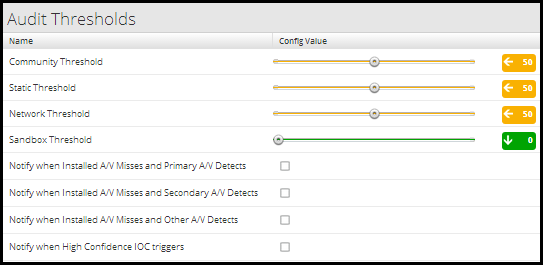
This table describes the features in the Audit Thresholds section.
SNMP Auditing
The Simple Network Management Protocol (SNMP) is an Internet-standard protocol for managing services on IP networks. When SNMP auditing is enabled, Malware Analysis can send an audit event as an SNMP trap to a configured SNMP trap host.
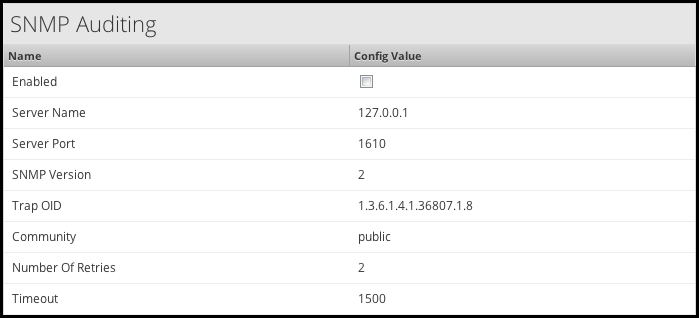
This table describes the features in the SNMP Auditing section.
Respond Alerting
The Respond Alerting section enables NetWitness Respond to receive alerts from Malware Analysis. Select Enabled to forward alerts to the Respond view.

File Auditing
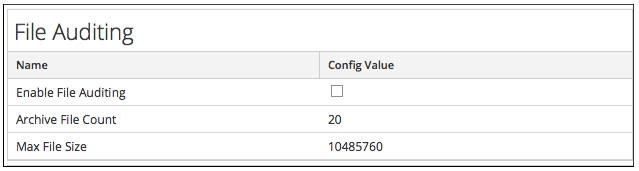
This table describes the features in the File Auditing section. Avoid setting the max file size and archive file count too high because it may have an adverse effect on the available disk space on the Malware Analysis appliance.
Syslog Auditing
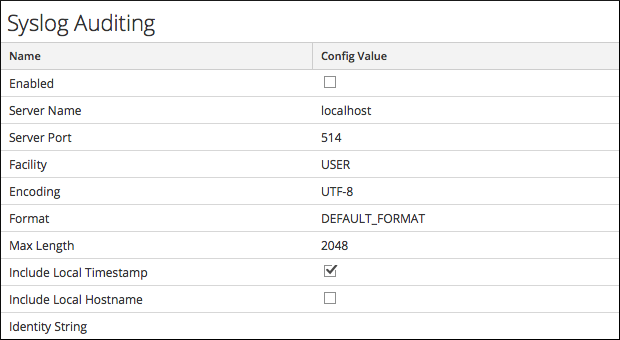
This table describes the features in the Audit Thresholds section.