.png?width=180&height=32&name=NW%20Logo%20(2).png)
Services Config View - Parser Mappings TabServices Config View - Parser Mappings Tab
This topic provides a description of the configurable options for a Log Decoder in the Parser Mappings tab.
In the Parser Mappings Administrators can configure log parser mappings for Log Decoder services. To access the Parser Mappings tab, go to  (Admin) > Services > select a Log Decoder service and click
  > View > Config > Parser Mappings tab.
Note: You can also configure log parser mappings for Log Decoder services by navigating to Admin > Services > Event Sources > Discovery.
This feature is intended to track a subset of event sources that is parsing against the wrong parser.
What do you want to do?
Related Topics
Quick Look
This is an example of the tab.
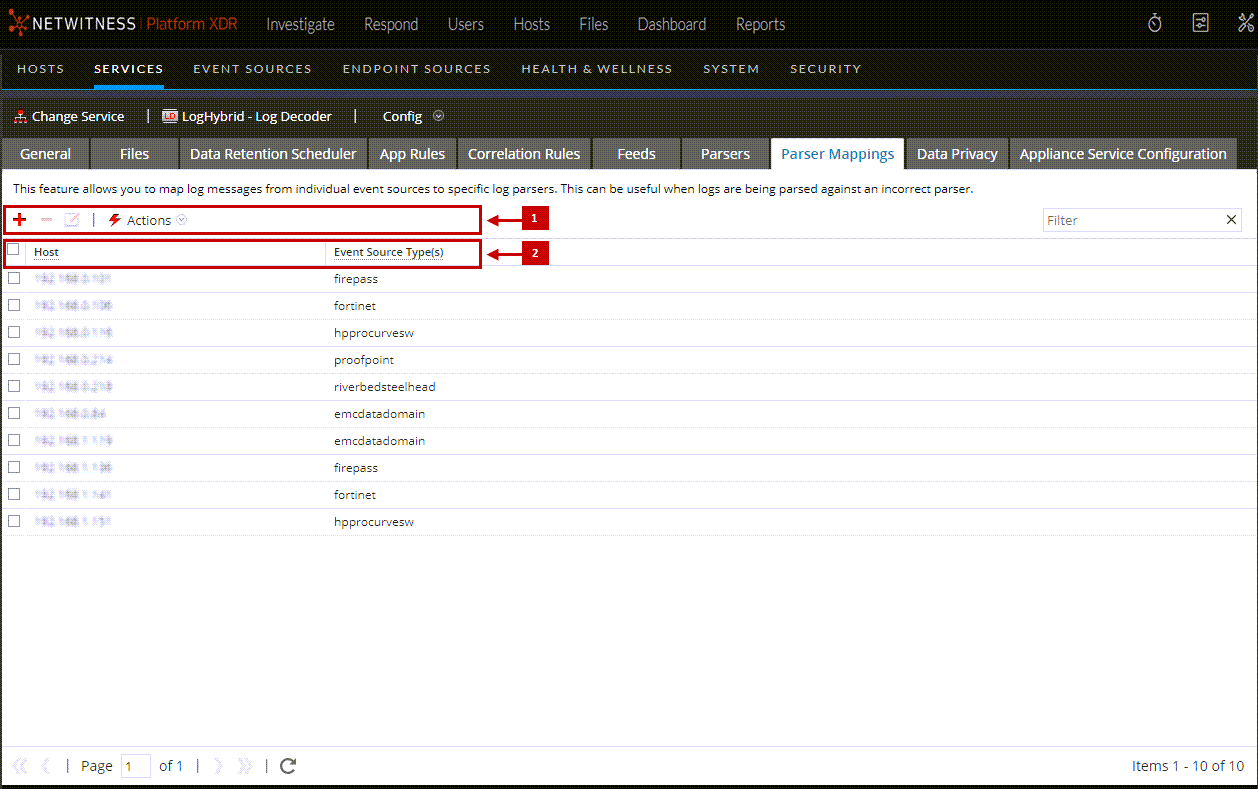
Parser Mappings Toolbar
The Parser Mappings toolbar has options to work with parser mappings in the grid.
Parser Mappings List
The Parser Mappings list displays all parsers that are currently mapped on the Log Decoder.
Parser Mappings Editor Dialog
The Parser Mappings Editor dialog allows you to update an IP to event source mapping.
To access the Parser Mappings Editor dialog, in the Services Config view for a Log Decoder, select the Parser Mappings tab.