.png?width=180&height=32&name=NW%20Logo%20(2).png)
Services Config View - Parsers TabServices Config View - Parsers Tab
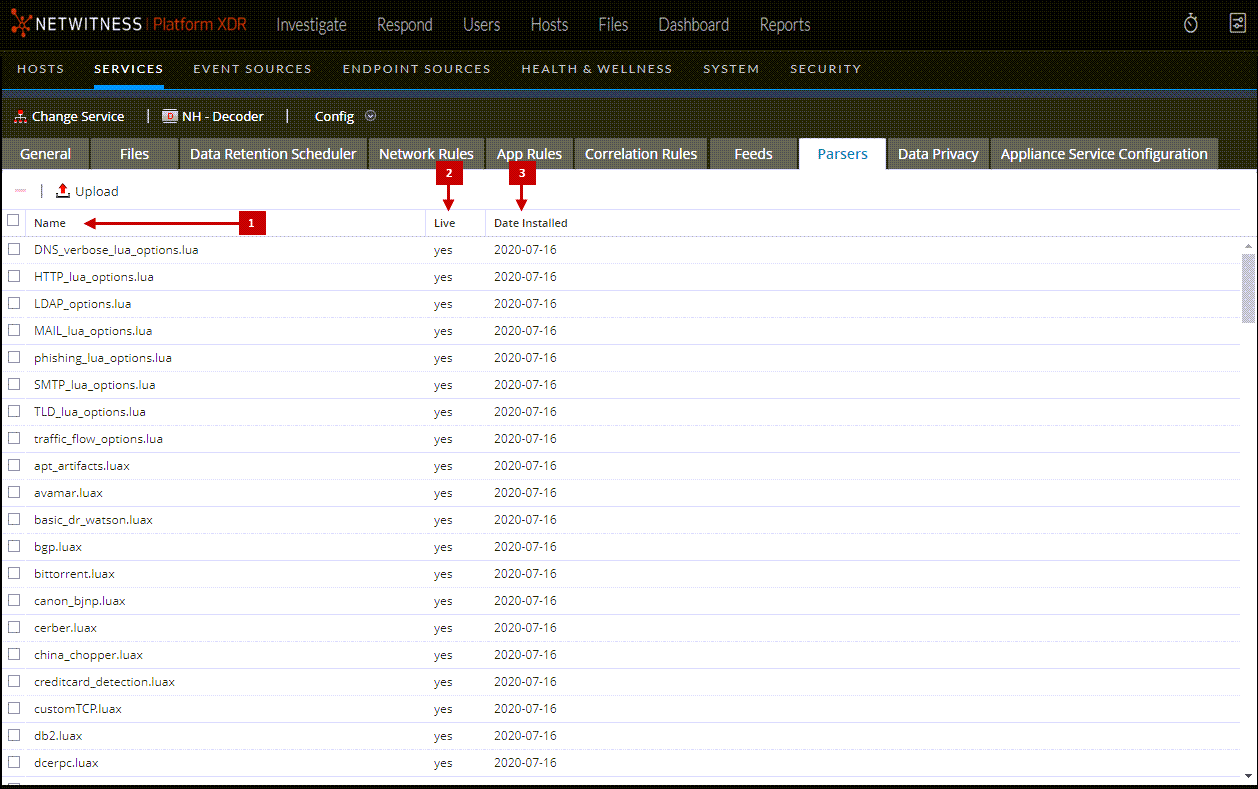
In the Services Config View > Parsers tab, you can view deployed parsers on a Decoder or Log Decoder, upload parsers, and delete deployed parsers. Parsers can be added and removed while a Decoder or Log Decoder is running without affecting capture.
To access the Parsers tab, go to  (Admin) > Services > select a Decoder or Log Decoder service and click
  > View > Config > Parsers tab.
What do you want to do?
Related Topics
- Decoder and Log Decoder Quick Setup
- Configure Common Settings on a Decoder
- Upload and Delete Custom Parsers
Quick Look
This is an example of the Parsers tab. The Parsers grid lists all parsers that are currently deployed on the Decoder.
Parsers Tab Toolbar
The Parsers Tab toolbar has options to work with parsers in the grid.