.png?width=180&height=32&name=NW%20Logo%20(2).png)
Services View
You set up and maintain the NetWitness services in the Services view. In the Services view, you can:
- Quickly search for and locate a specific service or type of service, such as Log Decoder or Warehouse Connector.
- Use shortcuts to get to administration tasks.
- Add, edit, and remove services.
- Sort services by name and host.
- Filter services by type, name, and host.
- Start, stop, and restart services.
A service performs a unique function, such as collecting logs or archiving data. Each service runs on a dedicated port and is modeled as a plug-in to enable or disable, according to the function of the host. You must configure the following Core services first.
You must configure hosts and services to communicate with the network and each other so they can perform their functions such as storing or capturing data. For information about ports and a comprehensive list of ports for all services, see "Network Architecture and Ports" in the Deployment Guide for NetWitness Platform. Go to the NetWitness All Versions Documents page and find NetWitness Platform guides to troubleshoot issues.
Workflow
This workflow shows the procedures you complete to set up and maintain a service. Adding a service to a host is the first task in this workflow. The hosts with Core services are set up out-of-the-box. After that, you can set up additional services on hosts to enhance your NetWitness deployment.
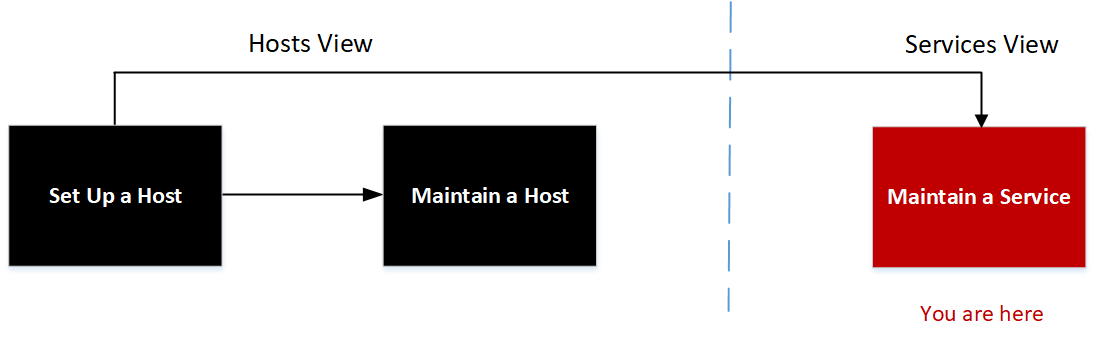
What do you want to do?
* You can perform these tasks in the current view.
Related Topics
- View Topology Details
- Hosts View
- Hosts and Services Set Up Procedures
- Hosts and Services Maintenance Procedures
See the following NetWitness guides for detailed information on individual services. Go to the NetWitness All Versions Documents page and find NetWitness Platform guides to troubleshoot issues.
Archiver Configuration Guide
Broker and Concentrator Configuration Guide
Context Hub Configuration Guide
Decoder Configuration Guide
Endpoint Configuration Guide
Event Stream Analysis (ESA) Configuration Guide
Malware Analysis Configuration Guide
Log Collection Configuration Guide
Malware Analysis Configuration Guide
Reporting Engine User Guide
NetWitness Respond Configuration Guide
NetWitness UEBA User Guide
Workbench Configuration Guide
Warehouse Connector Configuration Guide
Response Actions Configuration Guide
Quick Look
This is an example of the Services view.
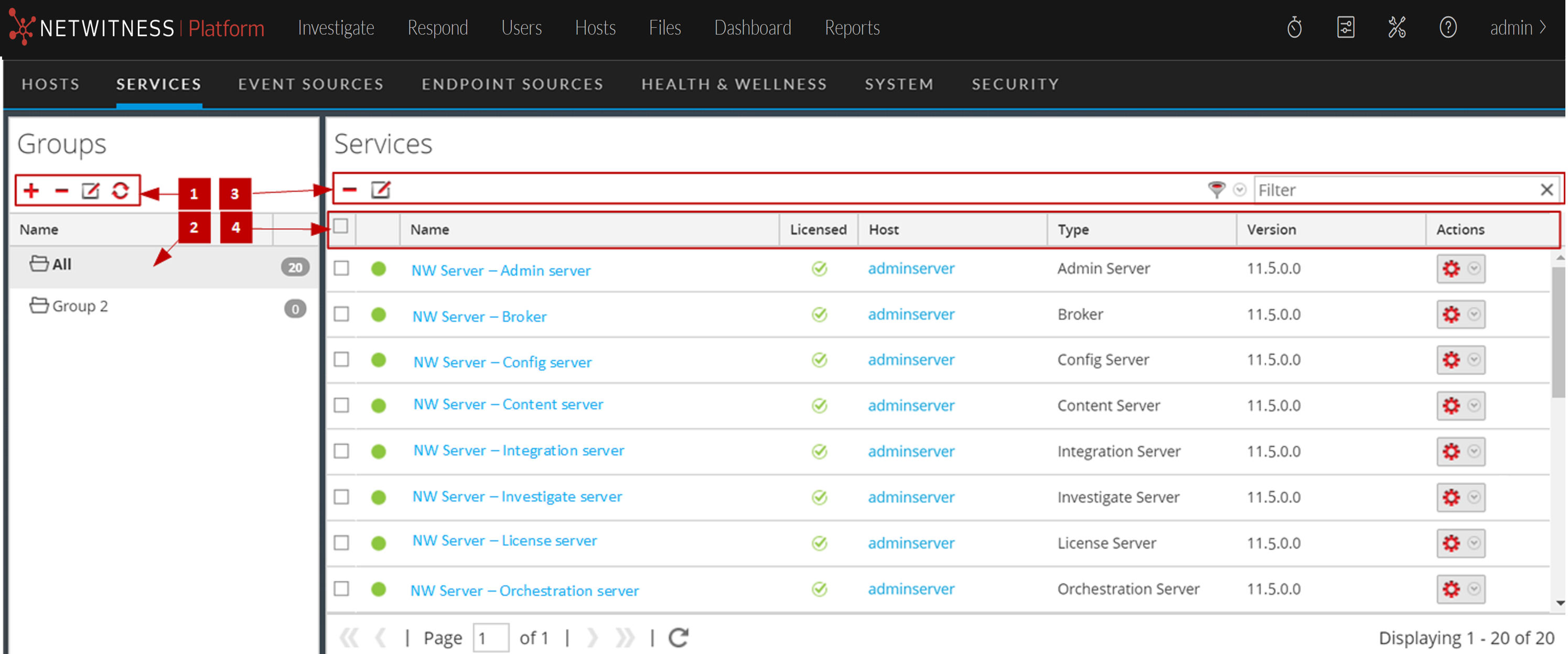
Groups Panel Toolbar
Groups Panel
The Groups panel provides a logical way to manage groups of services, such as by function, geography, or project. After you create a group, you can drag individual services from the Services panel into the group. A service may belong to more than one group.
Services List Toolbar
This topic introduces the options in Services list toolbar to add, remove, edit, and get a license for services. You can also filter the services listed in the Services list.
To access the Admin Services view, in NetWitness, go to  (Admin) > Services. The Services list toolbar is at the top of the Services list in the Services view.
Services List