.png?width=180&height=32&name=NW%20Logo%20(2).png)
System Updates Panel - Settings TabSystem Updates Panel - Settings Tab
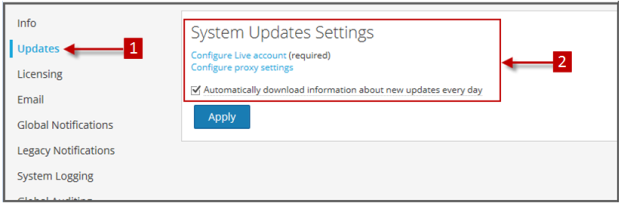
System Updates Settings tab describes the interface you use to set up a connection to Live Update Repository. These settings ensure that the NetWitness can reach the Live Update Repository and synchronize it with your Local Update Repository.
The required permission to access this view is Apply System Updates.
To access this view:
- Go to
 (Admin) > System.
 - Select Updates.
What do you want to do?What do you want to do?
Related TopicsRelated Topics
Manage NetWitness Platform Updates
Quick LookQuick Look
The System Updates Settings panel is displayed.
FeaturesFeatures
This table describes the features in the System Updates Settings panel.