.png?width=180&height=32&name=NW%20Logo%20(2).png)
Issue
How to attach a file to a NetWitness Knowledgebase article so the Customer can download it?
Resolution
- While Creating the KB article, press save after completing all the article information.
- Go to the Related tab.
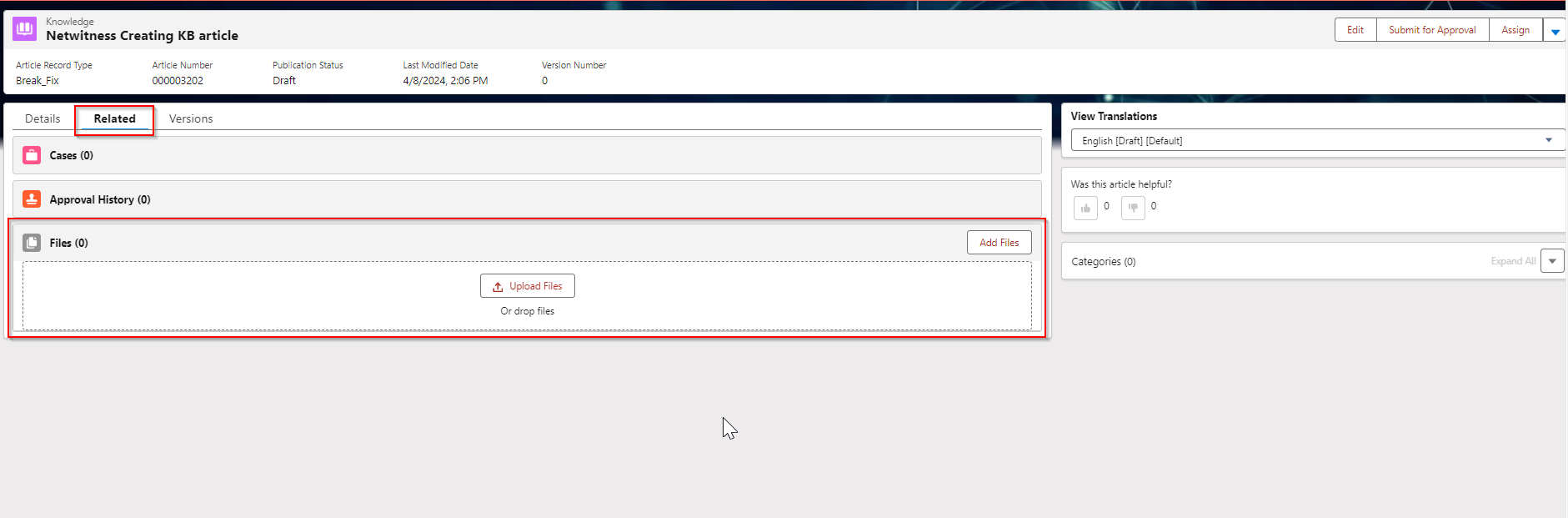
- Under Files Press on "Upload files" with opens a file requestor to select the file to attach. Alternatively the file can be dragged to the Files location and uploaded as well.
Product Details
Product Set: NetWitness PlatformSummary
Want to attach a file to an NetWitness Knowledgebase article in a location that a Customer can download.
Approval Reviewer Queue
Technical approval queue