Add Stream Dialog
Add Stream Dialog
You can configure and add a stream to a Warehouse Connector in this dialog
Workflow
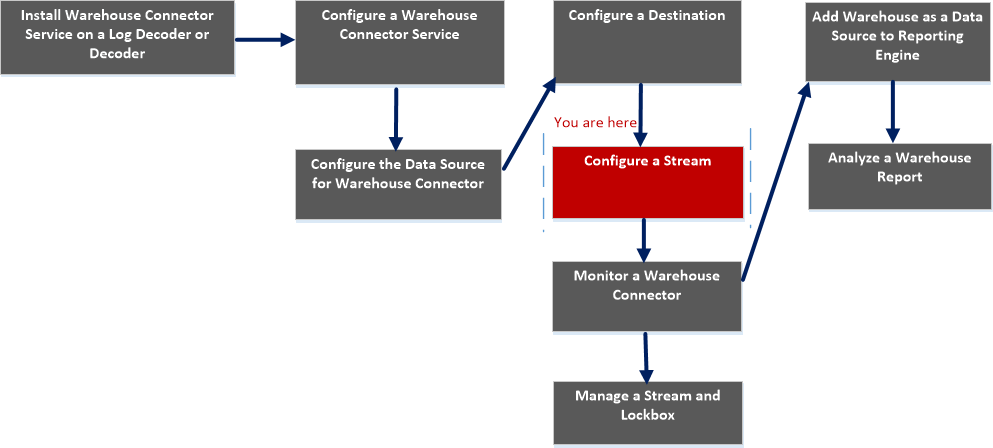
What do you want to do?
- Role: Administrator
- I want to...: Install Warehouse Connector Service on a Log Decoder or Decoder
- Refer to...: Install Warehouse Connector Service on a Log Decoder or Decoder or Hybrid
- Role: Administrator
- I want to...: Configure a Warehouse Connector Service
- Refer to...: Configure a Warehouse Connector Service
- Role: Administrator
- I want to...: Configure the Data Source for Warehouse Connector
- Refer to...: Configure the Data Source for Warehouse Connector
- Role:
Administrator
- I want to...:
Configure the Destination using NFS, SFTP, WebHDFS.
- Refer to...:
Configure the Destination Using NFS
- Role: Administrator
- I want to...: Configure a Stream*
- Refer to...: Configure a Stream
- Role: Administrator
- I want to...: Monitor a Warehouse Connector
- Refer to...: Monitor a Warehouse Connector
- Role:
Administrator
- I want to...:
Add Warehouse as Data Source to Reporting Engine
- Refer to...:
For more information, see "Add Warehouse as a Data Source to Reporting Engine" in the Reporting Engine Configuration Guide.
- Role: Administrator
- I want to...: Analyze a Warehouse Report
- Refer to...: For more information, see "Step 4. Analyze a Warehouse Report" in the Warehouse Guide.
- Role:
Administrator
- I want to...:
Manage a Stream and Lockbox
- Refer to...:
*You can perform this task in the current view
Related Topics
Quick Look
The following figure is an example with the important features labeled.
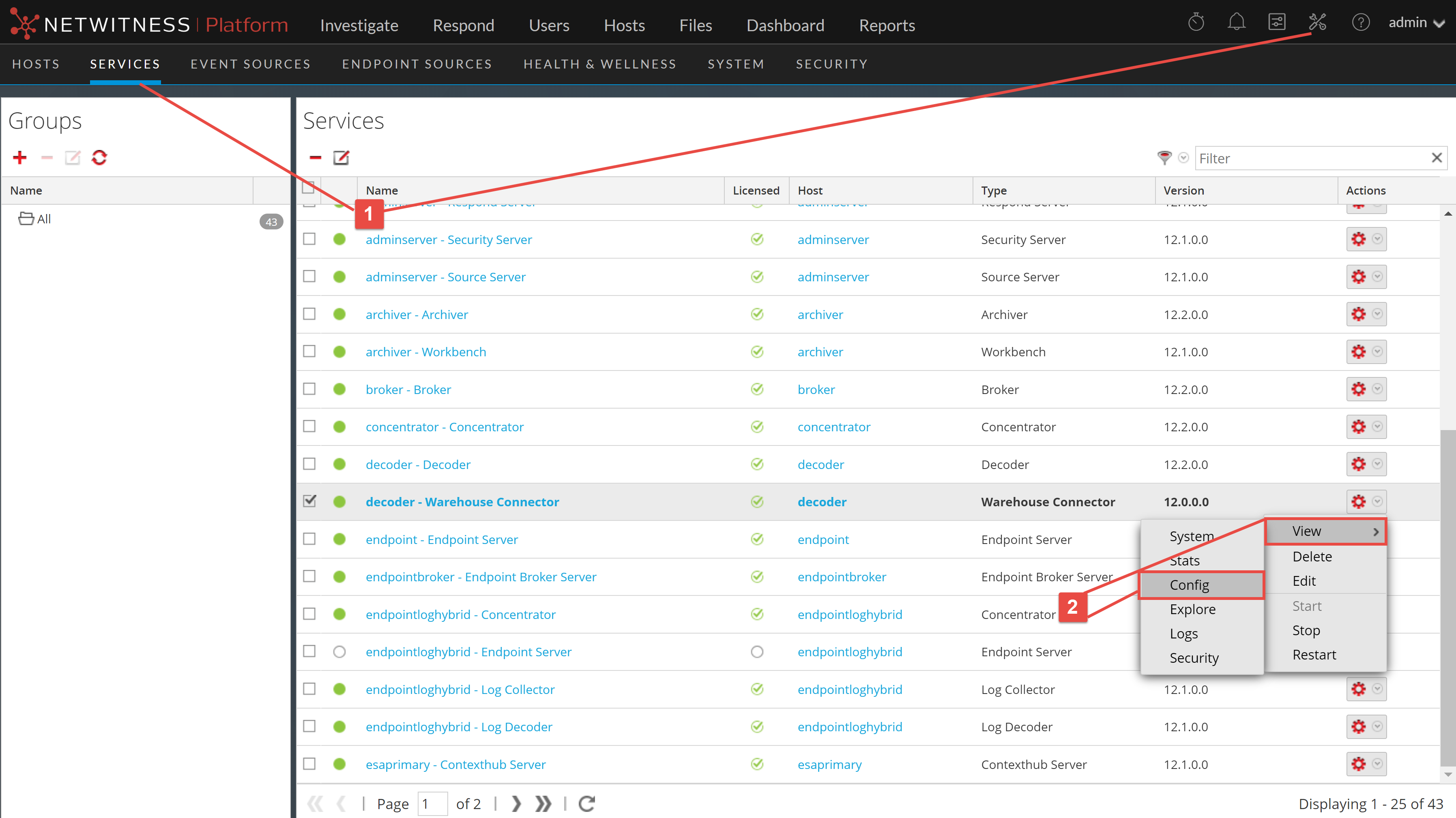

- Column 1: 1
- Column 2: Go to
(Admin) > Services.
- Column 1: 2
- Column 2: In the services view, select a Warehouse Connector service and select
>view>config
- Column 1: 3
- Column 2:
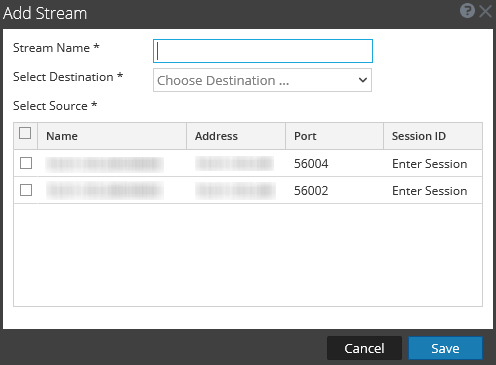
In the Streams tab, click
to view the add stream dialog.
The following table describes the fields in the Add Stream dialog:
- Parameter: Stream Name
- Description: Type the name of the stream. The stream name may only contain alphanumeric characters and underscores. It cannot exceed 20 characters in length.
- Parameter: Select Destination
- Description: Select a destination from the drop-down list.
- Parameter: Select Source
- Description: Select a source from the grid at the bottom section of the dialog.
- Parameter: Name
- Description: The name of the source.
- Parameter: Address
- Description: The address of the source.
- Parameter: Port
- Description: The port of the source.
- Parameter: Session ID
- Description: The session ID of the source.