.png?width=180&height=32&name=NW%20Logo%20(2).png)
Edit the Archiver ServiceEdit the Archiver Service
To add an Archiver service, ensure that you have installed an Archiver host on which you want to run the Archiver service. See "Step 1: Add or Update Host" topic in the Host and Services Getting Started Guide for the procedure that explains how to add a host.
Perform the following steps to edit the Archiver service:
- Go to
 (Admin) > Services.
The Services panel is displayed. -
Select an Archiver service and click
 in the Services panel toolbar.
 The Edit Service dialog is displayed.
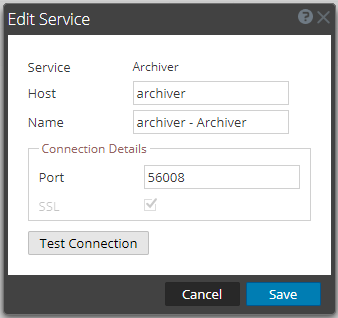
-
Provide the following details.
- Click Test Connection to determine if NetWitness connects to the service.
-
When the result is successful, click Save.
The edited service is now displayed in the services panel.
Note: If the test is unsuccessful, edit the service information and retry.
-
Apply license to the Archiver service.
Refer to the "Synchronize NetWitness Server" topic in the Licensing Guide for details on the procedure to activate (apply a license to) the Archiver service.