.png?width=180&height=32&name=NW%20Logo%20(2).png)
Issue
After upgrading to RSA NetWitness 11.4 or later Active Directory is no longer connected over SSL when using a DH key length less than 2048./var/lib/netwitness/uax/logs/sa.log:
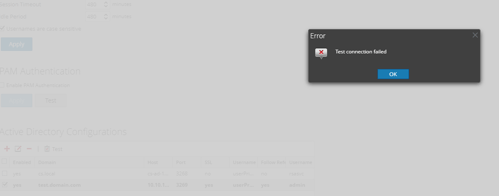
ERROR com.rsa.smc.sa.admin.web.controller.ajax.AuthenticationProviderController - Test connection failed
com.rsa.asoc.launch.api.transport.client.TransportClientException: Accepted DH prime length is 2048 or higher
at com.rsa.asoc.launch.api.transport.client.ClientResponseUtils.handleError(ClientResponseUtils.java:99)
at com.rsa.asoc.launch.api.transport.client.AmqpTransportClient.doSendAndReceive(AmqpTransportClient.java:118)
at com.rsa.asoc.launch.api.transport.client.AmqpTransportClient.send(AmqpTransportClient.java:69)
com.rsa.asoc.launch.api.transport.client.TransportClientException: Accepted DH prime length is 2048 or higher
at com.rsa.asoc.launch.api.transport.client.ClientResponseUtils.handleError(ClientResponseUtils.java:99)
at com.rsa.asoc.launch.api.transport.client.AmqpTransportClient.doSendAndReceive(AmqpTransportClient.java:118)
at com.rsa.asoc.launch.api.transport.client.AmqpTransportClient.send(AmqpTransportClient.java:69)
Active Directory users are no longer able to login. When testing the connection in Admin > Security > Settings > Under Active Directory Configurations, select the AD instance and click on the Test button:
Cause
In RSA NetWitness 11.4, we upgraded our BSAFE libraries to comply with FIPS, as a result, we now require using a DH key length of 2048 to establish SSL/TLS connections.
Resolution
We recommend upgrading the DH key length of the Active Directory to 2048 or greater to establish the SSL/TLS connection. A DH key length of 1024 is no longer FIPS compatible.The following reference is where to configure a DH key length from Microsoft, the advisory is configuring a 1024 DH key whereas we are suggesting 2048:
Microsoft security advisory: Updated support for Diffie-Hellman Key Exchange
Product Details
RSA Product Set: RSA NetWitness Logs & NetworkRSA Product/Service Type: Core Appliance
RSA Version/Condition: 11.4.x and 11.5.x, 12.x
Summary
Explain change that occurred in 11.4 and later to comply with FIPS.
Approval Reviewer Queue
Technical approval queue