.png?width=180&height=32&name=NW%20Logo%20(2).png)
Alert Schedules ViewAlert Schedules View
In the Alert Schedules view, you can view all the alerts scheduled. Alternately, you can also disable the scheduled alerts.
Workflow
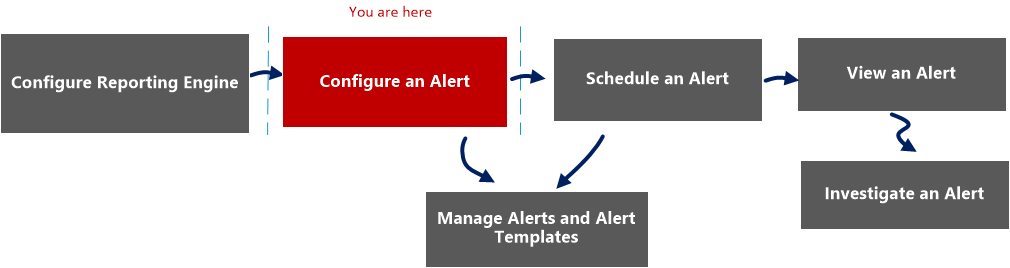
The following workflow shows the tasks involved in creating or modifying an alert.
What do you want to do?
*You can complete these tasks here.
Related Topics
Quick View
The following example shows you how to access the Alert Schedules view dialog.


Features
The different panels on the Alert Schedules View dialog are:
- Alerts schedule toolbar panel
- Alerts schedule list panel
Alerts Schedule Toolbar Panel
In the Alerts Schedule Toolbar panel, the Disable icon disables the selected alert. When schedule alerts are no longer needed or are determined to be ineffective, you can disable them so that they are no longer executed. You can select one of more alerts to disable. When an alert is disabled, it is removed from the scheduled alerts list so that you cannot view it here, and it will not execute again unless you manually execute the alert or set up a new schedule for it.
Alerts Schedule List Panel
The following table lists the columns in the Alerts Schedule List panel and their description.