Skip to content
  • There are no suggestions because the search field is empty.

Appliance Service Configuration Tab Settings

Appliance Service Configuration Tab Settings

The Appliance Service Configuration tab displays the appliance configuration settings for Warehouse Connector service. For more information, see "Appliance Service Configuration" in the Hosts and Services Getting Started Guide.

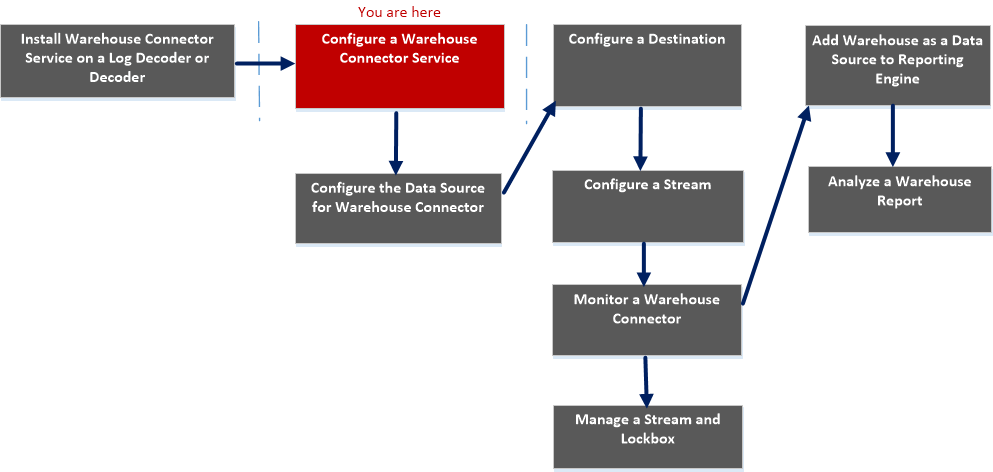
Workflow
netwitness_gentabsettgs_workflow.png

What do you want to do?


  • Role:

    Administrator

  • I want to...:

    Add Warehouse as Data Source to Reporting Engine

  • Refer to...:

    For more information, see "Add Warehouse as a Data Source to Reporting Engine" in the Reporting Engine Configuration Guide.


  • Role: Administrator
  • I want to...: Analyze a Warehouse Report
  • Refer to...: For more information, see "Step 4. Analyze a Warehouse Report" in the Warehouse Guide.

  • Role:

    Administrator

  • I want to...:

    Manage a Stream and Lockbox*

  • Refer to...:

    Manage a Stream


*You can perform this task in the current view

Related topics

Quick Look

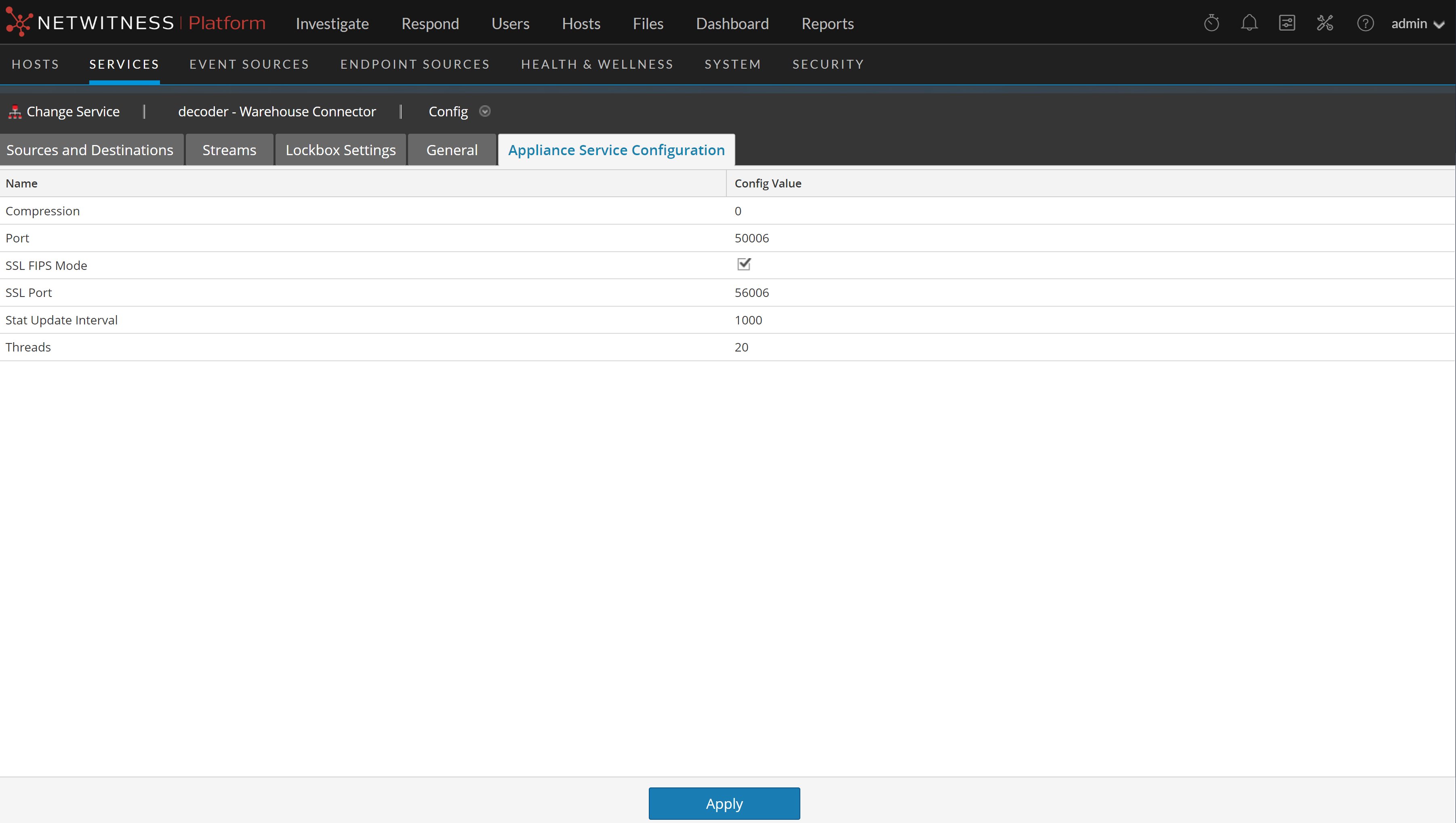
The following figure shows the different settings on the Appliance Service Configuration tab.
121_app_serv_config_1122.png

When you add a Warehouse Connector service, default values are in effect. NetWitness designed the default values to accommodate most environments and recommends that you do not edit these values because it may adversely affect performance.

The following table describes the Appliance Service Configuration parameters:

  • Name: Compression
  • Configuration Value: Determines the minimum amount of bytes before a message is compressed. If set to zero, messages are not compressed.

  • Name: Port
  • Configuration Value: Determines the port used by the service.

    Note: If you change the port number, ensure that you restart the service.


  • Name: SSL FIPS Mode
  • Configuration Value: If enabled, all the data transferred in the network will be encrypted using SSL FIPS.

  • Name: SSL Port
  • Configuration Value: Determines the SSL port used by the service.

  • Name: Stat Update Interval
  • Configuration Value: Determines how often (in milliseconds) statistic nodes are updated in the system.

  • Name: Threads
  • Configuration Value: Determines the number of threads in the thread pool to handle incoming requests.