.png?width=180&height=32&name=NW%20Logo%20(2).png)
Archiver Services Config View - General Tab
The General tab for an Archiver in the Services Config view helps manage basic service configuration, configure the aggregate service, and configure the aggregation process between an Archiver and the aggregate service.
To access the General tab, go to  (Admin) > Services, select an Archiver service, then select View > Config.
Workflow
This workflow illustrates the end-to-end installation and configuration process for an Archiver.
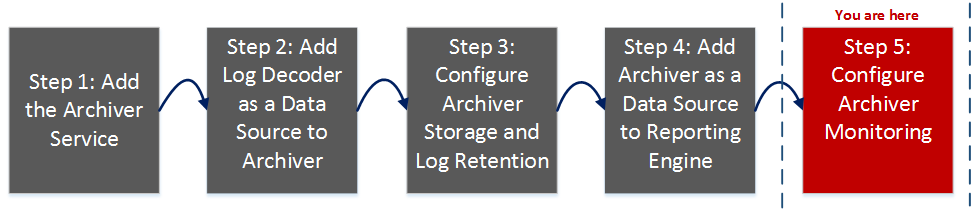
Configuring the aggregate service (whose data is consumed and aggregated) includes:
- Adding, editing, and deleting Archivers as aggregate services
- Toggling an aggregate service online and offline
- Monitoring statistics for aggregate services
- Starting and stopping aggregation
Configuring the aggregation process includes setting:
- Aggregation autostart
- Timing and performance parameters, such as the number of sessions per round of aggregation and time between rounds
- The timing of attempts to restart, reconnect, or take offline a non-responsive aggregate service
Note: Archiver can aggregate from Log Decoder and Archiver (Archiver-Archiver aggregation). Archiver can be aggregated by Archiver and Broker. A Broker can aggregate from either set of concentrators or set of Archivers
What do you want to do?
*You can perform this task here.
Related Topics
Configure Log Storage Collections
Quick Look
This is an example of the General tab.
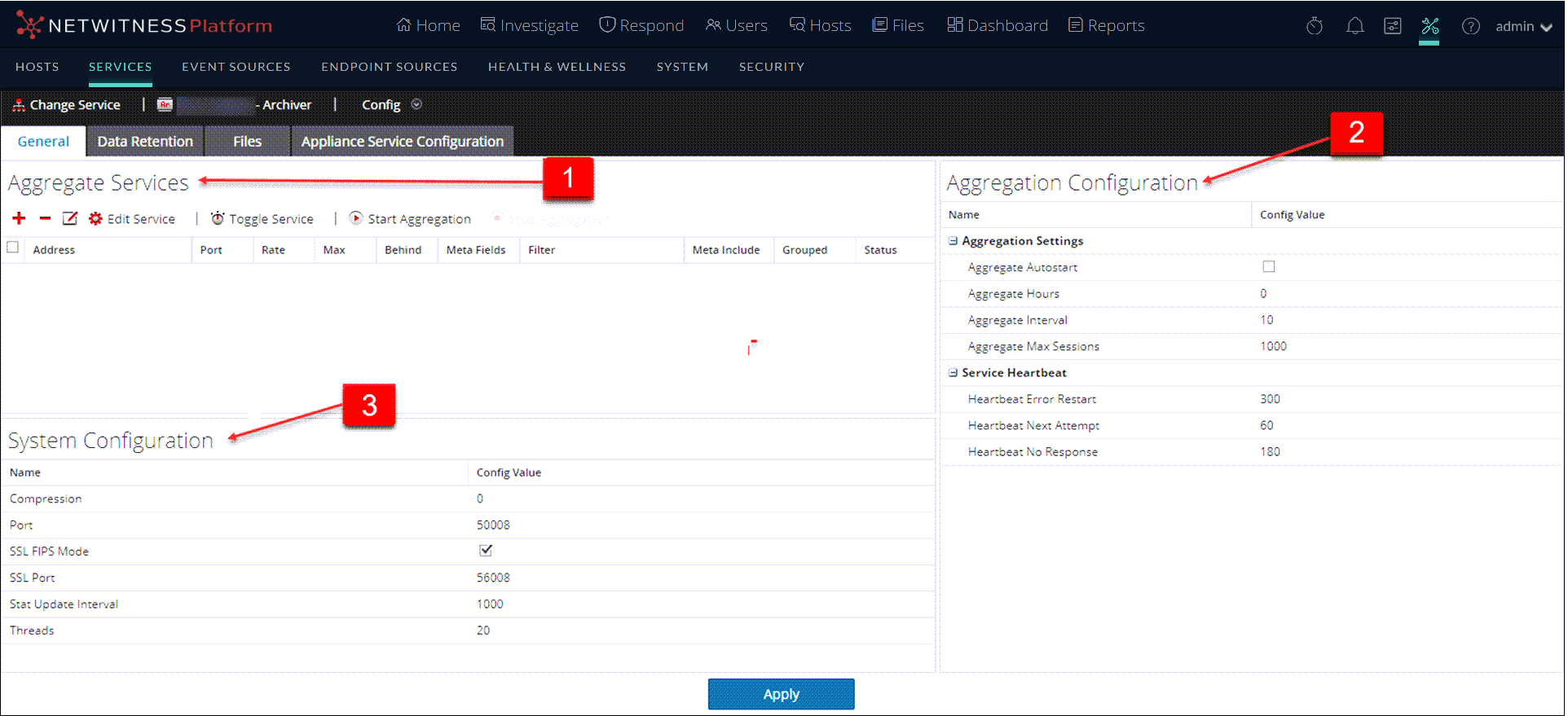
These are the three major sections in the General tab for Archivers:
Aggregate Services SectionAggregate Services Section
This is an example of the Aggregate Services section for a Concentrator. The Aggregate Services section toolbar offers these options.
The Aggregate Services section list has these columns.
System Configuration SectionSystem Configuration Section
When a service is first added, default values are in effect. You can edit these values to tune performance.
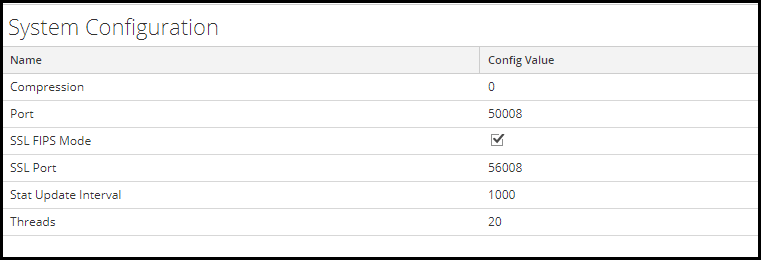
The System Configuration section has these parameters.
Aggregation Configuration Section
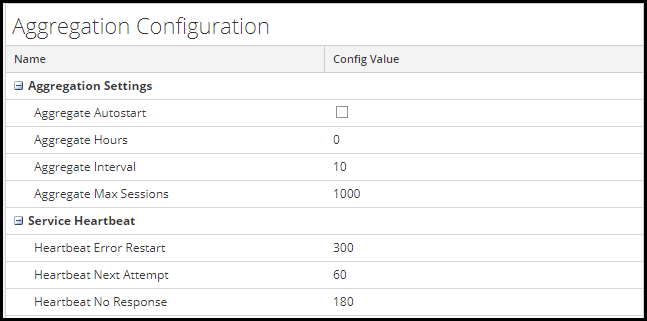
The Aggregation Configuration Section provides configuration settings for aggregation. When you click Apply, the changes are saved; however, not all settings take effect immediately. The tables for Aggregation Settings and Service Heartbeat provide details.
Caution: Do not edit any of these settings without guidance from Customer Support.