.png?width=180&height=32&name=NW%20Logo%20(2).png)
Issue
Can't find any .OVA files on the myRSA website.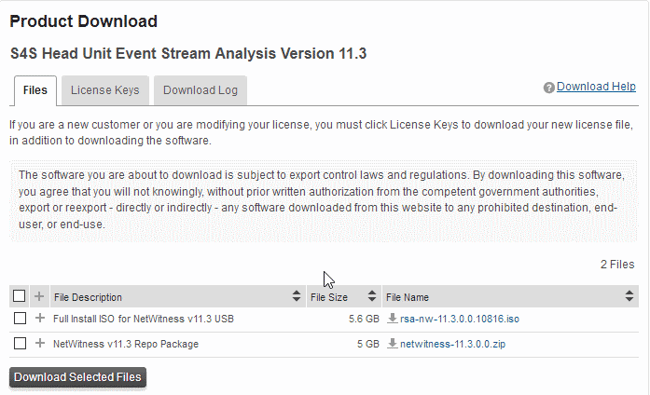
Tasks
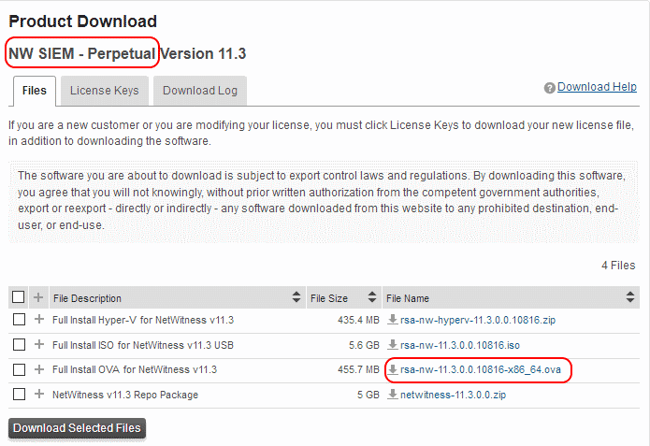
By default, Customers can download RSA NetWitness .OVA files from the myRSA (formerly Download Central) website only if they have purchased an RSA NetWitness Throughput (metered) license or an RSA NetWitness software only license.Example RSA NetWitness software Asset Names:
NW SIEM - Perpetual Version
NW Network Monitoring - Perpetual Version
Analytics Server w/10 Users - S/W Only
Resolution
Customers who only have RSA NetWitness physical appliances won't by default find the RSA NetWitness .OVA files on the myRSA website.Customers with only RSA NetWitness physical appliances can gain access to the RSA NetWitness .OVA files by making a $0 order through the RSA CRD Team.
Create an RSA CRD case asking for a 'Virtual Log Collector S/W' asset to be added to the Customer account.
Ensure the Customer has a valid maintenance contract for RSA NetWitness physical appliances.
In the CRD case provide the following details:
- Contact details of the Customer requesting the .OVA file
- Email address the Customer uses to login to the myRSA website
- NetWitness version of the wanted .OVA file
- Account Name of the company (as it appears in SalesForce)
- SAP ID of the account (as it appears in SalesForce)
- Valid Contract Number for the NetWitness assets (as it appears in SalesForce)
Notes
For additional details on where on the myRSA website to look for the .OVA file see, How to download the full install packages and OVA files for RSA NetWitness Logs & NetworkProduct Details
RSA Product Set: NetWitness Logs & Network, Security AnalyticsRSA Product/Service Type: NetWitness Appliance (Virtual)
RSA Version/Condition: 10.x, 11.x
Platform: RSA Link (community.rsa.com), RSA Download Central (download.rsasecurity.com), myRSA (my.rsa.com)
Summary
Looking on the myRSA website https://my.rsa.com and can't find any RSA NetWitness .OVA files.
Approval Reviewer Queue
RSA NetWitness Suite Approval Queue