.png?width=180&height=32&name=NW%20Logo%20(2).png)
Configure SDEE Event Sources in NetWitness
This topic tells you how to configure the SDEE collection protocol.
To add an SDEE Event Source:
- Go to
 (Admin) > Services.
 - Select a Log Collection service.
- Under Actions, select
 > View > Config to display the Log Collection configuration parameter tabs.
 -
Click the Event Sources tab.
-
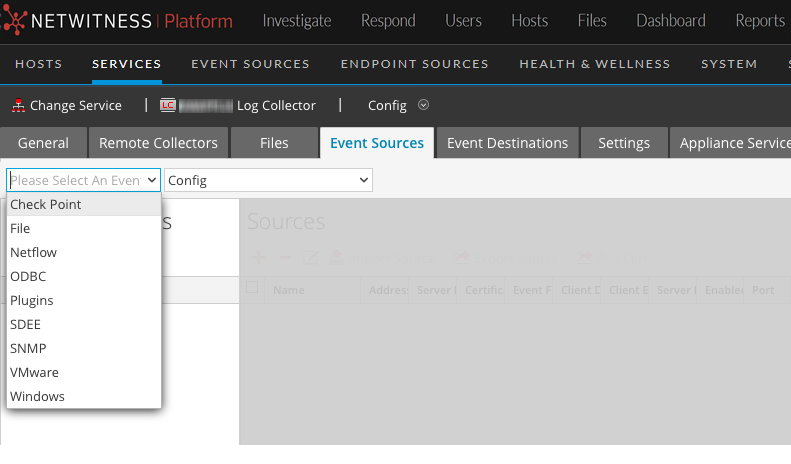
In the Event Sources tab, select SDEE/Config from the drop-down menu.
The Event Categories panel displays the SDEE event sources that are configured, if any.
-
In the Event Categories panel toolbar, click
 .
.The Available Event Source Types dialog is displayed.
-
Select an event source type and click OK.
The newly added event source type is displayed in the Event Categories panel.
-
Select the new type in the Event Categories panel and click
in the Sources panel toolbar.The Add Source dialog is displayed.
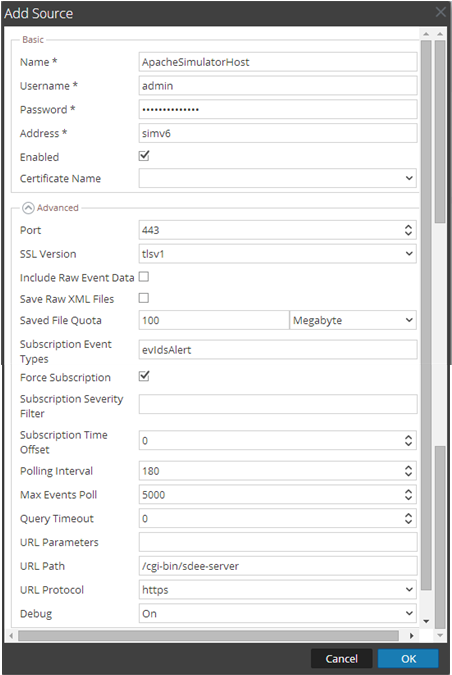
- Add a Name, Username, Address, and Password, and modify any other parameters that require changes, and click OK.