.png?width=180&height=32&name=NW%20Logo%20(2).png)
Configure the SNMP Settings as Notification ServerConfigure the SNMP Settings as Notification Server
To configure the SNMP trap host settings as a notification server to send alert notifications:
- Go to
 (Admin) > System.
 - In the options panel, select Global Notifications.
- Click the Servers tab.
- From the
 drop-down menu, select SNMP.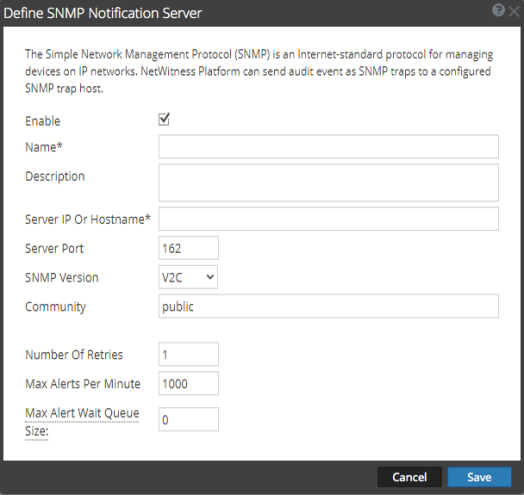
- In the Define SNMP Notification Server dialog, provide the required information and click Save.
For details of the parameters and descriptions, see Define Notification Server Dialogs.