.png?width=180&height=32&name=NW%20Logo%20(2).png)
Context Hub STIX Tab
In the STIX tab, you can create and configure Structured Threat Information eXpression (STIX) data source for Context Hub. Navigate to  (Admin) > Services> Select Context Hub service > View > Config > STIX tab.
The STIX tab of the Context Hub service allows you to create one or more STIX, REST URLs, or TAXII data sources and edit them whenever required. When STIX is configured, Context Hub service automatically considers it as a data source.
What do you want to do?
*You can complete this task here (that is in the Context Hub Lists Tab).
Related Topics
Quick Look
The following example illustrates how to add STIX to Context Hub service.
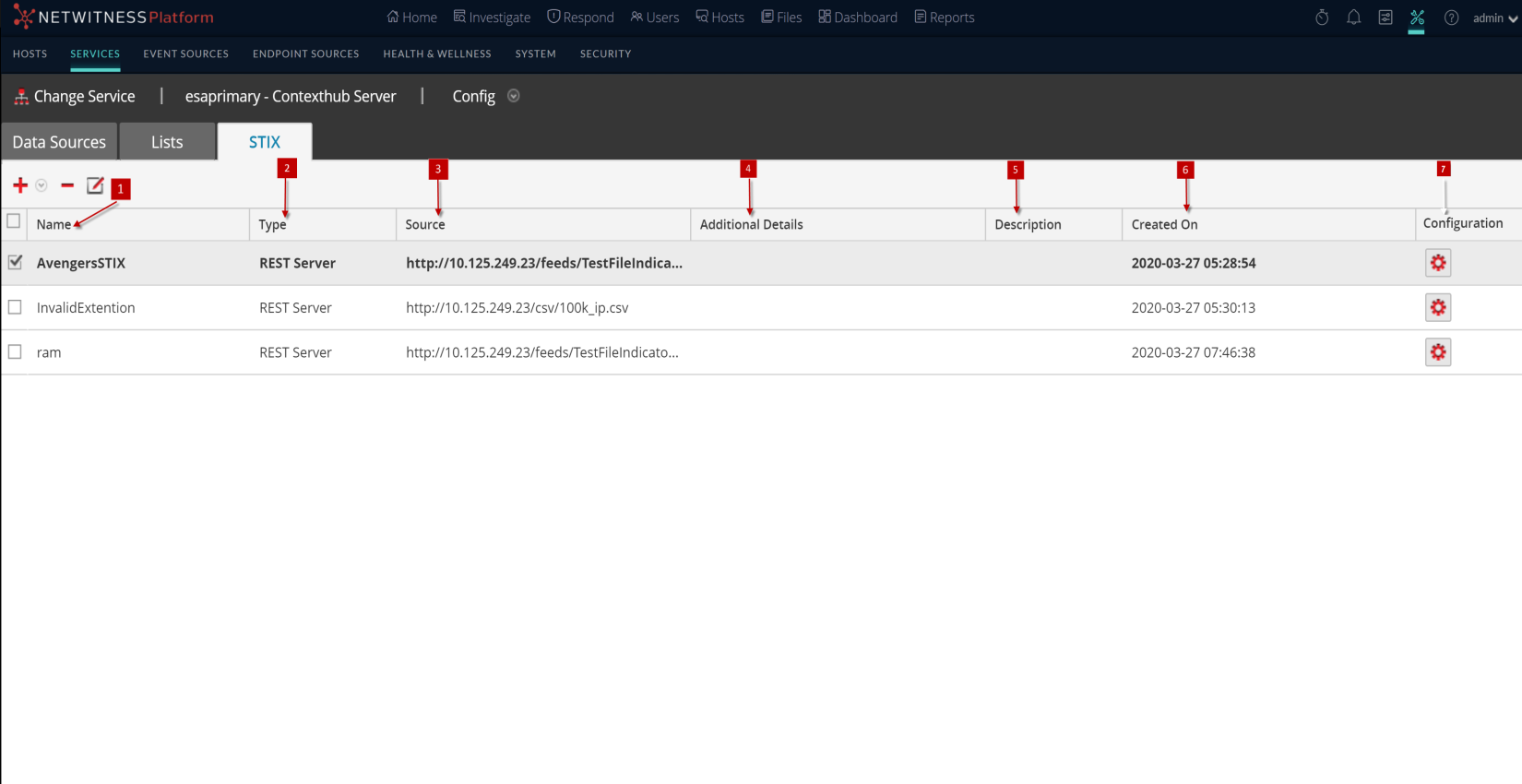
The STIX tab consists of add, delete and edit data sources options.
Toolbar
The following table describes the toolbar actions.
The following table describes the all the data source server configuration options.
Next steps
After completing the configuration, you can view the contextual data in the Context Summary Panel of the Respond view or Investigate view. For instructions, Navigate to Context Summary Panel and View Additional Context topic in the Investigate User Guide.