.png?width=180&height=32&name=NW%20Logo%20(2).png)
Create or Modify Alert Panel
The Create or Modify alert panel is a panel in the Alert List view. This panel allows you to create or modify an alert as per the requirement.
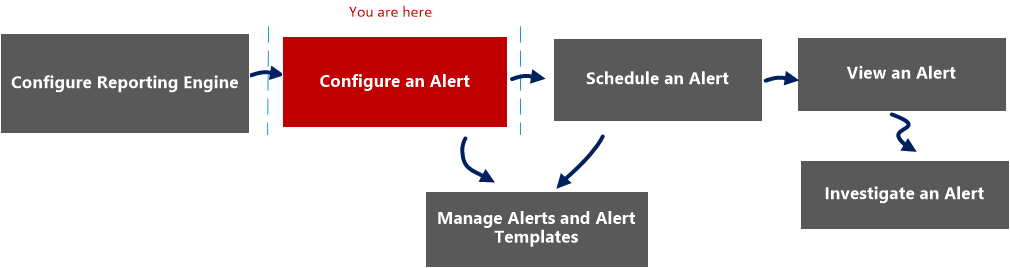
Workflow
What do you want to do?
*You can complete these tasks here.
Related Topics
Quick View
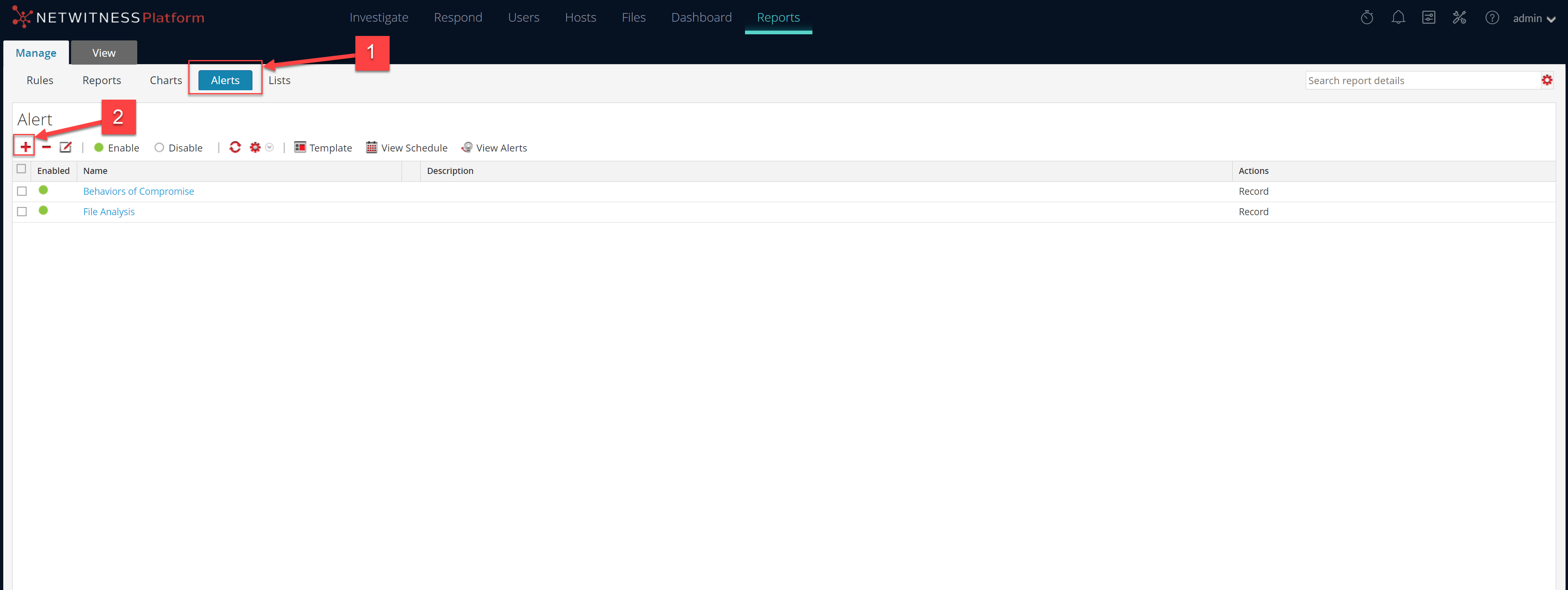
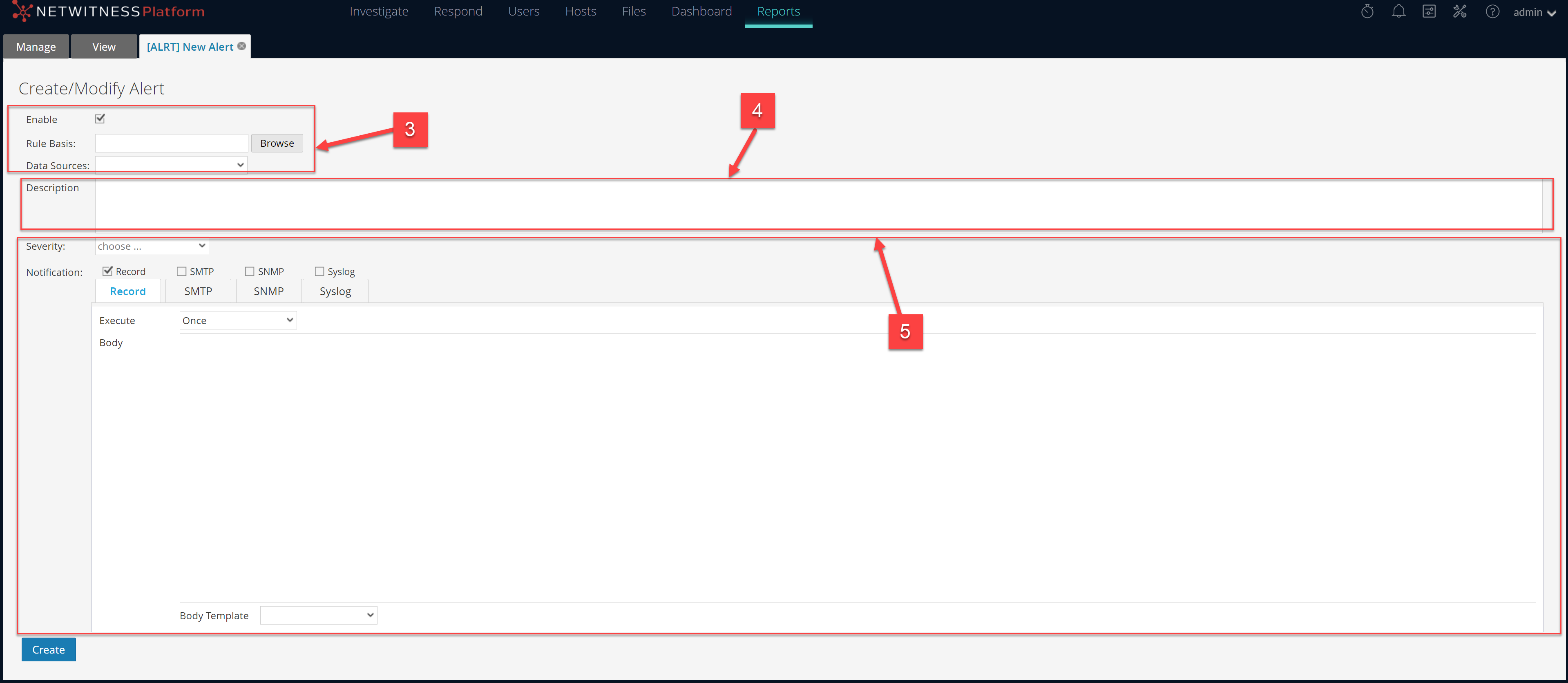
The following figure is an example with the important features labeled.
Note: The 'Push to decoders' option has been removed from NetWitness 12.5. The existing App Rules will remain unchanged. To enable the new App Rules, you can add them manually from Decoder > Config > App Rules (+) through Services in the legacy view. Also, you can deploy App Rules from the CCM page to these decoders if CCM is enabled.
The Create or Modify Alert panel has the following sections:
- Alert Definition
- Alert Description
- Alert Notification
Alert Definition
The following table describes the fields in the Alert Definition:
Alert Description
The following table describes the fields in the Alert Description:
Alert Notification
The Alert Notification allows you to define the notification action NetWitness takes when an alert is generated, for example, recording or sending the alert using one of the defined output actions. The output actions are Simple Mail Transfer Protocol (SMTP), Simple Network Management Protocol (SNMP), or Syslog message.
The Notification contains the default Record tab, which you use to create an alert. The icon beside the Record tab allows you to select the notification type from the drop-down list for the output to specify for the alert: SMTP, SNMP, or Syslog.
Depending on the selected notification type, the Notification section is populated with predefined text that contains variables that add Meta that is appropriate for the alert. In the Reporting Engine, these variables are replaced with actual values. The following table lists the variables and their descriptions.
The Alert Notification view has four tabs:
Use the Record tab to define the frequency for recording an alert and the message to generate when an alert is generated.
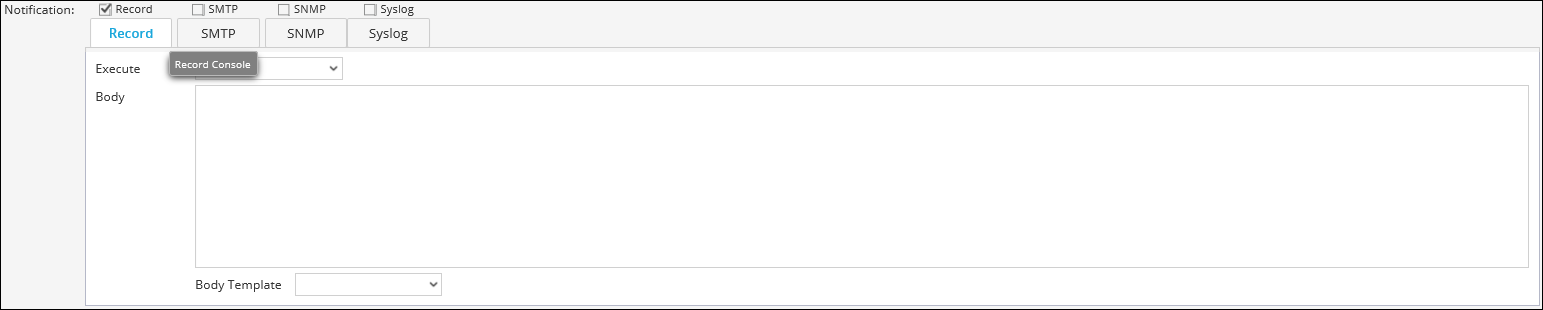
The following table lists the fields in the Record tab and their description.
The SMTP tab allows you to define the SMTP (email) output for this alert.
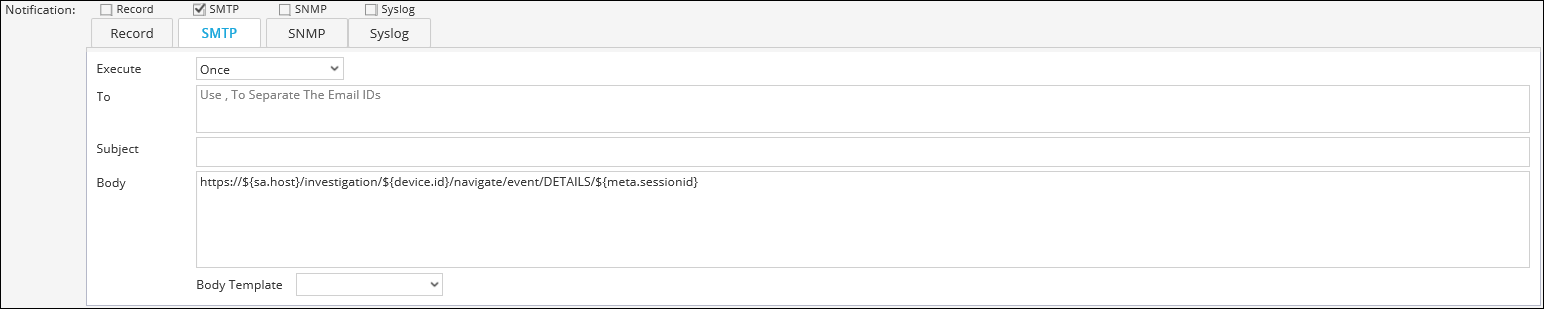
The following table lists the fields in the SMTP tab and their description.
The SNMP tab allows you to define the SNMP output for the alert.
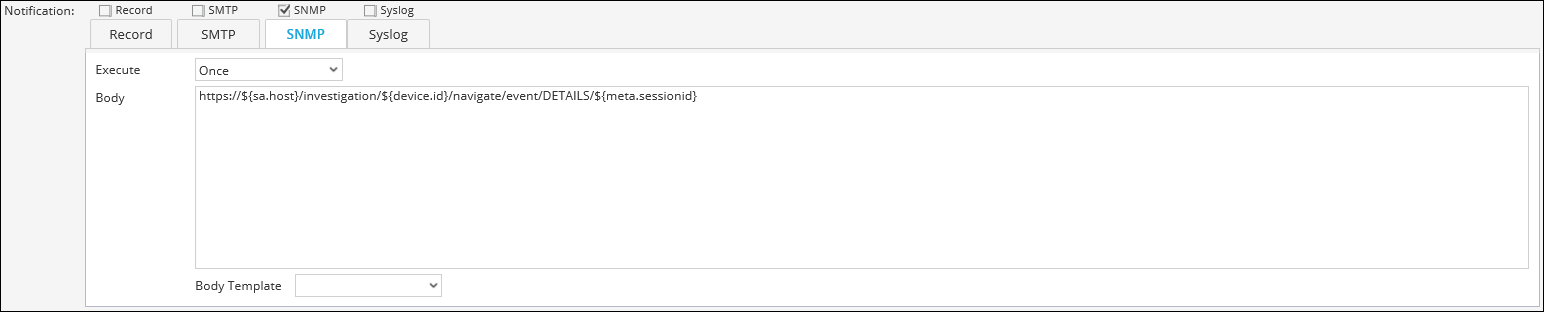
The following table lists the various fields in the SNMP tab and their description.
The Syslog tab allows you to define the Syslog message output for this alert.
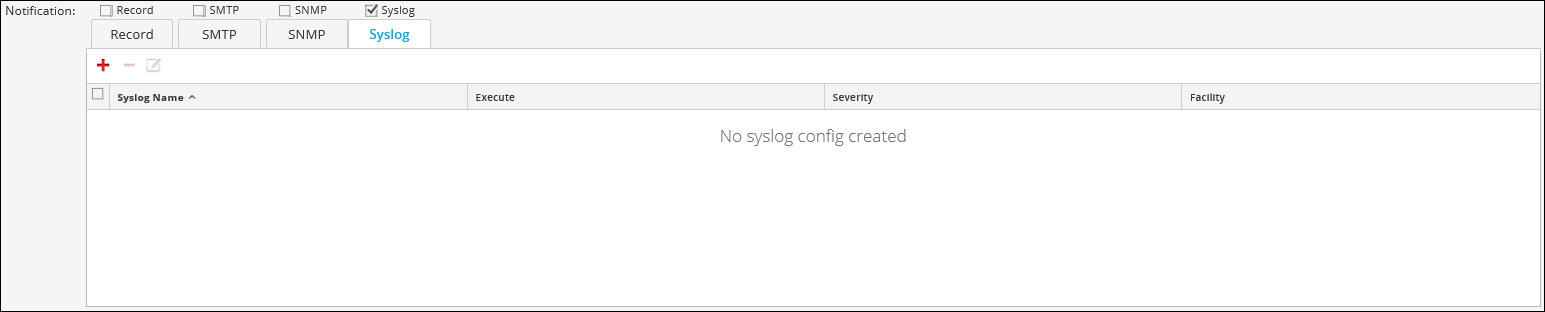
Click  to add Syslog configuration to an alert. The New Syslog Configuration dialog box is displayed:
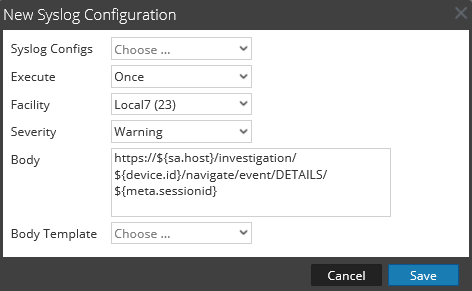
The following table describes the fields in the New Syslog Configuration dialog: