.png?width=180&height=32&name=NW%20Logo%20(2).png)
Create Springboard Panel Dialog
In the Create Springboard Panel dialog, you can create a Springboard panel from selected query in the Events view. You can add any number of filters in the query search bar and convert them into Springboard panels. The Springboard panels are then available to analysts for detection and monitor the results.
To access this dialog, while investigating a service in the Investigate > Events view, add a query on the query search bar >  > Create Springboard Panel from the toolbar.
IMPORTANT: Ensure that you first create a custom private board in Springboard.
What do you want to do?
Related Topics
Quick Look - Create Springboard Dialog
This is an example of the Create Springboard dialog.
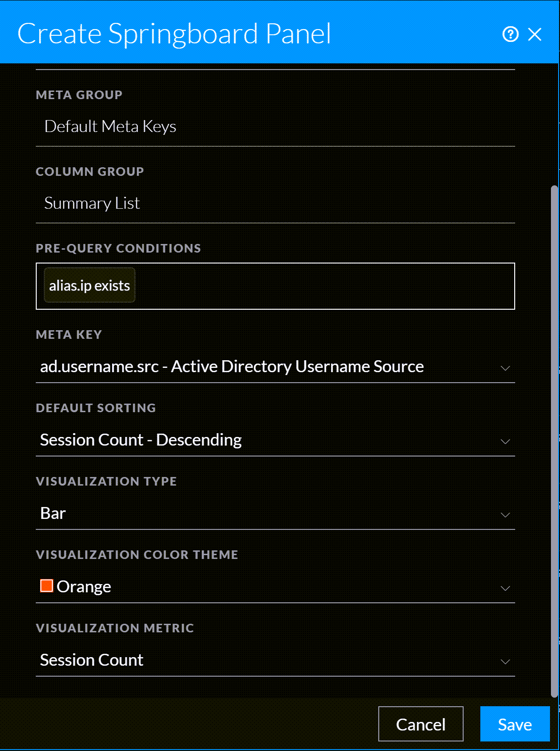
The following table describes the fields in the Create Springboard Dialog view.