.png?width=180&height=32&name=NW%20Logo%20(2).png)
Issue
Dashboard Dashlet charts are not loading in the Netwitness Security Analytics user interface.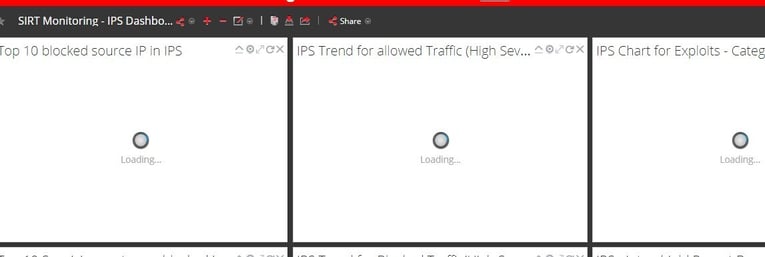
Cause
By checking the /var/netwitness/re-server/rsa/soc/reporting-engine/logs/reporting-engine.log files we can see the below error and highlighted messages in RED:
2017-11-21 12:39:10,888 [EXEC_LIVECHART_101_20160829091713/IPS - Intrushield Report Based on the result-1511267950847] ERROR com.rsa.soc.re.livechart.run.LiveChartTask - com.rsa.soc.re.exception.ReportingException: org.h2.jdbc.JdbcSQLException:
The database is read only; SQL statement:
UPDATE CHART_SUMMARY SET LAST_EXEC_ERROR_DEC = ?, END_TIME = ?, CURRENT_EXEC_STATUS = ?, LAST_EXEC_TIME = ?, NEXT_EXEC_TIME = ?, LAST_EXEC_TIME_DUR = ?, AVG_EXEC_TIME_DUR = ?, MAX_EXEC_TIME_DUR = ?, COMPLETED_RUN_COUNT = ? WHERE EXEC_ID = ? [90097-174]
UPDATE CHART_SUMMARY SET LAST_EXEC_ERROR_DEC = ?, END_TIME = ?, CURRENT_EXEC_STATUS = ?, LAST_EXEC_TIME = ?, NEXT_EXEC_TIME = ?, LAST_EXEC_TIME_DUR = ?, AVG_EXEC_TIME_DUR = ?, MAX_EXEC_TIME_DUR = ?, COMPLETED_RUN_COUNT = ? WHERE EXEC_ID = ? [90097-174]
The highlighted message indicates that the live-charts database files are having only read permission. Therefore, the reporting-engine is not able to fetch data.
Resolution
Perform the steps below to resolve the issue.
- Connect to the Security Analytics server via SSH as the root user.
- Navigate to the /var/netwitness/re-server/rsa/soc/reporting-engine/livecharts directory.
cd /var/netwitness/re-server/rsa/soc/reporting-engine/livecharts
- Confirm file ownership and access permissions (Owner should be rsasoc; Access permissions should be 644(-rw-r--r--)
ls -l
-
If the file owner is not rsasoc, then change ownership to the rsasoc user. If files are read only, for example -r--r--r--. 1 rsasoc rsasoc 3559424 Mar 12 17:56 livechart.h2.db, then change file permissions to the default 644
#change file ownership
chown rsasoc:rsasoc livechart.mv.db livechart.trace.db
#change file access permissions
chmod 644 livechart.mv.db livechart.trace.db -
Verify the permissions are correct and then restart the Reporting Engine service via the SSH session.
[root@NEW-NW11-NW-NODE-ZERO ~]# cd /var/netwitness/re-server/rsa/soc/reporting-engine/livecharts
[root@NEW-NW11-NW-NODE-ZERO livecharts]# ls -l
total 28
drwxr-xr-x. 12 rsasoc rsasoc 4096 Jan 20 2022 data
-rw-r--r--. 1 rsasoc rsasoc 24576 Mar 28 15:27 livechart.mv.db
systemctl stop rsasoc_re
systemctl start rsasoc_re
systemctl status rsasoc_re
Internal Comments
Noticed command was wrongly mentioned and file name as well
chown livechart.db rsasoc:rsasoc
Product Details
NetWitness Product Set: NetWitness Logs & NetworkNetWitness Product/Service Type: Reporting Engine
NetWitness Version/Condition: 11.x , 12.x
Platform: CentOS , Alma
Approval Reviewer Queue
Technical approval queue