.png?width=180&height=32&name=NW%20Logo%20(2).png)
Discontinued Resource Tab
The Discontinued Resources tab provides a user interface in the Live Configure view:
-
Scan the services for the discontinued resources.
-
Remove the discontinued resources from any service or service group.
Note: Discontinued content still appears. With discontinued content there just won’t be any updates, and users won’t see these items when they search in Live, unless they check the Include Discontinued Resources box while searching.
In the Content space on NetWitness Community, you can view the complete, up-to-date list of discontinued resources (Discontinued Content). For each resource, there is a description of why it was discontinued. Use these details to determine whether or not to remove a discontinued resource from your installation.
The required permission to access this view is Manage Live Resources.
To access the view:
- Go to
 (Configure) > Subscriptions.
The Subscriptions tab is displayed. - Click the Discontinued Resources tab.
The Discontinued Resources tab is displayed.
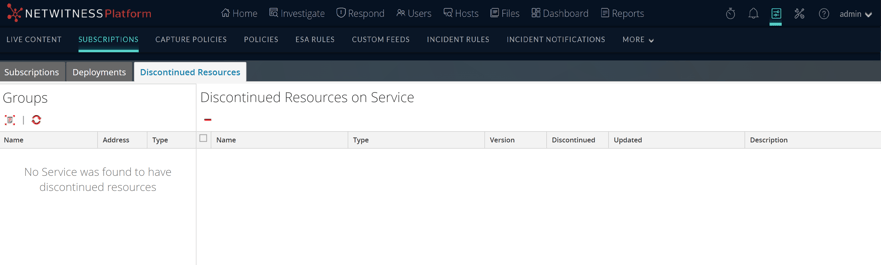
The Discontinued tab has two panels: Groups and Discontinued Resources on Service.
Groups Panel
The Groups panel is a static display of configured service groups that were created in the Admin Services view. Selecting a group in the Groups panel populates the Discontinued Resources panel with a list of discontinued resources which are deployed on the selected service or service group.
Discontinued Resources on Service Panel
The following table describes the features in the Discontinued Resources on Service panel.