.png?width=180&height=32&name=NW%20Logo%20(2).png)
Email Configuration Panel
The Email Configuration Panel provides information about email configuration settings in the  (Admin) > System > Email Configuration panel. NetWitness Platform XDR sends notifications to users with email about various system events. To be able to configure these email notifications, first configure the SMTP email server (See Configure Email Servers and Notification Accounts).
The Email Configuration panel provides a way to:
- Configure the email server.
- Set up an email account to receive notifications.
- View statistics on email operations.
Workflow
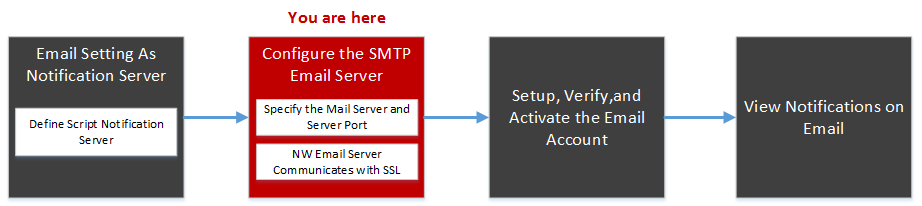
This workflow shows the necessary procedures to configure and verify Email Panel.
What do you want to do?
Related Topics
- Configure the Email Settings as Notification Server
- Configure Email as a Notification
- Configure Email Servers and Notification Accounts
Quick Look
The following example illustrates an Email configuration. The configuration defines how events are notified on Email.
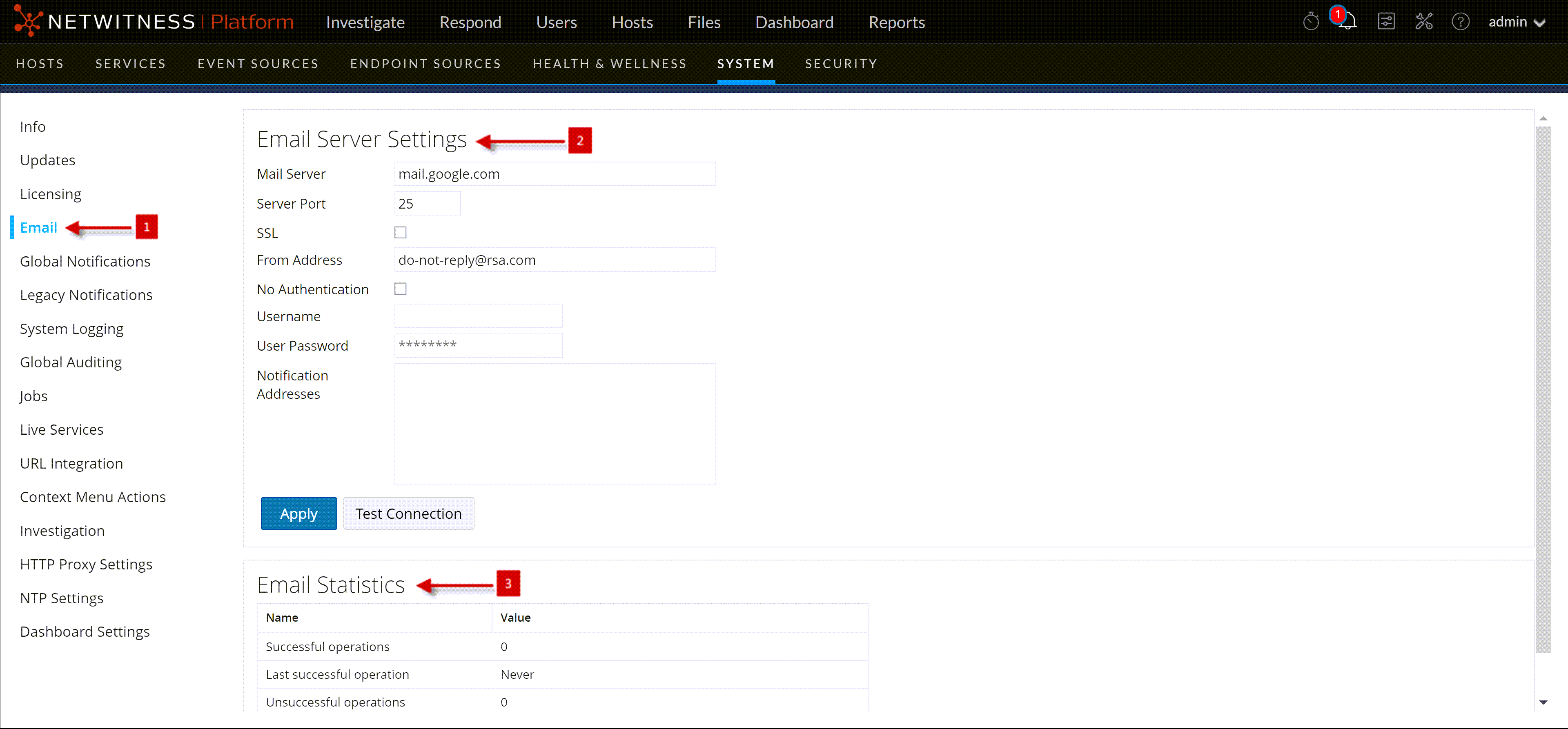
The Email Configuration panel has two sections: Email Server Settings and Email Statistics.
Email Server SettingsEmail Server Settings
In the Email Server Settings section, you configure the following parameters.
Email Statistics
The Email Statistics section provides feedback on the number of successful and failed email operations as well as the time of the last successful and unsuccessful email operation. For each statistic the name of the statistic and the value is displayed.